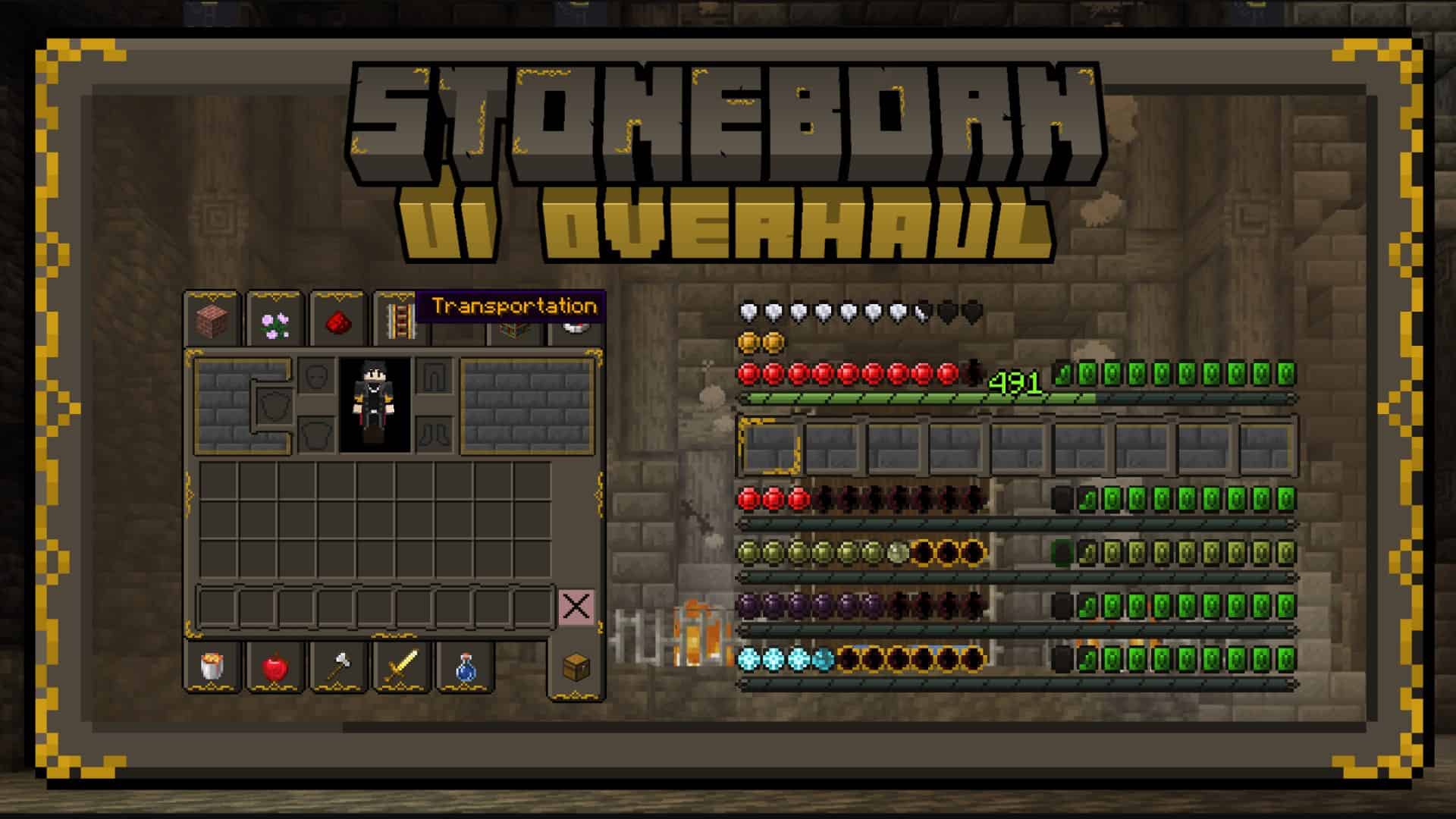
Stoneborn Resource Pack is a fantasy-inspired Minecraft texture pack that gives the game a medieval makeover while preserving the familiar vanilla experience. Inspired by the worlds of classic fantasy, including the works of J.R.R. Tolkien, Stoneborn focuses on redesigning Minecraft’s interface, weapons, armor, tools, and items rather than completely replacing every block texture. The result is a stylish and immersive resource pack that feels perfect for medieval kingdoms, RPG adventures, and fantasy-themed survival worlds.
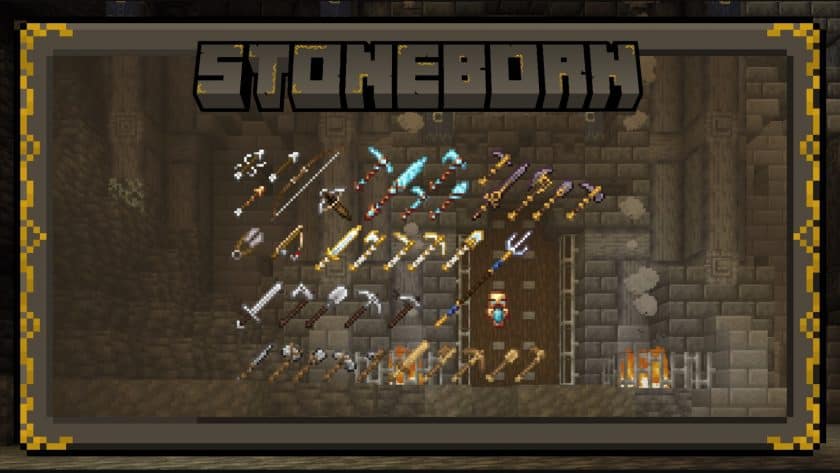
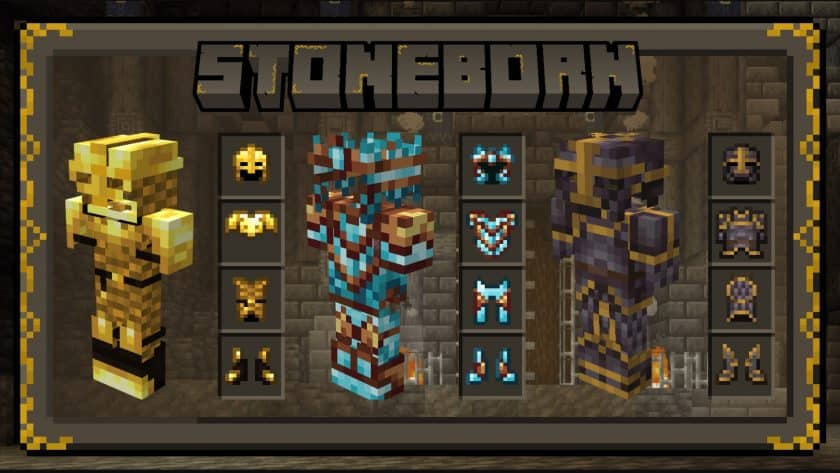
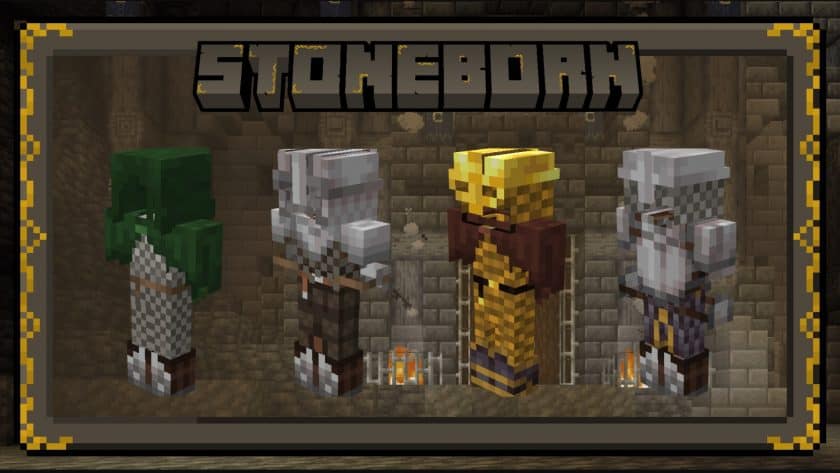
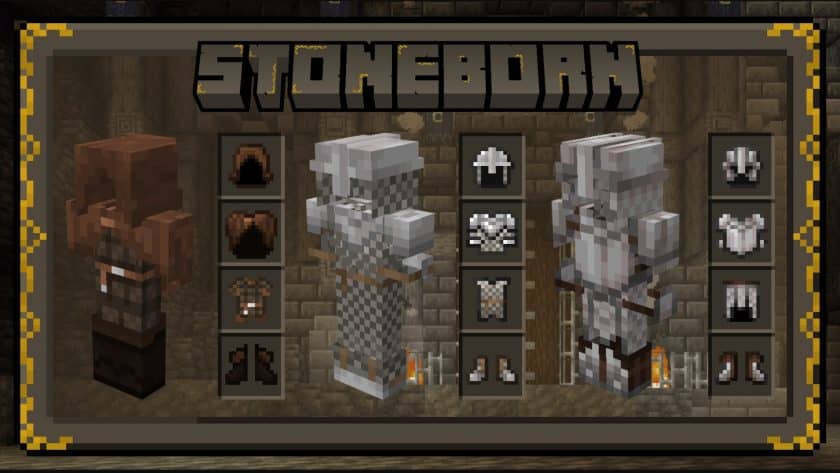
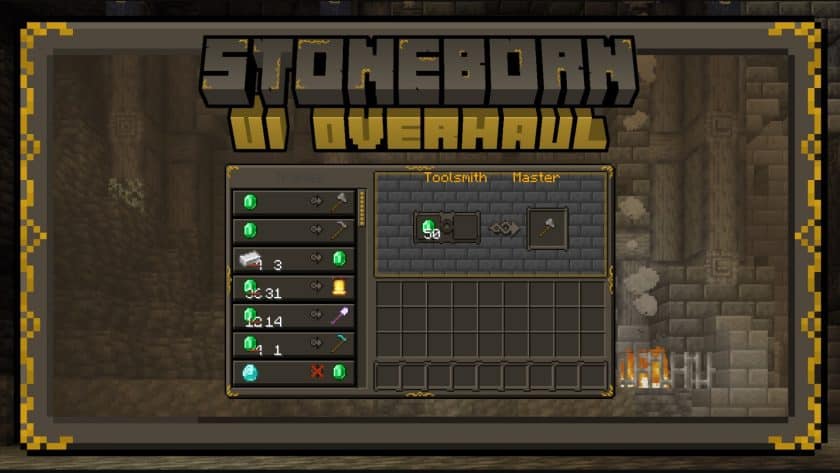
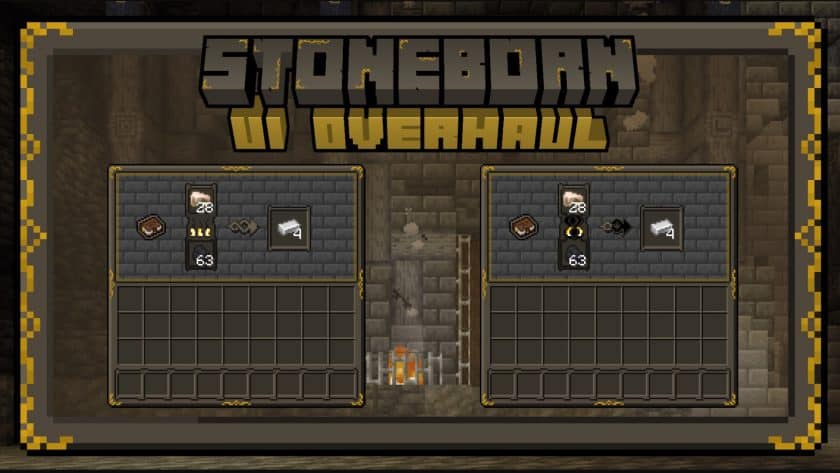
One of the standout features of the Stoneborn Texture Pack is its beautifully redesigned user interface. Inventory menus, crafting screens, item icons, and fonts have all been reworked with a dwarven-inspired style, featuring dark wooden panels, stone textures, and elegant golden accents that create a rich medieval atmosphere. Weapons, tools, armor, and many inventory icons have also been redesigned to match the fantasy theme, giving swords, axes, shields, and equipment a much more detailed and authentic appearance. In addition, several mobs and creatures receive updated textures that blend naturally with the pack’s overall style, making the world feel more cohesive and immersive.
Despite its impressive visual redesign, the Stoneborn Resource Pack retains Minecraft’s lightweight 16×16 resolution, ensuring smooth performance on both low-end and high-end PCs. Since it mainly focuses on interface and item textures, it has very little impact on frame rates, making it an excellent choice for both PvE and PvP gameplay. The pack is also available in separate modules, allowing players to install the UI overhaul, gear overhaul, or both together depending on their preferences. If you’re looking for a medieval-themed resource pack that modernizes Minecraft’s interface without sacrificing performance, Stoneborn is definitely worth adding to your collection.
Stoneborn should be compatible with all of these Minecraft versions: 26.2 – 26.1.2 – 26.1.1 – 26.1 – 1.21.11 – 1.21.10 – 1.21.9 – 1.21.8 – 1.21.7 – 1.21.6 – 1.21.5 – 1.21.4 – 1.21.3 – 1.21.2 – 1.21.1 – 1.21 – 1.20.6 – 1.20.5 – 1.20.4 – 1.20.3 – 1.20.2 – 1.20.1 – 1.20 – 1.19.4 – 1.19.3 – 1.19.2 – 1.19.1 – 1.19 – 1.18.2 – 1.18.1 – 1.18 – 1.17.1 – 1.17 – 1.16.5 – 1.16.4 – 1.16.3 – 1.16.2 – 1.16.1 – 1.16 – 1.15.2 – 1.15.1 – 1.15 – 1.14.4 – 1.14.3 – 1.14.2 – 1.14 – 1.13.2 – 1.13.1 – 1.13 – 1.12.2 – 1.12 – 1.7.10 – 1.7.9 – 1.7.4 – 1.7
Stoneborn — Screenshots
How to install Stoneborn Resource Pack:
- Download Optifine: Most of the texture packs and shaders need Optifine. That’s why, first download and install Optifine for the version of Minecraft you want to play.
- Download the Texture Pack: Get the texture pack you want from the download section. Choose the version that works with your Minecraft and your PC’s performance.
- Open Minecraft Launcher: 🚀 Start Minecraft using the official game launcher — or even TLauncher, if you use that.
- Go to Options: From the main menu, click on the “Options” button.
- Open Resource Packs: Inside Options, click on “Resource Packs…”.
- Open the Resource Pack Folder: Click on “Open Resource Pack Folder”— this will open a folder named “resourcepacks.”
- Move the Pack File: Copy or move the .zip file you downloaded into that “resourcepacks” folder. (Don’t unzip the file—Minecraft uses it as-is!)
- Go Back and Refresh: Close the folder and click “Done”, then go back into “Resource Packs…” again.
- Activate the Pack: You’ll see the pack on the left side. Hover over it and click the arrow to move it to the right (active side).
- Tip: If you get a message that the pack is for a different version, just click “”Yes”—it usually works fine.
- Click Done and Enjoy: Click “Done” again. Now your pack is ready to use in-game. It’s that easy!
Important:
- Overhaul of the gearbox: There are two types of files; HIGH-EYES & LOW-EYES, to place eye slits in armor for different skin types. See what works for you.
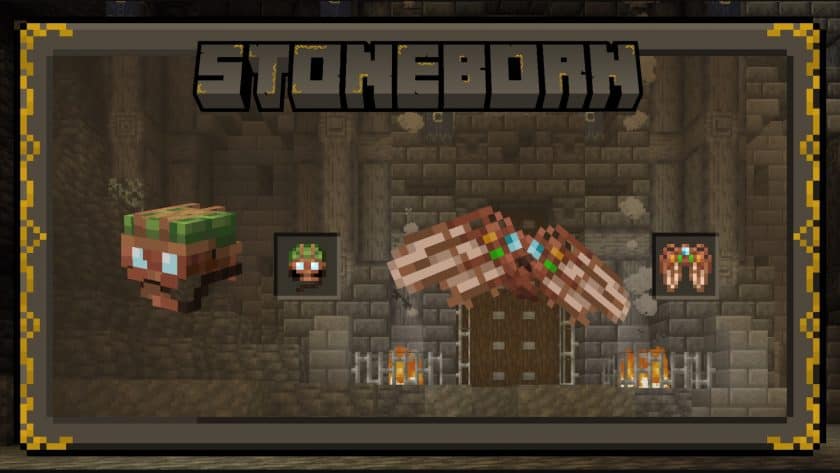
- Overhaul of the gearbox: If you have the cape equipped, the elytra textures will not show. Equip your cloak and use the STONEBORN elytra textures.
- Using languages other than English may cause some text elements to not be displayed.
- Accessories should always be installed on top of the main package (be on top of the currently active package)!
Stoneborn Texture Pack Download
- We never modify or modify resource packs in any way. None of the resource packs, shader mods or tools you see on this site are hosted on our servers. We only use official download links provided by official authors. Therefore, they are completely safe.
- Since the links are official and we update them manually – the links may stop working with each new update. We try to update the links as fast as possible and usually we update everything on time and users don’t have any problems, but if suddenly any link stops working – let us know through comments below.
- Don’t forget to leave a comment below and vote for the pack. In this way, you will help the authors to constantly improve the project. If you want to support the author(s), be sure to check the author links right below the download links.
DOWNLOAD LINKS
UI Overhaul:
[16x] [26.2.x – 1.20.2] Download Stoneborn UI Overhaul Resource Pack
[16x] [1.20.1 – 1.20] Download Stoneborn UI Overhaul Resource Pack
[16x] [1.19.x] Download Stoneborn UI Overhaul Resource Pack
[16x] [1.18.x] Download Stoneborn UI Overhaul Resource Pack
[16x] [1.17.x] Download Stoneborn UI Overhaul Resource Pack
[16x] [1.16.x – 1.15.x] Download Stoneborn UI Overhaul Resource Pack
[16x] [1.14.x] Download Stoneborn UI Overhaul Resource Pack
[16x] [1.13.x] Download Stoneborn UI Overhaul Resource Pack
[16x] [1.12.x] Download Stoneborn UI Overhaul Resource Pack
[16x] [1.7.x] Download Stoneborn UI Overhaul Resource Pack
Gear Overhaul (HIGH-EYES): There are two types of files; HIGH-EYES & LOW-EYES, to accommodate eye-slits in armour for different types of skins. See what works for yours.
[16x] [1.19.x] Download Stoneborn Gear Overhaul (HIGH-EYES) Resource Pack
[16x] [1.18.x] Download Stoneborn Gear Overhaul (HIGH-EYES) Resource Pack
[16x] [1.17.x] Download Stoneborn Gear Overhaul (HIGH-EYES) Resource Pack
[16x] [1.16.x] Download Stoneborn Gear Overhaul (HIGH-EYES) Resource Pack
[16x] [1.12.x] Download Stoneborn Gear Overhaul (HIGH-EYES) Resource Pack
[16x] [1.7.x] Download Stoneborn Gear Overhaul (HIGH-EYES) Resource Pack
Gear Overhaul (LOW-EYES): There are two types of files; HIGH-EYES & LOW-EYES, to accommodate eye-slits in armour for different types of skins. See what works for yours.
[16x] [1.19.x] Download Stoneborn Gear Overhaul (LOW-EYES) Resource Pack
[16x] [1.18.x] Download Stoneborn Gear Overhaul (LOW-EYES) Resource Pack
[16x] [1.17.x] Download Stoneborn Gear Overhaul (LOW-EYES) Resource Pack
[16x] [1.16.x] Download Stoneborn Gear Overhaul (LOW-EYES) Resource Pack
[16x] [1.12.x] Download Stoneborn Gear Overhaul (LOW-EYES) Resource Pack
[16x] [1.7.x] Download Stoneborn Gear Overhaul (LOW-EYES) Resource Pack
Stoneborn Extended (Mod Support) Add-on: Stoneborn extended is a simple add-on which aims to add compatibility to various mods. A list of compatible mods can be found above (or click here).
[16x] [1.18.x] Download Stoneborn Extended Add-on Pack
[16x] [1.17.x] Download Stoneborn Extended Add-on Pack
[16x] [1.16.x] Download Stoneborn Extended Add-on Pack
Download Instructions:
CurseForge: The download will start by itself after a few seconds.
Mediafire: Click the big blue “DOWNLOAD” button.
Google Drive: Click the small download icon (a down arrow) at the top-right corner to start the download.
Disclaimer
We are not the creators of any texture packs or shader packs shared on this site. All credit goes to the original authors. We do not edit or change any files in any way. Also, none of the downloads are hosted on our servers — we only provide official links shared by the original creators. That means all downloads are completely safe.
❗Note: Since we manually add the official links, so some may stop working after updates. If you find a broken link, tell us in the comments and we’ll fix it as soon as we can.
If you like a pack, please leave a comment and vote for it — this helps the creators improve their work. You can also support them directly through the links below the download section.