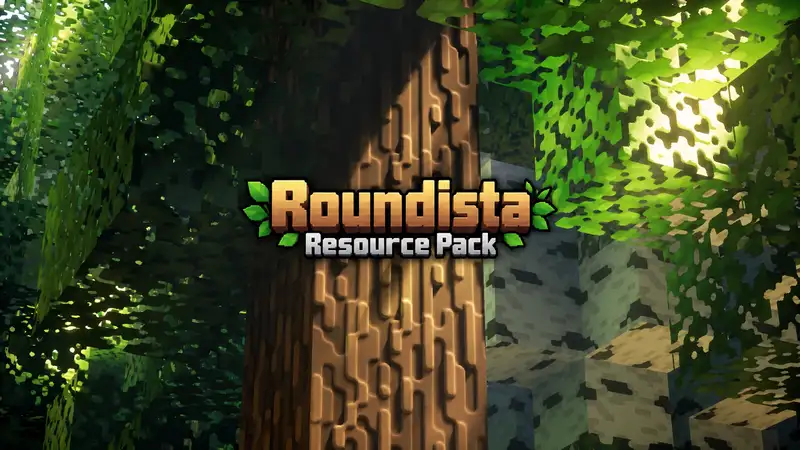
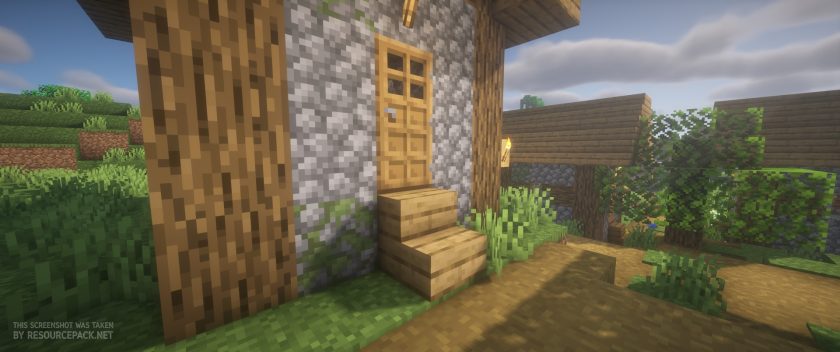
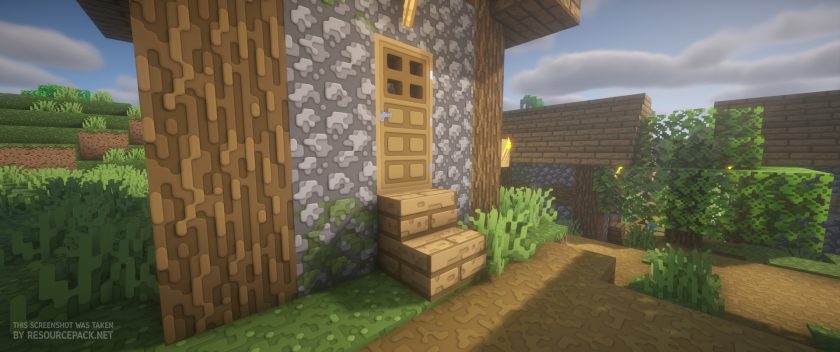
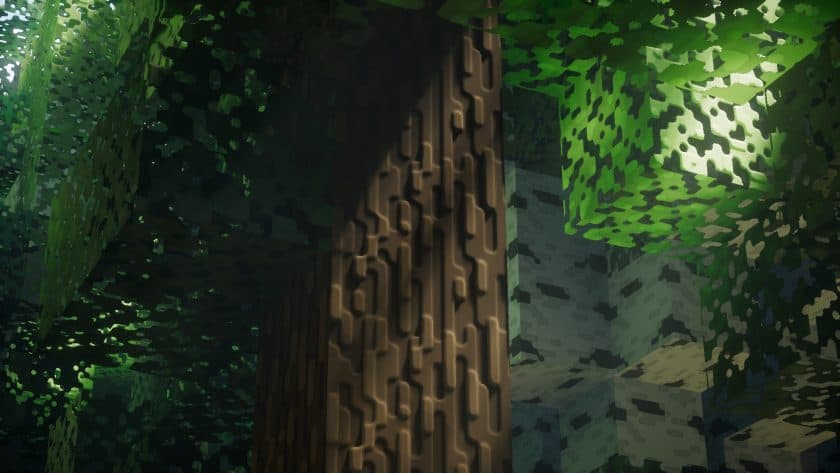
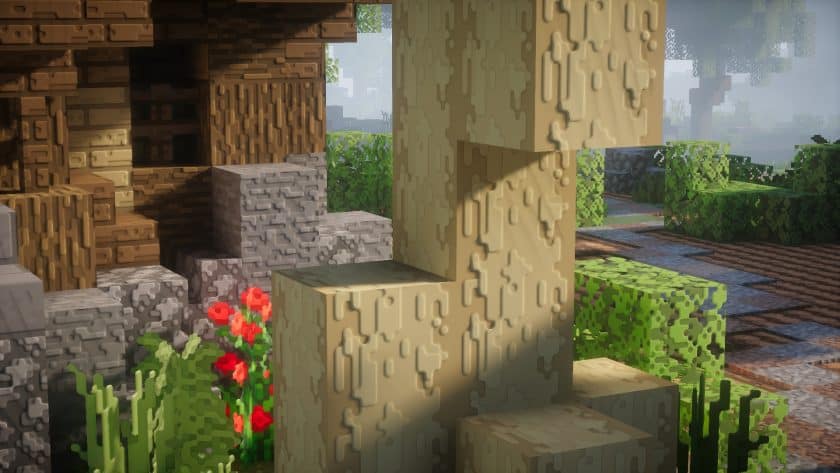
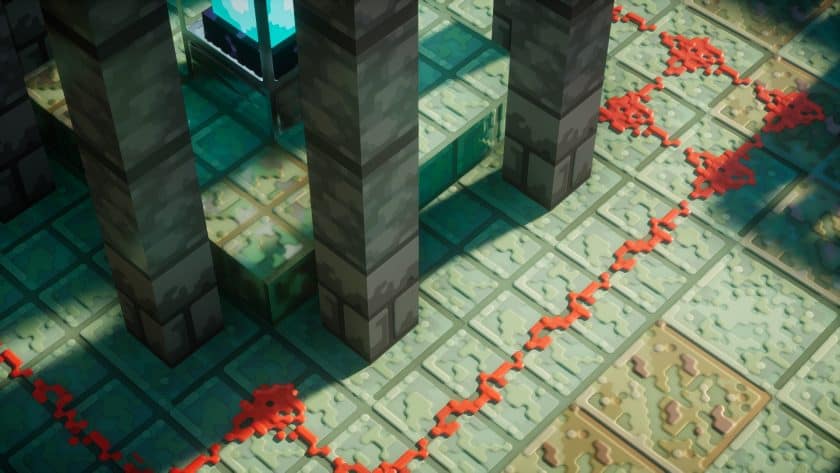
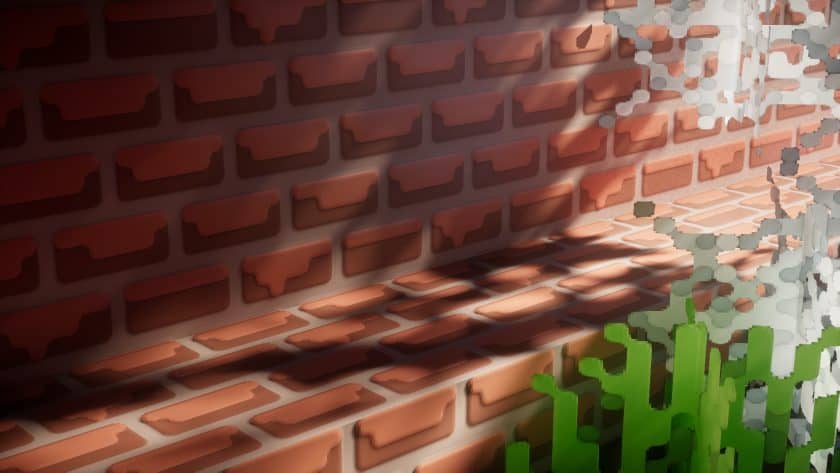
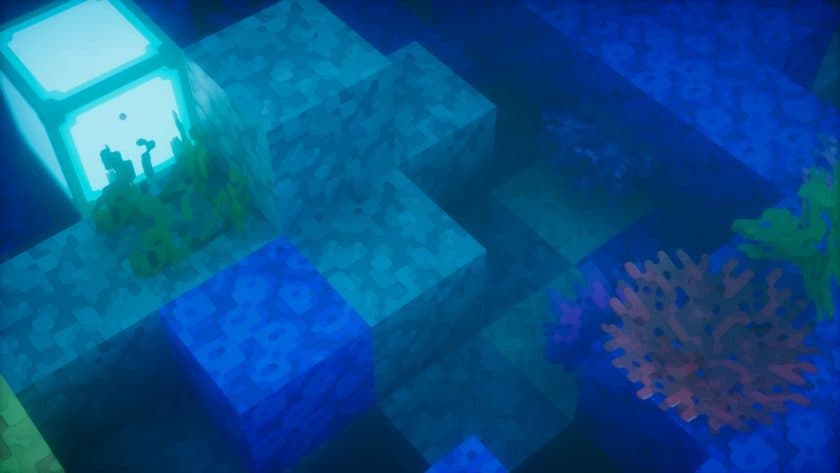
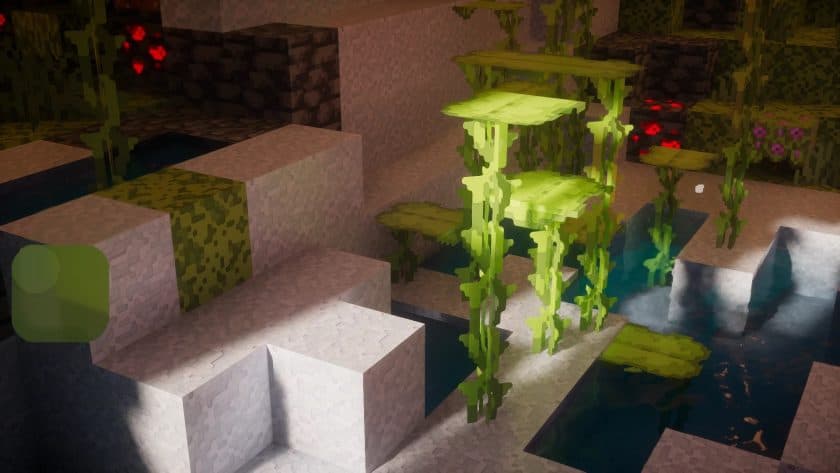
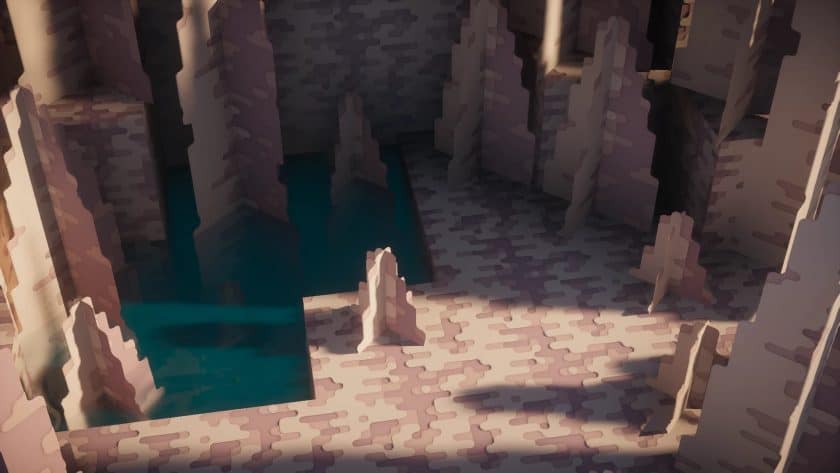
Roundista Resource Pack is a good guess for Minecraft without jagged edges and tripled graphics quality. This March 2022 pack caught the attention of the Minecraft community owing to its ambitious style and usage of cutting-edge rendering techniques. Shivamzter, the project’s author, has written resource packs before, and Roundista may be his most successful. There are various HD packages, but Roundista is unique in its shader package compatibility. It follows the LabPBR standard, which lets resource set developers encode texture information, making the game seem better and more authentic. When you initially join a Roundista-enabled environment, every texture has extra depth. Computer graphics uses normal maps to simulate 3D objects. So you’ll see bumps, scrapes, and gouges in oak logs, paving stones, bricks, etc. These features are noticeable in natural biomes, but they stand out when you explore the mines. Also fantastic are the lighting effects. Copper and iron blocks shine brightly. Other blocks have matte, glossy, metallic, etc. finishes. Roundista uses Specular Maps, Subsurface Scattering, Porosity, and more to achieve this. Depending on light and darkness, the same building might look very different.
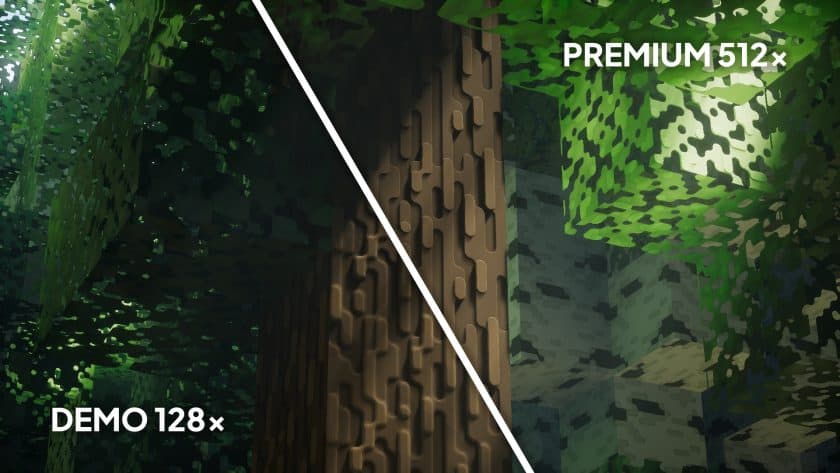
This allows you to be creative—a single Glowstone block or lamp can transform your Minecraft home. Others have changed besides fixed blocks. Water now has a unique wave effect. The water reflects beautifully and the blocks on top look like they’re going to sink. Even single-block water sources have realistic effects, so your farm will look great with the pack. Despite the aforesaid features, Roundista is far from over. About 50% of the package is done. Many blocks will not experience these improvements, although weekly updates are available. The pack supports Optifine and Iris and is only for Minecraft Java. Roundista is available in 128x, 256x, and 512x resolutions. Only the lowest one is free and demo. One-time or subscription purchases are available for the two higher-resolution versions. The price is high, but you get two former developer resource bundles, premium add-ons, Discord benefits, and more. The resource pack Roundista requires a powerful computer to work well. The creator recommends LabPBR shaders for best results. The pack can be used alone, although texture depth and fancy effects will be reduced. The terrain’s 3D appearance depends on light processing, therefore the packing may look different than in the photographs. Since Roundista is in development, follow the official installation methods to avoid difficulties. This is one of the most promising resource sets. It’s better than many completely finished versions, and there are plans for more functionality. You should try it if you have a modern PC.
Roundista should be compatible with all of these Minecraft versions: 26.3 – 26.2 – 26.1.2 – 26.1.1 – 26.1 – 1.21.11 – 1.21.10 – 1.21.9 – 1.21.8 – 1.21.7 – 1.21.6 – 1.21.5 – 1.21.4 – 1.21.3 – 1.21.2 – 1.21.1 – 1.21 – 1.20.6 – 1.20.5 – 1.20.4 – 1.20.3 – 1.20.2 – 1.20.1 – 1.20 – 1.19.4 – 1.19.3 – 1.19.2 – 1.19.1 – 1.19 – 1.18.2 – 1.18.1 – 1.18 – 1.17.1 – 1.17 – 1.16.5 – 1.16.4 – 1.16.3 – 1.16.2 – 1.16.1 – 1.16
Roundista — Video and screenshots
How to install Roundista Resource Pack:
- Download Optifine: Most of the texture packs and shaders need Optifine. That’s why, first download and install Optifine for the version of Minecraft you want to play.
- Download the Texture Pack: Get the texture pack you want from the download section. Choose the version that works with your Minecraft and your PC’s performance.
- Open Minecraft Launcher: 🚀 Start Minecraft using the official game launcher — or even TLauncher, if you use that.
- Go to Options: From the main menu, click on the “Options” button.
- Open Resource Packs: Inside Options, click on “Resource Packs…”.
- Open the Resource Pack Folder: Click on “Open Resource Pack Folder”— this will open a folder named “resourcepacks.”
- Move the Pack File: Copy or move the .zip file you downloaded into that “resourcepacks” folder. (Don’t unzip the file—Minecraft uses it as-is!)
- Go Back and Refresh: Close the folder and click “Done”, then go back into “Resource Packs…” again.
- Activate the Pack: You’ll see the pack on the left side. Hover over it and click the arrow to move it to the right (active side).
- Tip: If you get a message that the pack is for a different version, just click “”Yes”—it usually works fine.
- Click Done and Enjoy: Click “Done” again. Now your pack is ready to use in-game. It’s that easy!
Roundista Resource Pack was created by
Shivamzter.
Full credit goes to the original creator for their work.
Original Files & Downloads:
We help players discover resource packs, shaders,
and tools made by the Minecraft community. Where
applicable, we link to the creators' original
download pages and do not claim ownership of their work.
Download Link Updates:
Links may change or become unavailable when a creator
updates a project. We aim to keep them current, so
please leave a comment if you find a broken link.
Independent Website:
Texture-Packs.org is an independent fan resource
website and is not affiliated with or endorsed by
Mojang Studios or Microsoft. Minecraft is a trademark
of Mojang Studios.
Support the Creators:
If you enjoy this resource pack,
share your experience in the comments and consider
visiting the creator's original page to explore their
work and support their efforts.
About This Resource Pack
Recommended shaders:
- Kappa
- KappaPT
- Nostalgia
- NostalgieVX
- SoftVoxels
- BSL
- AstraLex
- Complementary
- Complementary Reimagined
- Photon
- Seus PTGI HRR 3
Roundista Texture Pack Download
The Java Edition of this resource pack requires Optifine or Iris (with Puzzle mod) to run and will not work without them! Get optifine here or get Iris here.
Bedrock Edition (Vibrant Visuals & RTX):
[128x] [1.21.x – 1.20.x] Download Roundista Bedrock Edition Resource Pack – absolutely free;
[256x] [1.21.x – 1.20.x] Download Roundista Bedrock Edition Resource Pack – for Patrons only;
Java Edition:
[128x] [26.3.x – 1.16.x] Download Roundista Resource Pack – absolutely free;
[256x] [26.3.x – 1.16.x] Download Roundista Resource Pack – for Patrons only;
[512x] [26.3.x – 1.16.x] Download Roundista Resource Pack – for Patrons only;
Download Instructions:
CurseForge: The download will start by itself after a few seconds.
Mediafire: Click the big blue “DOWNLOAD” button.
Google Drive: Click the small download icon (a down arrow) at the top-right corner to start the download.
Disclaimer
We are not the creators of any texture packs or shader packs shared on this site. All credit goes to the original authors. We do not edit or change any files in any way. Also, none of the downloads are hosted on our servers — we only provide official links shared by the original creators. That means all downloads are completely safe.
❗Note: Since we manually add the official links, so some may stop working after updates. If you find a broken link, tell us in the comments and we’ll fix it as soon as we can.
If you like a pack, please leave a comment and vote for it — this helps the creators improve their work. You can also support them directly through the links below the download section.