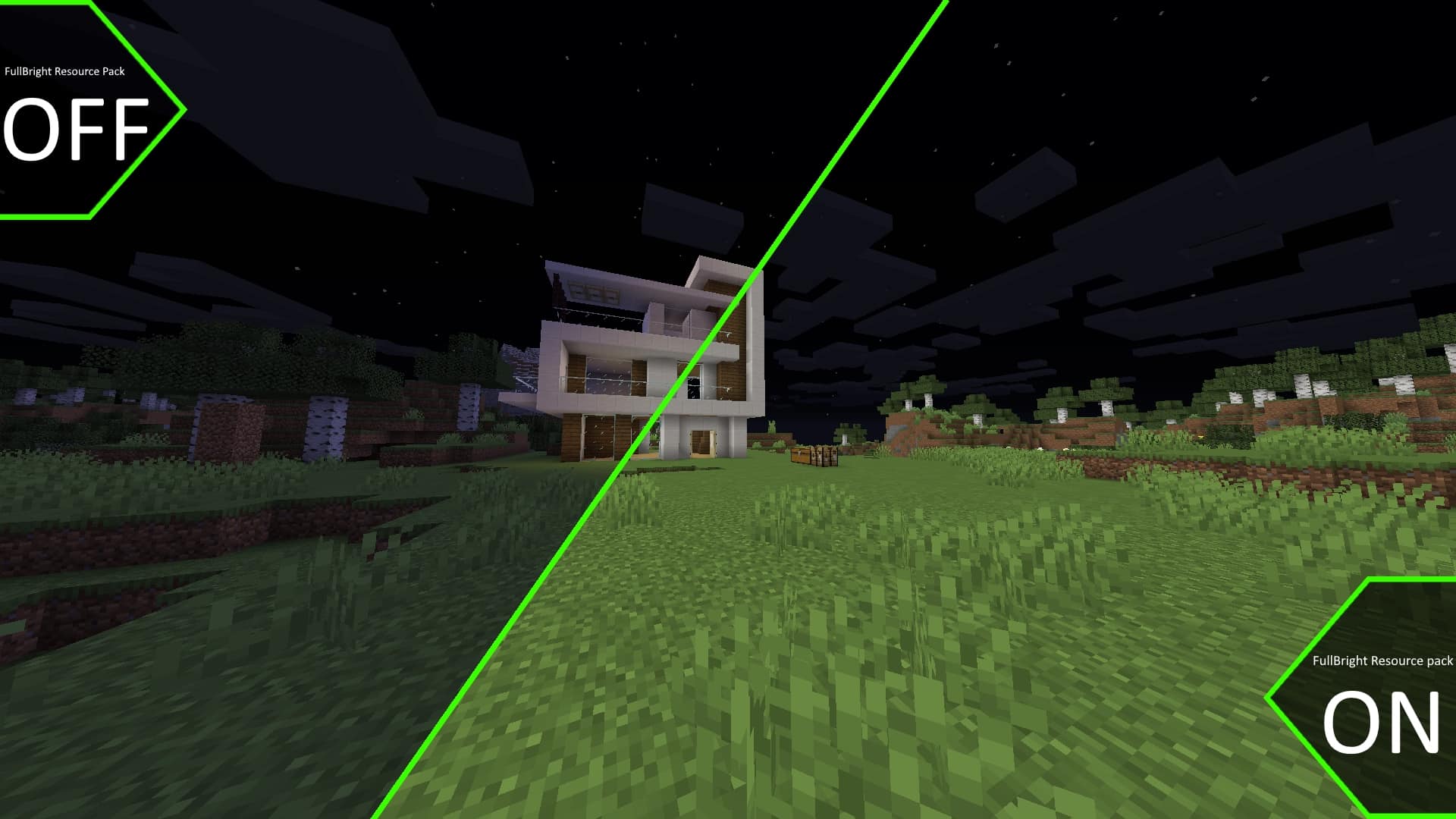
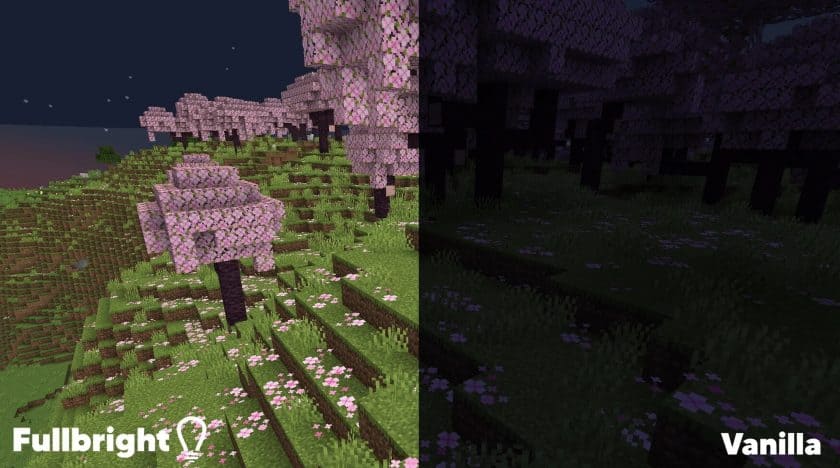
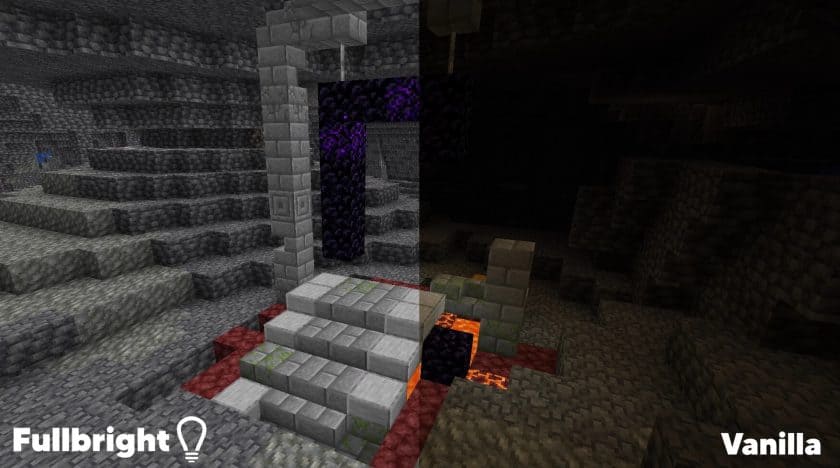
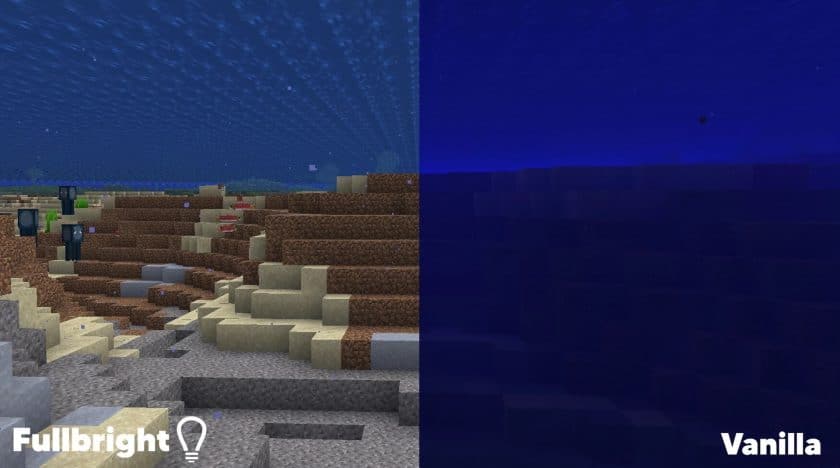
The FullBright Resource Pack is one of the most useful Minecraft resource packs for players who want better visibility without constantly placing torches. Instead of changing the game’s textures, this pack adjusts the lighting system to make dark environments much brighter. Whether you’re exploring deep caves, traveling through the Nether, or fighting mobs at night, FullBright allows you to see your surroundings much more clearly while preserving Minecraft’s original appearance.
One of the biggest advantages of the FullBright Texture Pack is the convenience it brings to survival gameplay. Mining becomes faster because ores and cave structures are easier to spot, while nighttime exploration feels much safer thanks to improved visibility. Players can quickly identify hostile mobs before they get too close, making exploration, dungeon raids, and underground adventures far less frustrating. The pack is also especially helpful for players with visual impairments, as it brightens dark areas and makes Minecraft much easier to navigate without altering the game’s core mechanics.
Although the FullBright Resource Pack is widely used in single-player worlds, players should always check server rules before using it in multiplayer. Some competitive PvP servers consider enhanced visibility an unfair advantage and may restrict or prohibit its use. For the best experience, FullBright is typically used with OptiFine, which enables the lighting adjustments while also providing performance improvements and additional graphical features. If you’re looking for a simple way to improve visibility and make Minecraft more accessible, the FullBright Resource Pack is an excellent quality-of-life upgrade for both new and experienced players.
FullBright should be compatible with all of these Minecraft versions: 26.2 – 26.1.2 – 26.1.1 – 26.1 – 1.21.11 – 1.21.10 – 1.21.9 – 1.21.8 – 1.21.7 – 1.21.6 – 1.21.5 – 1.21.4 – 1.21.3 – 1.21.2 – 1.21.1 – 1.21 – 1.20.6 – 1.20.5 – 1.20.4 – 1.20.3 – 1.20.2 – 1.20.1 – 1.20 – 1.19.4 – 1.19.3 – 1.19.2 – 1.19.1 – 1.19 – 1.18.2 – 1.18.1 – 1.18 – 1.17.1 – 1.17 – 1.16.5 – 1.16.4 – 1.16.3 – 1.16.2 – 1.16.1 – 1.16 – 1.15.2 – 1.15.1 – 1.15 – 1.14.4 – 1.14.3 – 1.14.2 – 1.14 – 1.13.2 – 1.13.1 – 1.13 – 1.12.2 – 1.12 – 1.11.2 – 1.11 – 1.10.2 – 1.10 – 1.9.4 – 1.9 – 1.8.9 – 1.8.8 – 1.8.1 – 1.8.6 – 1.8 – 1.7.10 – 1.7.9 – 1.7.4 – 1.7
FullBright — Video and screenshots
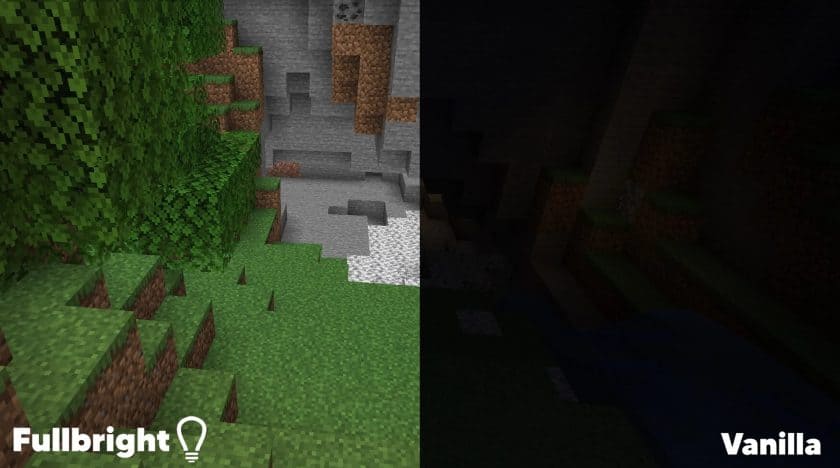
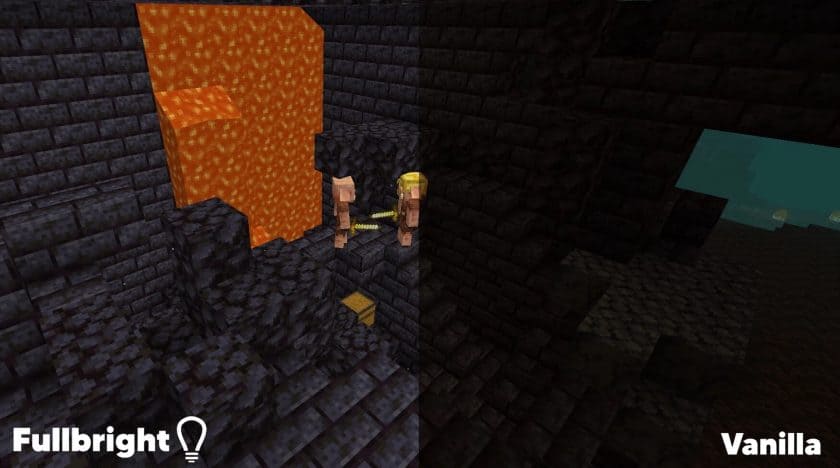
How to install FullBright Resource Pack:
- Most source packages require Optifine, so be sure to download and install it. – a general recommended step for all packages, Optifine is also needed for most shaders
- Download the FullBright texture pack for Minecraft from the download section below. – if there are many different versions, just choose the one you like, is compatible with your version/edition of minecraft that you think your computer can handle in terms of performance.
- Launch the game client via the Minecraft launcher.
- Click “Options” in the main menu.
- Click on “Resource Packs…” from the options menu.
- Click “Open Resource Pack Folder”. – a folder named “resourcepacks” will appear.
- Move the .zip file you downloaded in the first step into the newly opened “resourcepacks” folder.
- Click “Done”.
- Click on “Resource Pack…” again.
- Your package should appear in the left window, just hover over it and click on the arrow pointing to the right.
QUICK TIP: Sometimes when activating a pack, the game may say that the pack is made for a newer or older version of Minecraft. This is just a warning, it doesn’t affect your game in any way and you can still activate and enjoy the pack by just clicking “Yes” when prompted.
- Click “Done” again.
- The package has now been successfully loaded and is ready to use in your world!
- World Resource Pack is credited for creating FullBright.
- We never modify or modify resource packs in any way. None of the resource packs, shader mods or tools you see on this site are hosted on our servers. We only use official download links provided by official authors. Therefore, they are completely safe.
- Since the links are official and we update them manually – the links may stop working with each new update. We try to update the links as fast as possible and usually we update everything on time and users don’t have any problems, but if suddenly any link stops working – let us know through comments below.
- Don’t forget to leave a comment below and vote for the pack. In this way, you will help the authors to constantly improve the project. If you want to support the author(s), be sure to check the author links right below the download links.
Bedrock Edition, Minecraft PE and MCPE:
[MCPACK] Download FullBright Texture Pack
Java Edition:
[16x] [26.2.x – 1.21.x] Download FullBright Resource Pack
[16x] [1.20.x] Download FullBright Resource Pack
[16x] [1.19.x] Download FullBright Resource Pack
[16x] [1.18.x] Download FullBright Resource Pack
[16x] [1.17.x] Download FullBright Resource Pack
[16x] [1.16.x – 1.13.x] Download FullBright Resource Pack
[16x] [1.12.x – 1.11.x] Download FullBright Resource Pack
[16x] [1.10.x – 1.9.x] Download FullBright Resource Pack – optifine required;
[16x] [1.8.x – 1.7.x] Download FullBright Resource Pack
Curseforge: download starts automatically after a few seconds;
Mediafire: click the big blue button with the text “DOWNLOAD”;
Google Drive: in the top right corner you will see a small download icon (down arrow), click it and the download should start;