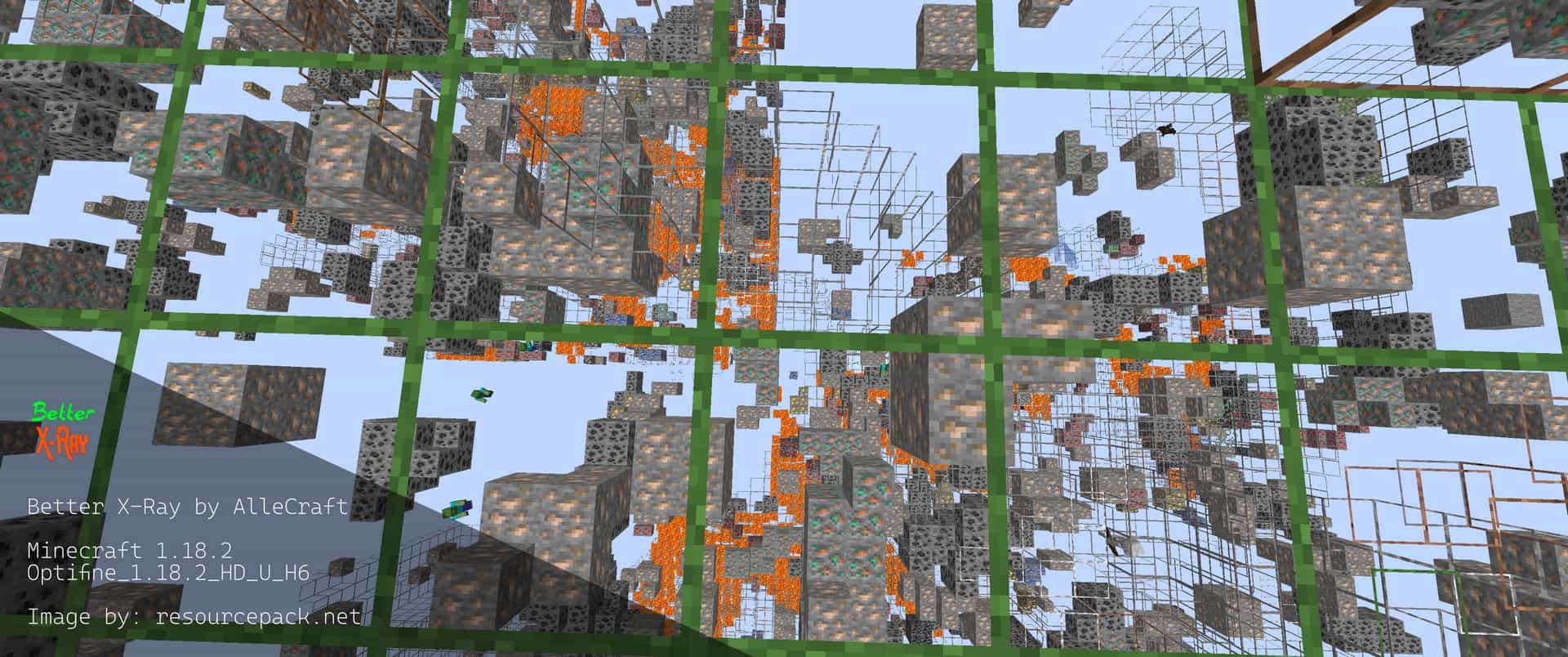
Better X-Ray Resource Pack is designed for players who want to spend less time mining and more time exploring. Instead of changing Minecraft’s gameplay or installing complicated mods, this resource pack simply hides most common blocks while keeping valuable ores clearly visible. As a result, diamonds, ancient debris, redstone, iron, emeralds, and other important resources become much easier to locate. It’s a lightweight solution that works through Minecraft’s resource pack system, making installation simple for players who want a faster mining experience without modifying the game itself.
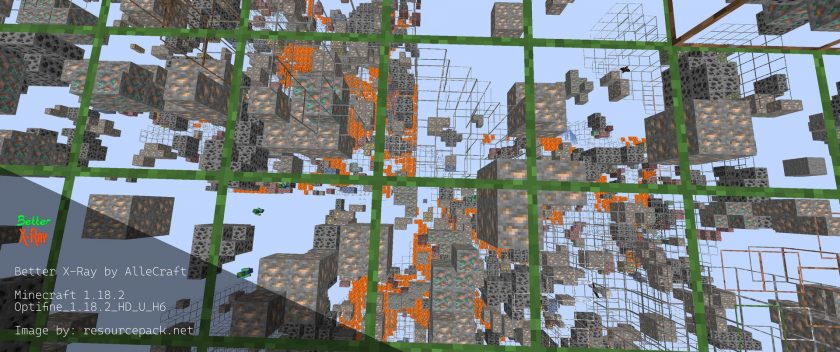
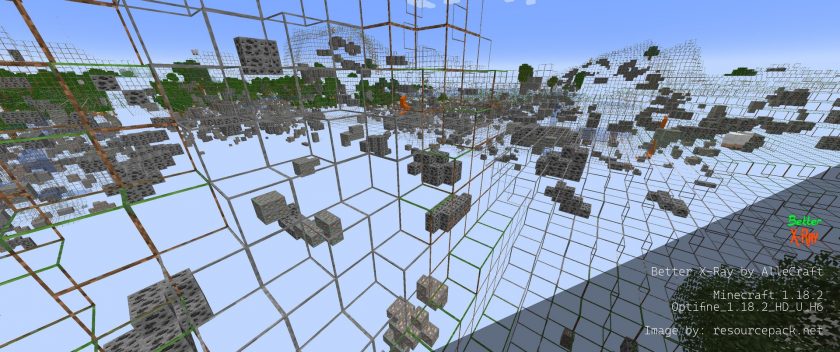
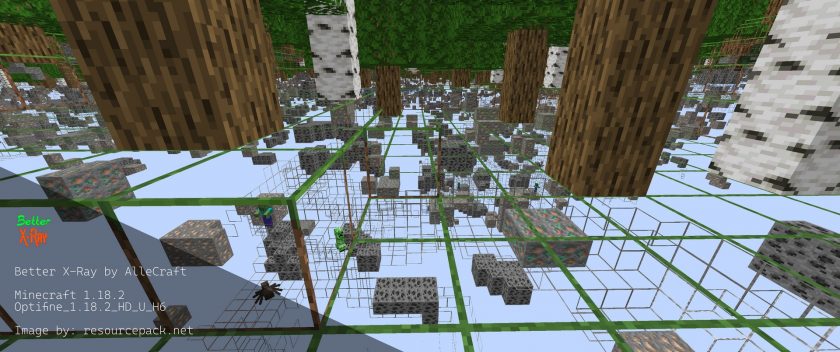
What makes the Better X-Ray Texture Pack stand out is its smart approach to visibility. Rather than making every block completely invisible, it leaves subtle outlines of normal blocks so you can still navigate caves, tunnels, and the Nether without getting completely disoriented. This is especially useful when searching for Ancient Debris in the Nether, where finding the rare ore normally requires hours of mining. The pack is available in multiple editions, including Standard and Lite, allowing players to choose the version that best suits their needs. Since most textures are hidden instead of replaced with high-resolution graphics, the pack is extremely lightweight and may even provide a small FPS improvement on some systems.
Although the Better X-Ray Resource Pack is incredibly useful in single-player worlds, it’s important to remember that many multiplayer servers prohibit X-ray resource packs because they provide a significant gameplay advantage. Always check a server’s rules before using it online to avoid penalties or bans. The pack also requires OptiFine to function correctly, and you’ll need to enable or disable the resource pack from Minecraft’s resource pack menu whenever you want to switch between normal gameplay and X-ray mode. If your goal is to speed up mining and locate valuable ores more efficiently, Better X-Ray remains one of the most popular and reliable X-ray resource packs available for Minecraft.
Better X-Ray should be compatible with all of these Minecraft versions: 26.2 – 26.1.2 – 26.1.1 – 26.1 – 1.21.11 – 1.21.10 – 1.21.9 – 1.21.8 – 1.21.7 – 1.21.6 – 1.21.5 – 1.21.4 – 1.21.3 – 1.21.2 – 1.21.1 – 1.21 – 1.20.6 – 1.20.5 – 1.20.4 – 1.20.3 – 1.20.2 – 1.20.1 – 1.20 – 1.19.4 – 1.19.3 – 1.19.2 – 1.19.1 – 1.19 – 1.18.2 – 1.18.1 – 1.18 – 1.17.1 – 1.17 – 1.16.5 – 1.16.4 – 1.16.3 – 1.16.2 – 1.16.1 – 1.16 – 1.15.2 – 1.15.1 – 1.15 – 1.14.4 – 1.14.3 – 1.14.2 – 1.14 – 1.13.2 – 1.13.1 – 1.13
Better X-Ray — Screenshots
How to install Better X-Ray Resource Pack:
- Download Optifine: Most of the texture packs and shaders need Optifine. That’s why, first download and install Optifine for the version of Minecraft you want to play.
- Download the Texture Pack: Get the texture pack you want from the download section. Choose the version that works with your Minecraft and your PC’s performance.
- Open Minecraft Launcher: 🚀 Start Minecraft using the official game launcher — or even TLauncher, if you use that.
- Go to Options: From the main menu, click on the “Options” button.
- Open Resource Packs: Inside Options, click on “Resource Packs…”.
- Open the Resource Pack Folder: Click on “Open Resource Pack Folder”— this will open a folder named “resourcepacks.”
- Move the Pack File: Copy or move the .zip file you downloaded into that “resourcepacks” folder. (Don’t unzip the file—Minecraft uses it as-is!)
- Go Back and Refresh: Close the folder and click “Done”, then go back into “Resource Packs…” again.
- Activate the Pack: You’ll see the pack on the left side. Hover over it and click the arrow to move it to the right (active side).
- Tip: If you get a message that the pack is for a different version, just click “”Yes”—it usually works fine.
- Click Done and Enjoy: Click “Done” again. Now your pack is ready to use in-game. It’s that easy!
- Standard X-ray is better 4 times lighter than normal X-Ray Ultimate;
- Ferociously X-ray is better 8 times lighter than normal X-Ray Ultimate;
Important:
DOWNLOAD LINKS
Java Edition:
[16x] [26.2.x – 26.1.x] Download Better X-Ray Resource Pack
[16x] [1.21.x – 1.20.x] Download Better X-Ray Resource Pack
[16x] [1.19.x] Download Better X-Ray Resource Pack
[16x] [1.18.x] Download Better X-Ray Resource Pack
[16x] [1.17.x] Download Better X-Ray Resource Pack
[16x] [1.16.x – 1.15.x] Download Better X-Ray Resource Pack
[16x] [1.14.x – 1.13.x] Download Better X-Ray Resource Pack
Lite version:
[16x] [1.19.x] Download Better X-Ray Resource Pack
[16x] [1.18.x] Download Better X-Ray Resource Pack
[16x] [1.17.x] Download Better X-Ray Resource Pack
[16x] [1.16.x – 1.15.x] Download Better X-Ray Resource Pack
[16x] [1.14.x – 1.13.x] Download Better X-Ray Resource Pack
Download Instructions:
CurseForge: The download will start by itself after a few seconds.
Mediafire: Click the big blue “DOWNLOAD” button.
Google Drive: Click the small download icon (a down arrow) at the top-right corner to start the download.
Disclaimer
We are not the creators of any texture packs or shader packs shared on this site. All credit goes to the original authors. We do not edit or change any files in any way. Also, none of the downloads are hosted on our servers — we only provide official links shared by the original creators. That means all downloads are completely safe.
❗Note: Since we manually add the official links, so some may stop working after updates. If you find a broken link, tell us in the comments and we’ll fix it as soon as we can.
If you like a pack, please leave a comment and vote for it — this helps the creators improve their work. You can also support them directly through the links below the download section.