If you’re searching for a resource pack that enhances Minecraft without completely changing its iconic style, the Whimscape Resource Pack is an excellent choice. Designed in a lightweight 16×16 resolution, it refreshes the game’s visuals with cleaner textures, improved colors, and thoughtfully redesigned details while preserving the familiar vanilla experience.
Unlike many high-resolution texture packs that require powerful hardware, Whimscape focuses on subtle visual improvements that work smoothly on almost any computer. Every texture feels polished and consistent, making the world look more vibrant without sacrificing Minecraft’s original charm.
Improved Blocks and User Interface
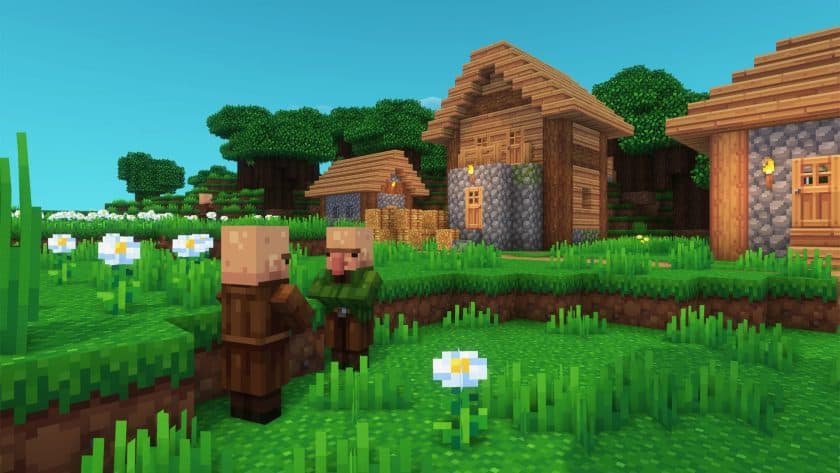
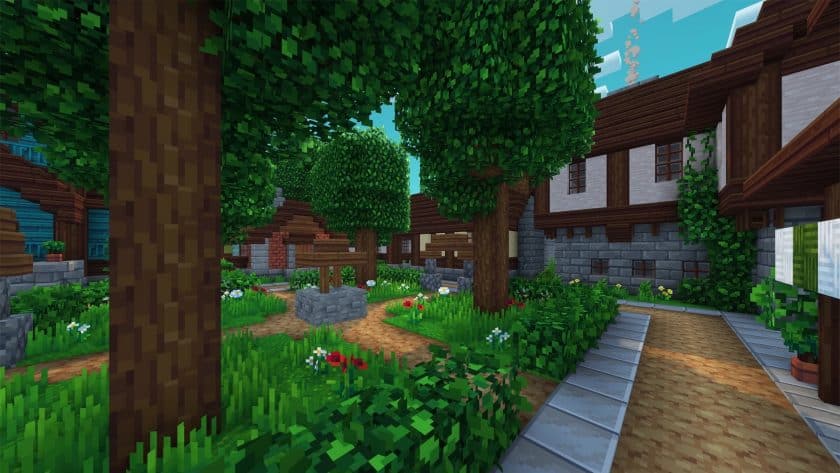
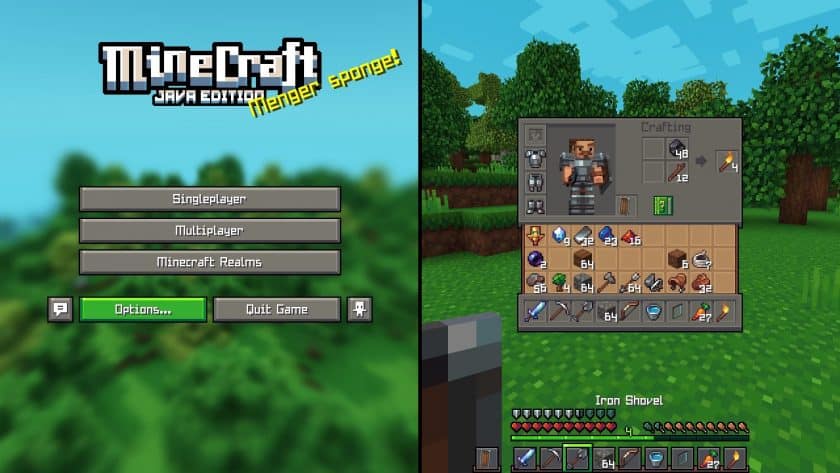
One of the first things you’ll notice after installing the Whimscape Texture Pack is the improved appearance of blocks and interface elements. Common building blocks have sharper, more refined textures that blend naturally into every biome.
The game’s HUD has also received a visual makeover. Health hearts, hunger icons, armor indicators, experience bars, and underwater bubbles all feature cleaner artwork that looks modern while remaining easy to recognize during gameplay.
More Beautiful Landscapes
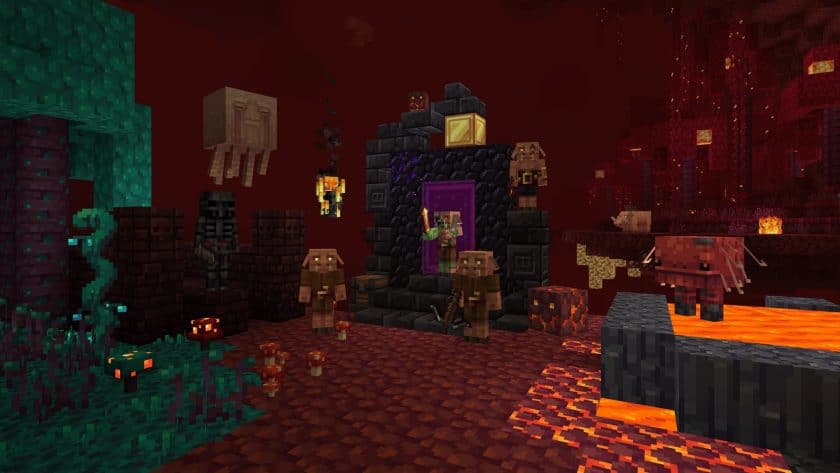
Whimscape significantly improves Minecraft’s natural environments. The sky features richer colors throughout the day, while the moon has been redesigned to create a more magical nighttime atmosphere. Water, fog, portals, and various environmental textures have also been refreshed, making exploration feel more immersive.
Forests are especially enjoyable with this pack. Trees feature improved leaves and more natural-looking foliage, giving every biome a fuller and more detailed appearance without changing Minecraft’s gameplay mechanics.
Better Items, Armor, and Enchantments
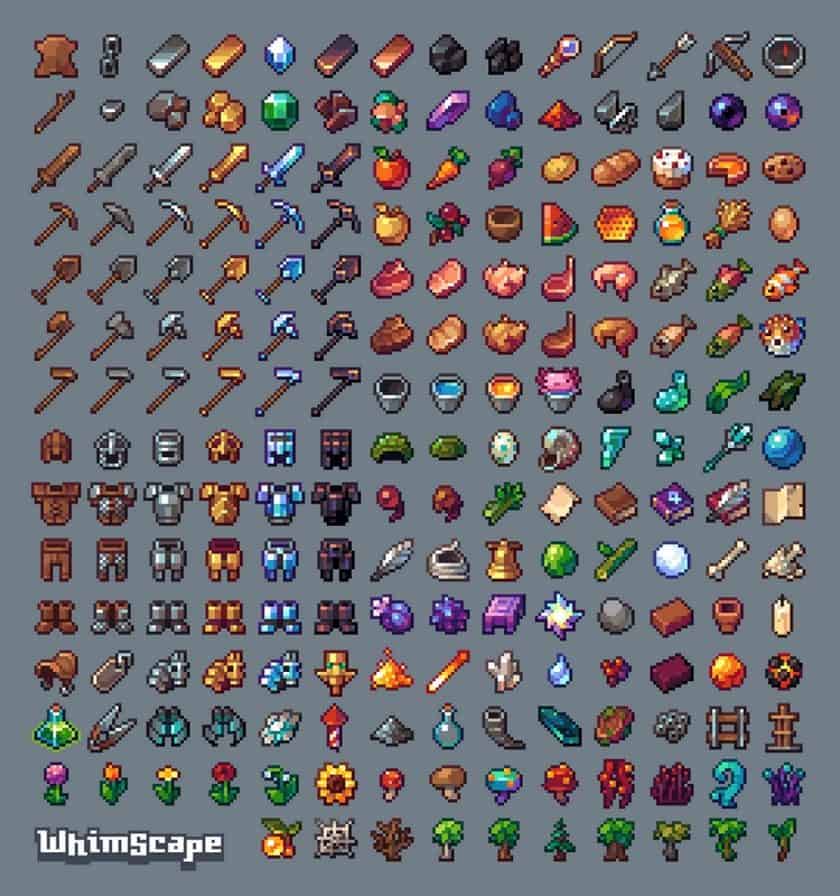
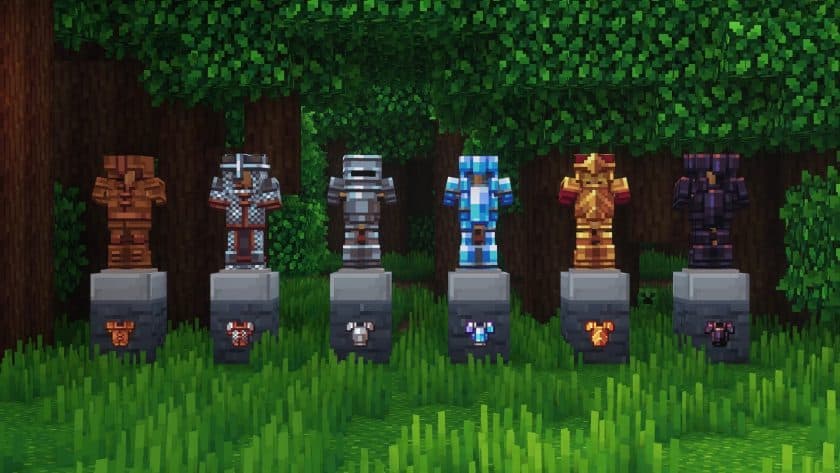
The pack also enhances many inventory items. Tools, weapons, armor pieces, and decorative items are easier to identify thanks to their refined textures.
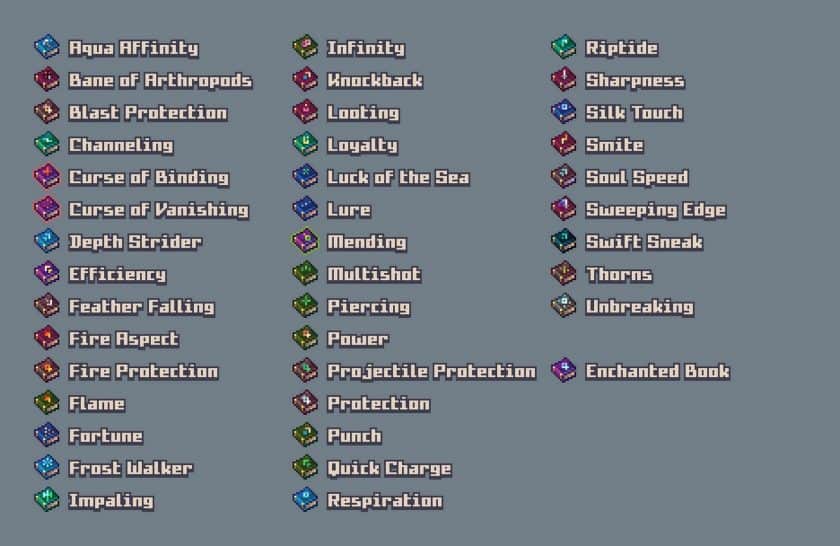
Players using OptiFine can enjoy additional visual enhancements, including custom enchanted book textures and improved item displays. Armor displayed on walls looks much cleaner, while dyed armor receives extra detail that makes player bases and display rooms look more attractive.
Fresh Animations Compatibility
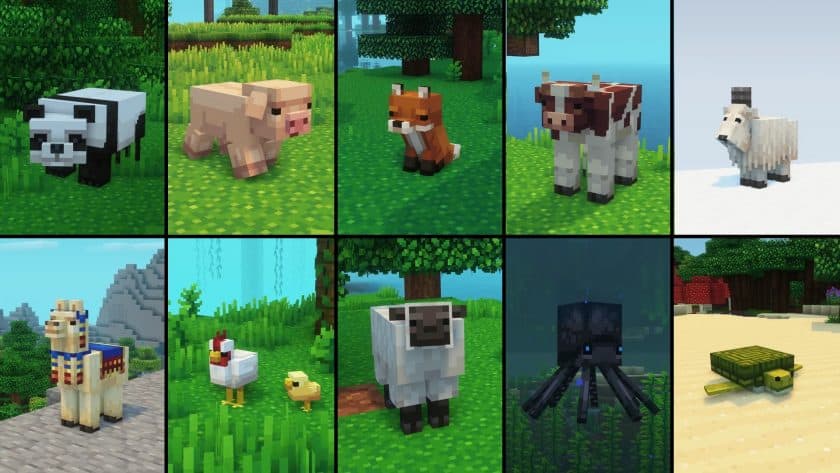
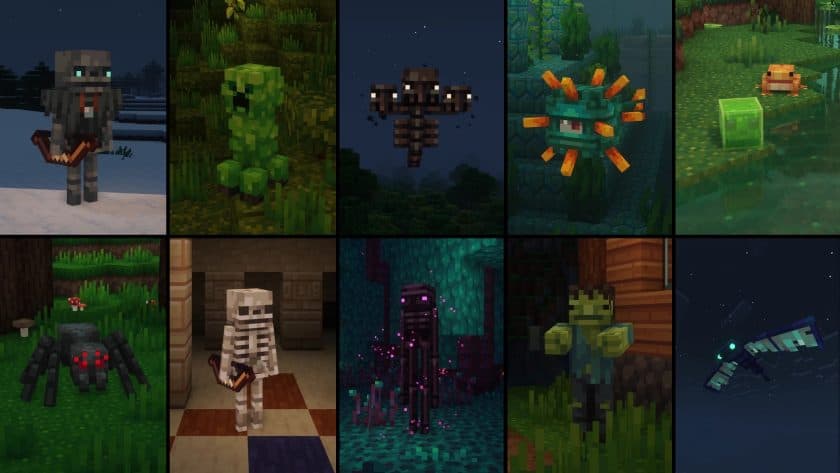
One of Whimscape’s standout features is its compatibility with the popular Fresh Animations resource pack. A dedicated compatibility patch allows animated mobs to blend perfectly with Whimscape’s textures, creating smoother and more lifelike creature animations without texture conflicts.
For players who enjoy combining multiple resource packs, this compatibility makes Whimscape an even stronger choice.
A Redesigned End Dimension
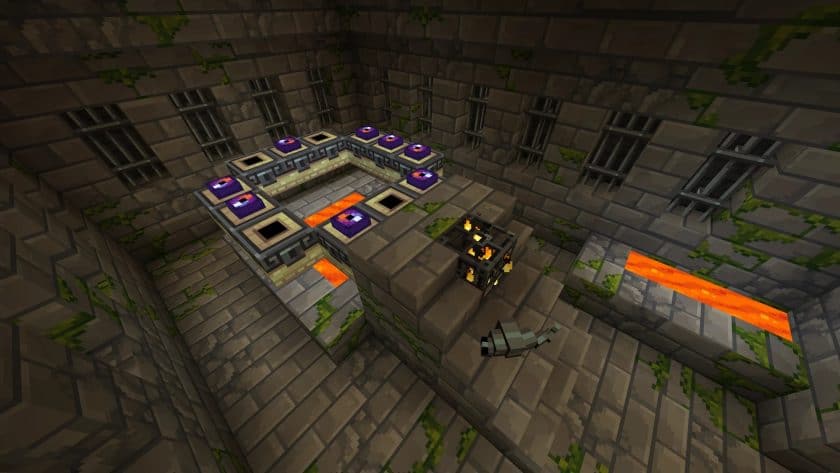
The End dimension also receives impressive visual improvements. The Ender Dragon has been given a unique skeletal-inspired appearance that makes the final boss encounter feel fresh without looking out of place.
Purple-themed textures throughout the End, including chorus plants and End City decorations, help create a more mysterious and fantasy-inspired atmosphere that perfectly matches the dimension.
Performance
Because the Whimscape Resource Pack uses a 16×16 resolution, it delivers excellent performance even on older PCs and laptops. Players can enjoy a noticeable visual upgrade without experiencing the frame-rate drops often associated with high-resolution texture packs.
Should You Download the Whimscape Resource Pack?
If you enjoy the vanilla Minecraft art style but want a cleaner, brighter, and more polished world, the Whimscape Resource Pack is definitely worth downloading. It improves blocks, items, nature, the user interface, armor, and even the End dimension while maintaining excellent performance.
Whether you’re building creative worlds, exploring survival maps, or simply looking for a fresh visual experience, Whimscape offers one of the best balanced 16×16 Minecraft resource packs available today.
Whimscape should work smoothly with all of these Minecraft versions: Fresh Animations – 26.3 – 26.2 – 26.1.2 – 26.1.1 – 26.1 – 1.21.11 – 1.21.10 – 1.21.9 – 1.21.8 – 1.21.7 – 1.21.6 – 1.21.5 – 1.21.4 – 1.21.3 – 1.21.2 – 1.21.1 – 1.21 – 1.20.6 – 1.20.5 – 1.20.4 – 1.20.3 – 1.20.2 – 1.20.1 – 1.20 – 1.19.4 – 1.19.3 – 1.19.2 – 1.19.1 – 1.19 – 1.18.2 – 1.18.1 – 1.18 – 1.17.1 – 1.17 – 1.16.5 – 1.16.4 – 1.16.3 – 1.16.2 – 1.16.1 – 1.16
Note: Whimscape is a 16× resource pack and requires the Fresh Animations resource pack to work properly. Therefore, Fresh Animations has been listed as a required dependency in the table.
Whimscape Resource Pack — Screenshots
How to install Whimscape Resource Pack:
- Download Optifine: Most of the texture packs and shaders need Optifine. That’s why, first download and install Optifine for the version of Minecraft you want to play.
- Download the Texture Pack: Get the texture pack you want from the download section. Choose the version that works with your Minecraft and your PC’s performance.
- Open Minecraft Launcher: 🚀 Start Minecraft using the official game launcher — or even TLauncher, if you use that.
- Go to Options: From the main menu, click on the “Options” button.
- Open Resource Packs: Inside Options, click on “Resource Packs…”.
- Open the Resource Pack Folder: Click on “Open Resource Pack Folder”— this will open a folder named “resourcepacks.”
- Move the Pack File: Copy or move the .zip file you downloaded into that “resourcepacks” folder. (Don’t unzip the file—Minecraft uses it as-is!)
- Go Back and Refresh: Close the folder and click “Done”, then go back into “Resource Packs…” again.
- Activate the Pack: You’ll see the pack on the left side. Hover over it and click the arrow to move it to the right (active side).
- Tip: If you get a message that the pack is for a different version, just click “”Yes”—it usually works fine.
- Click Done and Enjoy: Click “Done” again. Now your pack is ready to use in-game. It’s that easy!
Function:
- Completely retextured
- Custom models
- Random texture variations
- Custom font
- Emission Textures – OptiFine required;
- Custom Entity Models – OptiFine required;
- Custom colors for birch, underwater, sky, fog – OptiFine required;
- Textures connected by portal and glass – OptiFine required;
- Custom Item Textures for Enchanted Books – OptiFine required;
Whimscape Texture Pack Download Links
Optifine is not required but highly recommended for all features in this pack to work properly. Get OptiFine here.
Java Edition:
[16x] [26.3.x – 26.1.x] Download Whimscape Resource Pack
[16x] [1.21.x – 1.20.2] Download Whimscape Resource Pack
[16x] [1.20.1 – 1.20] Download Whimscape Resource Pack
[16x] [1.19.x] Download Whimscape Resource Pack
[16x] [1.18.x] Download Whimscape Resource Pack
[16x] [1.17.x] Download Whimscape Resource Pack
[16x] [1.16.x] Download Whimscape Resource Pack
Whimscape × Fresh Animations Add-on:
Place this above Fresh Animations and the Whimscape pack.
[16x] [26.1.x] Download Whimscape × Fresh Animations Add-on Pack
[16x] [1.21.x – 1.20.2] Download Whimscape × Fresh Animations Add-on Pack
[16x] [1.20.1 – 1.20] Download Whimscape × Fresh Animations Add-on Pack
[16x] [1.19.x – 1.13.x] Download Whimscape × Fresh Animations Add-on Pack
More Add-ons:
Position these on top of the Whimscape pack.
Download Instructions:
CurseForge: The download will start by itself after a few seconds.
Mediafire: Click the big blue “DOWNLOAD” button.
Google Drive: Click the small download icon (a down arrow) at the top-right corner to start the download.
Disclaimer
We are not the creators of any texture packs or shader packs shared on this site. All credit goes to the original authors. We do not edit or change any files in any way. Also, none of the downloads are hosted on our servers — we only provide official links shared by the original creators. That means all downloads are completely safe.
❗Note: Since we manually add the official links, so some may stop working after updates. If you find a broken link, tell us in the comments and we’ll fix it as soon as we can.
If you like a pack, please leave a comment and vote for it — this helps the creators improve their work. You can also support them directly through the links below the download section.