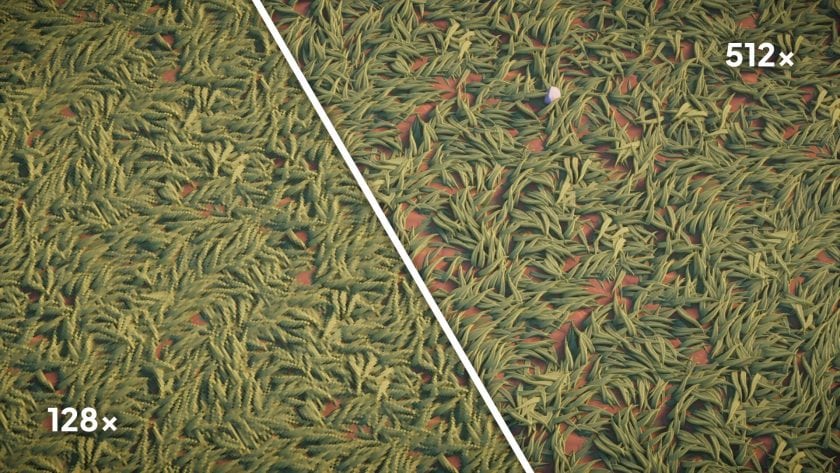
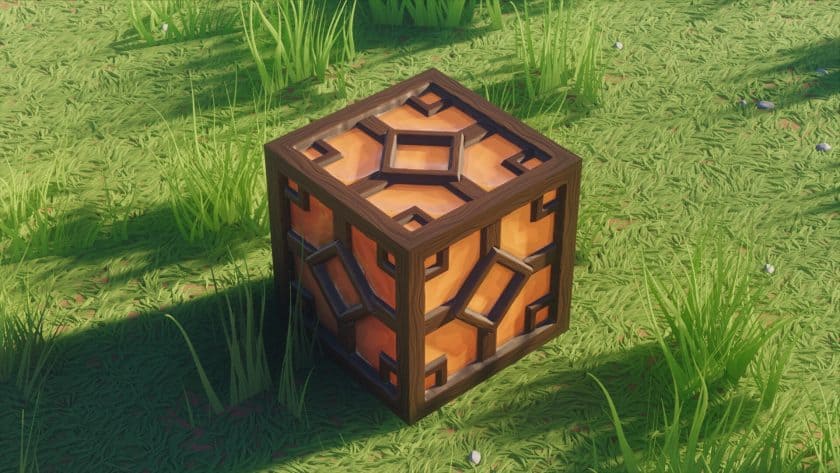
After spending some time building with the Stylista Resource Pack, I’d say this pack is aimed primarily at players who care about clean architecture and good-looking interiors. Stylista gives Minecraft a much smoother and more contemporary appearance, but it doesn’t completely abandon the game’s recognizable block-based design. The first thing I noticed was how much cleaner common materials looked. Stone, wood, bricks, grass, flowers, and other everyday textures have been refined with sharper details and more carefully controlled patterns. It’s especially noticeable when you’re working on a large build because walls and floors don’t have the same noisy appearance that some realistic texture packs suffer from. The textures have enough detail to make structures interesting up close, while still looking consistent when you step back and view the entire build.
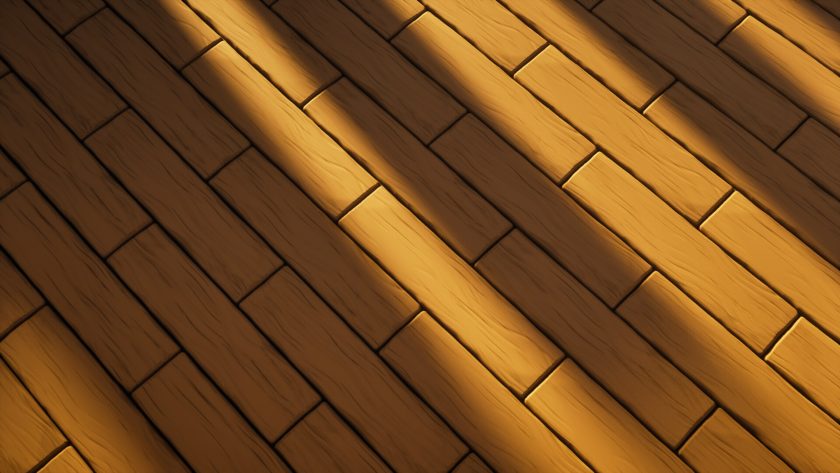
The color palette is another part of Stylista Texture Pack that I really like. Instead of using extremely bright or heavily saturated colors, the pack leans toward softer, more muted tones. That gives the world a calmer atmosphere and makes it easier to combine different materials without having one block completely overpower everything around it. I found this particularly useful when experimenting with modern houses and detailed interiors. Brick has a slightly rough surface that gives walls more character, while wooden planks have enough visible grain to keep floors and furniture from looking completely flat. At the same time, these details aren’t exaggerated. You can still recognize every material immediately, which is important when you’re actually building rather than simply looking at screenshots.
Natural areas also benefit quite a bit from the change in style. Grass looks smoother, leaves feel cleaner and more defined, and forests generally have a more polished appearance. Exploring with Stylista enabled feels noticeably different because the environment doesn’t have as much visual noise as vanilla Minecraft. I wouldn’t call the pack photorealistic; it feels more like a carefully designed interpretation of Minecraft where everything has been cleaned up and given a consistent artistic direction. That makes it work well for several building styles. Modern architecture is an obvious match, but I’ve also had good results with cottages, landscaped gardens, detailed survival bases, and larger urban projects.
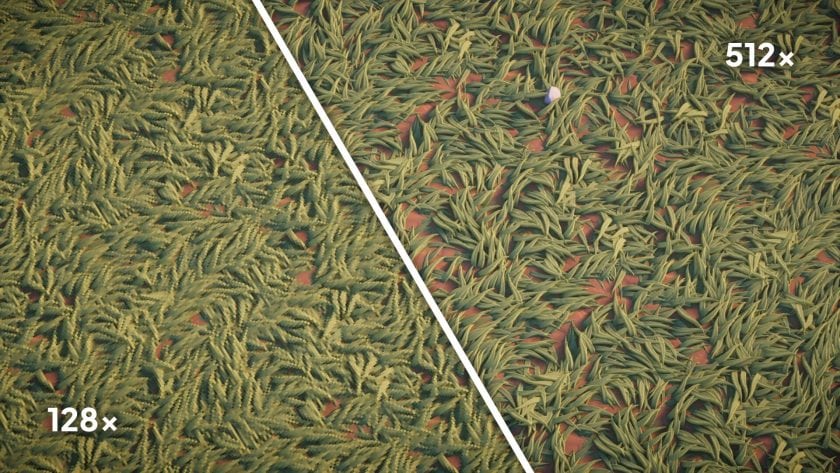
One thing you should consider before installing the Stylista Resource Pack is performance. Higher-resolution editions such as 256x and 512x contain far more texture data than Minecraft’s standard 16x textures, so they naturally require more memory and graphics power. On a capable gaming PC, the additional detail looks fantastic, especially at close range. On older or integrated graphics hardware, however, you may notice longer loading times or reduced FPS. I’d recommend choosing a resolution that matches your system instead of automatically going for the highest option. Shaders can make Stylista look even better, but they’ll increase the hardware requirements further, so testing your setup before committing to heavy shader settings is a good idea.
I can also see why Stylista appeals to builders, screenshot creators, and Minecraft YouTubers. The softer colors and detailed surfaces photograph extremely well, and modern builds in particular can look much more polished without requiring complicated modifications. More importantly, the pack actually made me want to experiment with materials I wouldn’t normally combine. That’s usually a good sign with a building-focused resource pack—it isn’t just making an existing house prettier, it’s encouraging you to try different designs altogether. If you spend most of your Minecraft time building, decorating interiors, landscaping, or creating worlds for screenshots and videos, Stylista Resource Pack is definitely worth testing. Just choose the appropriate resolution for your hardware, and you’ll get a clean, stylish Minecraft experience without losing the creativity that makes the original game so enjoyable.
Stylista should be compatible with all of these Minecraft versions: 26.3 – 26.2 – 26.1.2 – 26.1.1 – 26.1 – 1.21.11 – 1.21.10 – 1.21.9 – 1.21.8 – 1.21.7 – 1.21.6 – 1.21.5 – 1.21.4 – 1.21.3 – 1.21.2 – 1.21.1 – 1.21 – 1.20.6 – 1.20.5 – 1.20.4 – 1.20.3 – 1.20.2 – 1.20.1 – 1.20 – 1.19.4 – 1.19.3 – 1.19.2 – 1.19.1 – 1.19 – 1.18.2 – 1.18.1 – 1.18 – 1.17.1 – 1.17 – 1.16.5 – 1.16.4 – 1.16.3 – 1.16.2 – 1.16.1 – 1.16
Stylista — Video & Screenshots
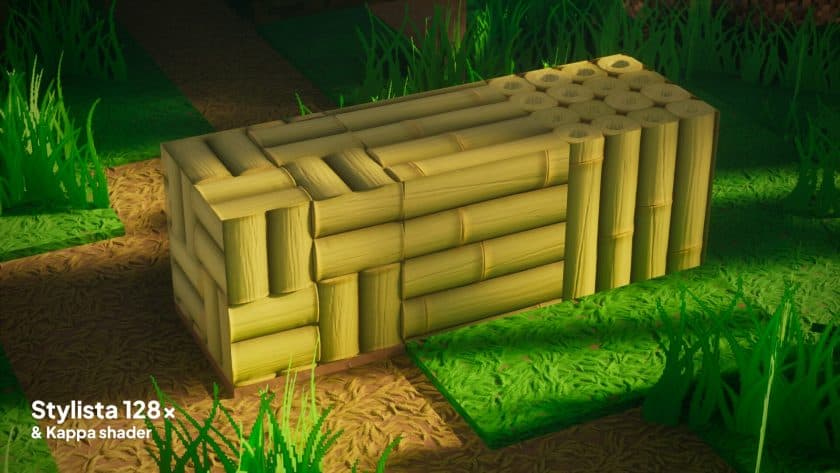
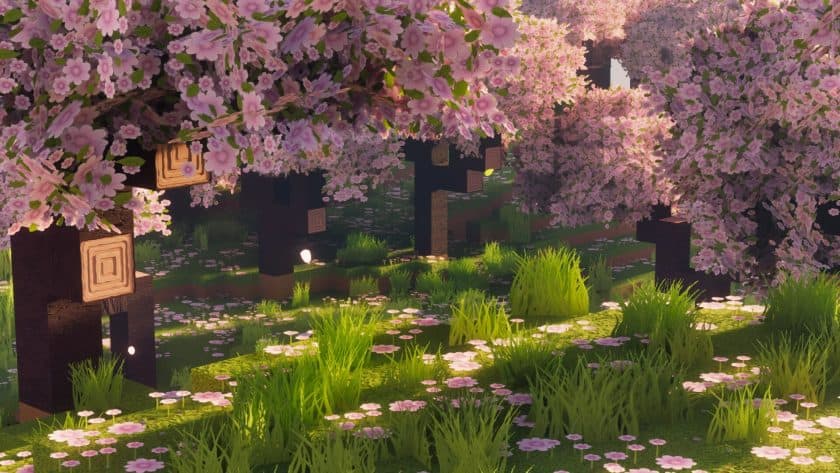
How to install Stylista Resource Pack:
IMPORTANT: You need Optifine or Iris with the Continuity & Puzzle mod and a LabPBR complaint shader pack to make everything work and achieve the same effects as shown in the screenshots.
- Download Optifine: Most of the texture packs and shaders need Optifine. That’s why, first download and install Optifine for the version of Minecraft you want to play.
- Download the Texture Pack: Get the texture pack you want from the download section. Choose the version that works with your Minecraft and your PC’s performance.
- Open Minecraft Launcher: 🚀 Start Minecraft using the official game launcher — or even TLauncher, if you use that.
- Go to Options: From the main menu, click on the “Options” button.
- Open Resource Packs: Inside Options, click on “Resource Packs…”.
- Open the Resource Pack Folder: Click on “Open Resource Pack Folder”— this will open a folder named “resourcepacks.”
- Move the Pack File: Copy or move the .zip file you downloaded into that “resourcepacks” folder. (Don’t unzip the file—Minecraft uses it as-is!)
- Go Back and Refresh: Close the folder and click “Done”, then go back into “Resource Packs…” again.
- Activate the Pack: You’ll see the pack on the left side. Hover over it and click the arrow to move it to the right (active side).
- Tip: If you get a message that the pack is for a different version, just click “”Yes”—it usually works fine.
- Click Done and Enjoy: Click “Done” again. Now your pack is ready to use in-game. It’s that easy!
Recommended Shaders:
It is recommended to use a LabPBR compliant shader to get the most out of Stylista, Shivamzter recommend using Kappa/KappaPT Shaders by Rre36. But any other shaders from the list below will also work fine.
Required Shader settings:
Click on the name of the shader pack (the one you are using) below and it will show you all the necessary settings you need to set for the pack to work properly. For other shaders, please visit the official Stylista page here.
BSL
Material
– Advanced materials: ON
– Refraction: Full
Specular & Reflections
– LabPBR Albedo Metal: ON
Normals & Parallax
– Parallax samples: 512
– Self shadow samples: 32
– Directional lightmap: ON
– Parallax depth: 25cm
– Up-facing Plants: OFF
AstraLex
Advanced materials
– Directional lightmap: ON
– Up Facing Plants: OFF
– Normals AO Strength: Soft
Reflections
– Translucent reflections: ON
– Rough reflections: ON
Parallax
– Parallax depth: 25cm
– Parallax occlusion mapping: ON
– Self shadows: ON
– Parallax quality: 512
– Self shadow samples: 32
Visual
– RP Compatibility: RP Opaque Glass
Kappa
Lighting
– Directional lightmaps: ON
– Lightleak prevention: ON
Direct light
– Subsurface scatter: LabPBR only
Indirect light
– Emission mode: Hardcoded + LabPBR
– Texture AO: ON
Terrain
– Vertex attribute fix: ON
Parallax occlusion mapping
– Enabled: ON
– Samples: 512
– Self shadow samples: 32
Reflections
– Resourcepack reflections: ON
KappaPT
Lighting
Direct light
– Subsurface scatter: LabPBR only
– Lightleak prevention: ON
Emission colors
– Emission mode: Hardcoded + LabPBR
Indirect light
– Texture AO: ON
Terrain
Reflections
– Resourcepack reflections: ON
– VoxelPT reflections: ON
Refractions
– Mode: Raytraced
Parallax occlusion mapping
– Enabled: ON
– Samples: 512
– Self shadow samples: 32
Photon
Materials
– Normal mapping: ON
– Parallax occlusion mapping: ON
– Specular mapping: ON
– Hardcoded specular: OFF
– Hardcoded SSS: OFF
Resourcepack settings
– Directional lightmaps: ON
– POM self-shadowing: ON
– Parallax samples: 80
Nostalgia
Lighting
– Directional lightmaps: ON
– Lightleak prevention: ON
Direct light
– Contact shadows: ON
– Subsurface Scatter: LabPBR Only
Indirect light
– SSPT: ON
– Emission mode: Hardcoded + LabPBR
– Texture AO: ON
Terrain
– Vertex attribute fix: ON
Parallax occlusion mapping
– Enabled: ON
– Samples: 512
– Self shadow samples: 32
Reflections
– Resourcepack reflections: ON
NostalgiaVX
Lighting
Direct light
– Subsurface scatter: LabPBR only
– Lightleak prevention: ON
Emission colors
– Emission mode: Hardcoded + LabPBR
Indirect light
– Texture AO: ON
Terrain
– Vertex attribute fix: ON
Parallax occlusion mapping
– Enabled: ON
– Samples: 512
– Self shadow samples: 32
Reflections
– Resourcepack reflections: ON
– VoxelPT reflections: ON
Stylista – Comparison Slider #1
Move slider back and forth to see vanilla Minecraft on the left and the beautiful resource pack on the right.
Stylista Texture Pack Download
- We do not modify or edit any resource packs. All resource packs, shaders and tools found on this website are linked directly to official sources rather than hosted on our own servers. We provide only the official download links from the original creators to ensure that your files are safe and secure.
- These official links are updated manually and may occasionally stop working when a new version is released. We work hard to keep everything current so that you have a smooth experience. Please let us know in the comments if you find a link that no longer works.
- Minecraft is a trademark of Mojang Studios and has no official connection to this website. Our goal is simply to share the best creations from the community with other players.
- Please consider leaving a comment or voting for your favorite packs. This feedback helps authors improve their projects over time. You can also support the creators directly by visiting the official links located below the download section.
DOWNLOAD LINKS
Java Edition:
[128x] [26.3.x – 1.16.x] Download Stylista Resource Pack – absolutely free;
[256x] [26.3.x – 1.16.x] Download Stylista Resource Pack – for Patrons only;
[512x] [26.3.x – 1.16.x] Download Stylista Resource Pack – for Patrons only;
Disclaimer
We are not the creators of any texture packs or shader packs shared on this site. All credit goes to the original authors. We do not edit or change any files in any way. Also, none of the downloads are hosted on our servers — we only provide official links shared by the original creators. That means all downloads are completely safe.
❗Note: Since we manually add the official links, so some may stop working after updates. If you find a broken link, tell us in the comments and we’ll fix it as soon as we can.
If you like a pack, please leave a comment and vote for it — this helps the creators improve their work. You can also support them directly through the links below the download section.