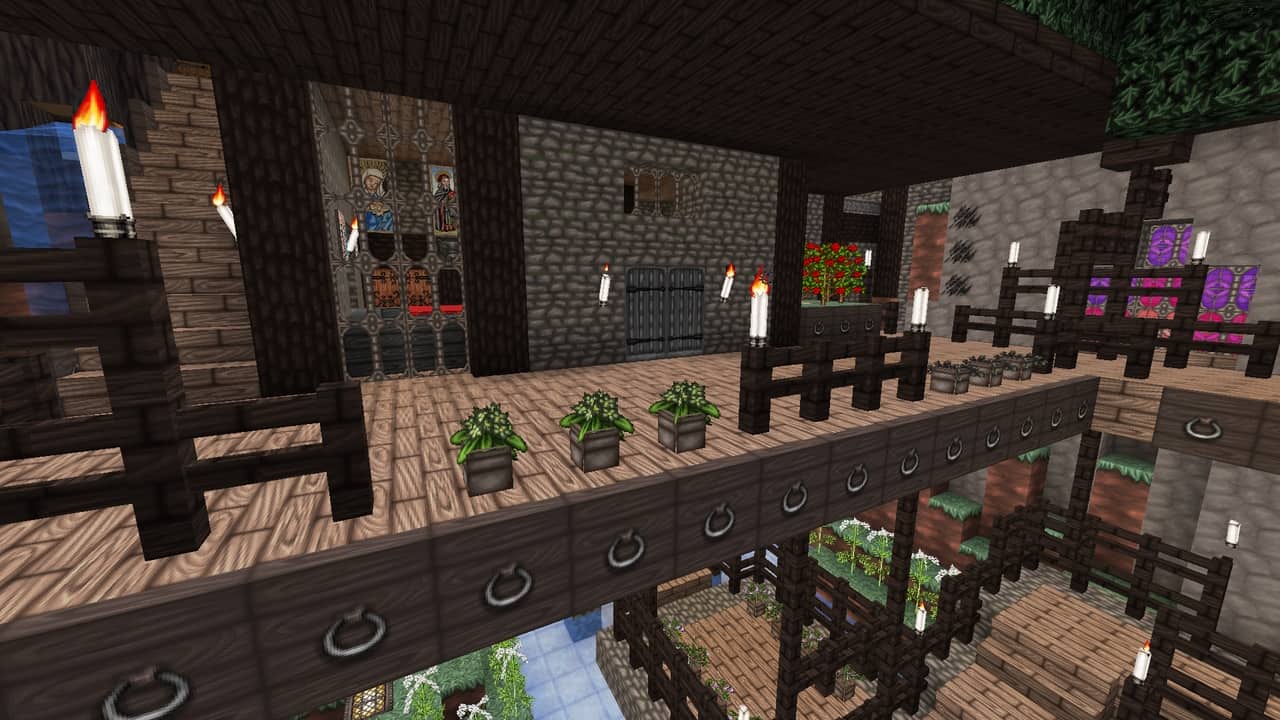
After spending some time with the Wolfhound Classic Medieval Resource Pack, the first thing that stood out to me was how much thought has gone into its medieval theme. A lot of Minecraft packs simply increase the resolution or paste realistic-looking textures over vanilla blocks, but Wolfhound takes a different approach. It still feels like Minecraft, just reimagined as a darker medieval fantasy world. The pack has also been around for a remarkably long time, originally appearing back in 2013, and you can tell that years of development have gone into it. The creator has clearly researched medieval architecture, plants, food, equipment, and decorative styles rather than relying on the usual generic “old castle” look. That attention to detail becomes obvious once you start exploring villages or building your own fortress.
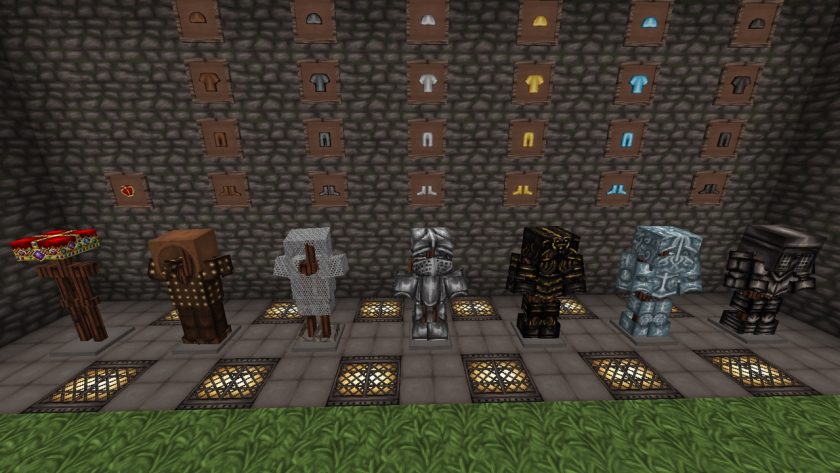
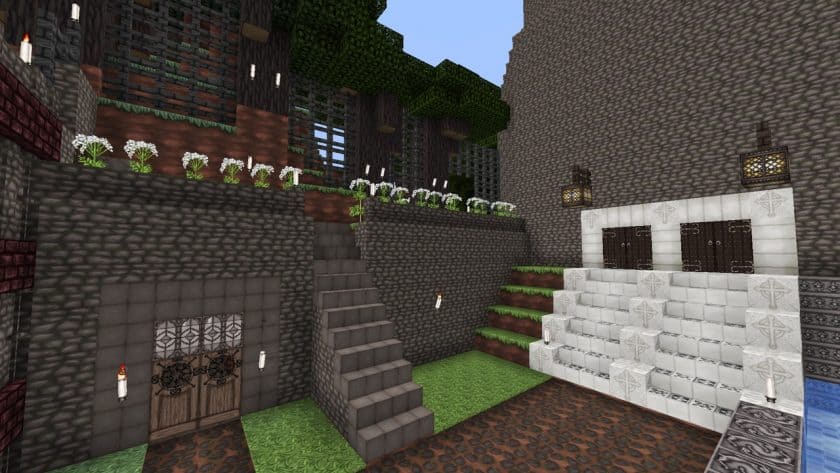
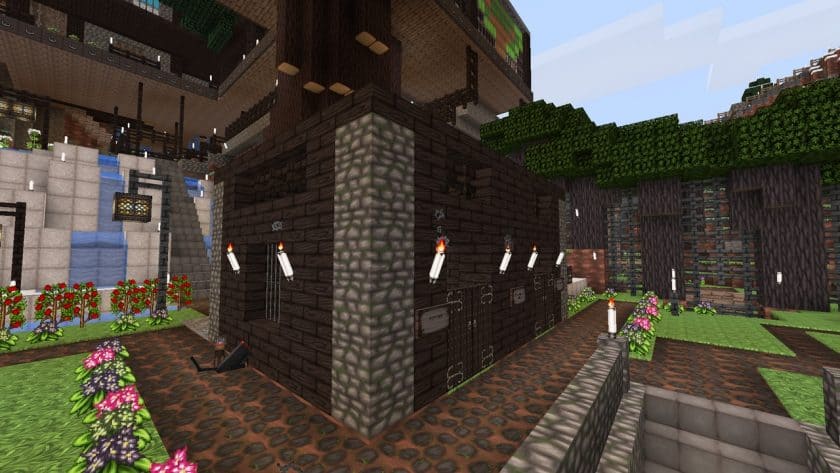
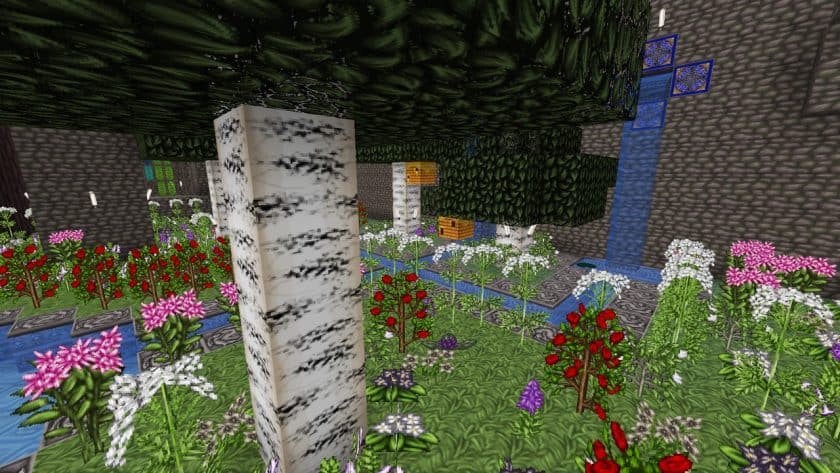
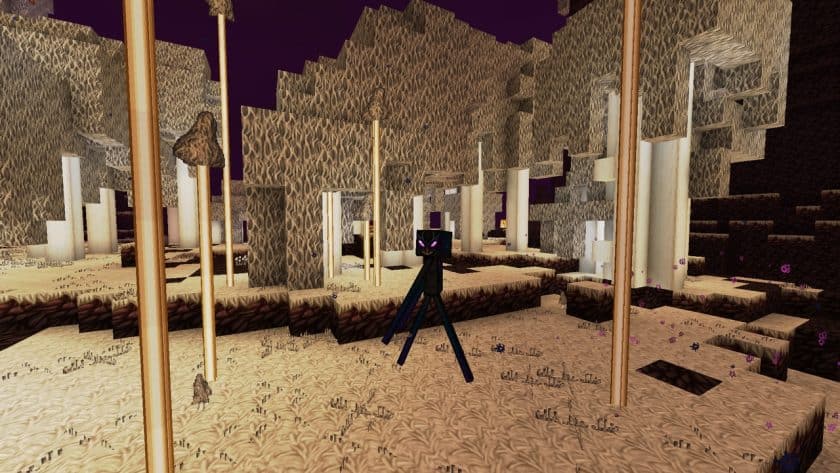
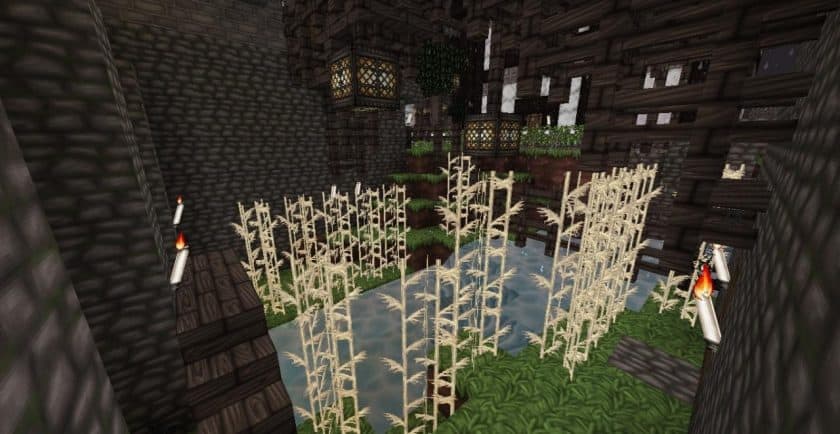
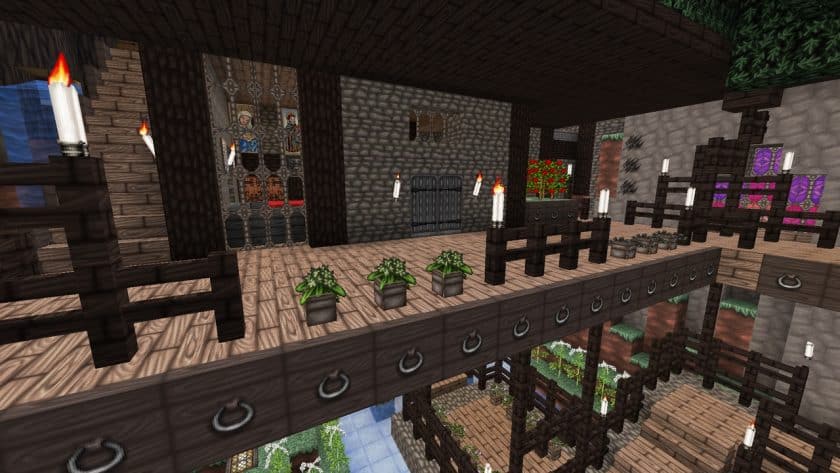
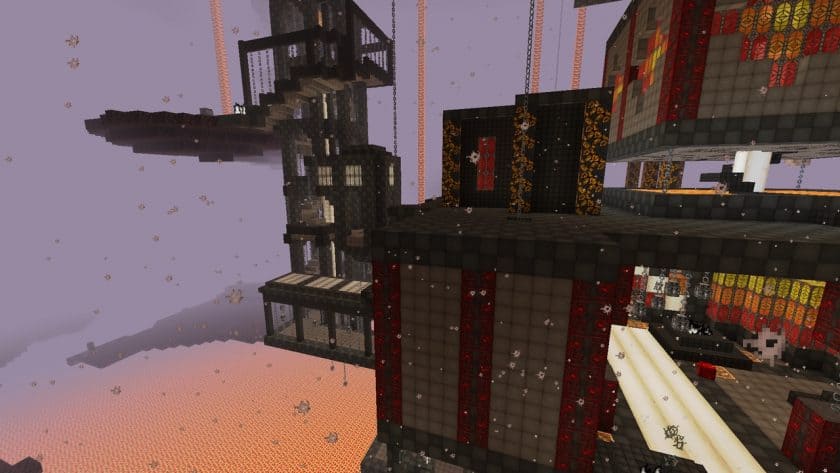
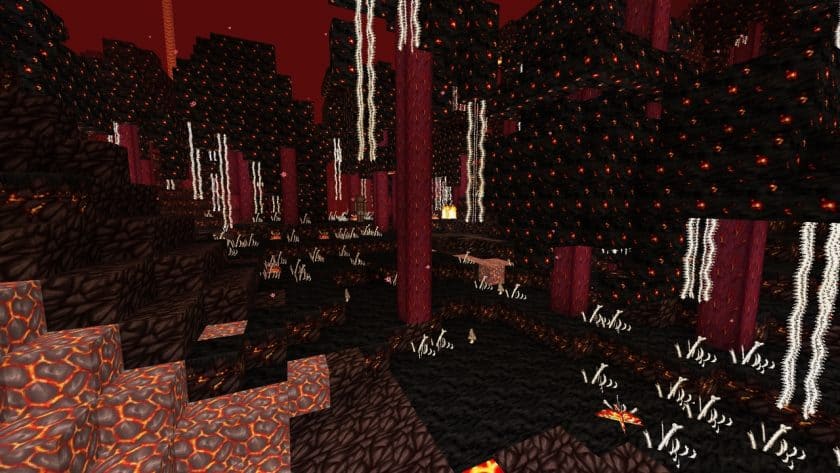
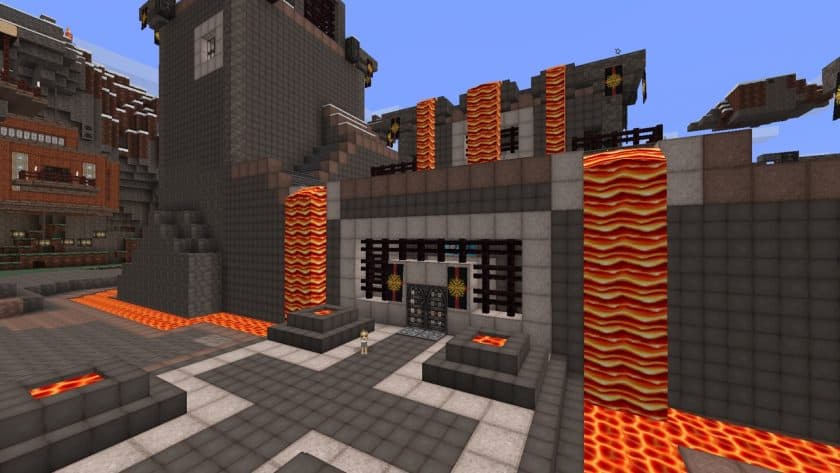
Visually, Wolfhound has a much darker and earthier atmosphere than vanilla Minecraft. It uses 64×64 textures, so blocks have considerably more detail while still retaining the pixelated, block-based appearance that makes Minecraft recognizable. Wood, doors, stonework, bricks, paintings, chests, lighting, and other building materials all have a convincing medieval character. This pack really starts to shine when you’re working on castles, taverns, villages, dungeons, or old European-style houses because even basic blocks contribute to the theme. There are also Celtic-inspired patterns scattered throughout some textures, which add character without making every surface overly decorative. I particularly like the armor and weapon designs. Leather, chainmail, and heavier armor sets actually look like equipment that belongs in this world, and even the helmet designs include touches such as a crown-like appearance that work brilliantly for throne rooms and role-playing builds.
What impressed me even more is that the medieval theme isn’t limited to architecture. The Wolfhound Classic Medieval Texture Pack changes numerous smaller details that you might not notice until you’ve played with it for a while. Plants, flowers, food, inventory icons, and various everyday objects have been redesigned to better suit the setting. Some vanilla elements are creatively reinterpreted when their original appearance wouldn’t make much sense in a medieval environment. It’s these little changes that make the pack feel like a complete theme rather than just a collection of castle textures. The GUI and fonts have also been updated, and the higher-resolution interface is noticeably cleaner and easier to read. At the same time, familiar elements such as the sky and certain environmental features remain recognizable, which helps prevent the pack from feeling completely disconnected from Minecraft.
Performance was also better than I expected from a 64x resource pack. It’s obviously a little heavier than vanilla’s 16x textures, but it isn’t remotely as demanding as the huge 256x, 512x, or photorealistic packs I’ve tried. On reasonably modern hardware, it should be comfortable for normal survival and creative gameplay, and you don’t need shaders to make it look good. In fact, I’d recommend trying Wolfhound on its own first because its darker color palette already creates plenty of atmosphere. You can always add a compatible shader afterward if you want stronger shadows and more dramatic lighting. The fact that the pack continues to receive support is another big advantage. For a project that dates back more than a decade, seeing it maintained for newer Minecraft releases is impressive. If medieval castles, fantasy settlements, RPG worlds, or historically inspired builds are your thing, Wolfhound Classic Medieval Resource Pack is one of those packs I’d recommend actually playing with rather than judging from screenshots alone.
Wolfhound Classic Medieval should be compatible with all of these Minecraft versions: 26.2 – 26.1.2 – 26.1.1 – 26.1 – 1.21.11 – 1.21.10 – 1.21.9 – 1.21.8 – 1.21.7 – 1.21.6 – 1.21.5 – 1.21.4 – 1.21.3 – 1.21.2 – 1.21.1 – 1.21 – 1.20.6 – 1.20.5 – 1.20.4 – 1.20.3 – 1.20.2 – 1.20.1 – 1.20 – 1.19.4 – 1.19.3 – 1.19.2 – 1.19.1 – 1.19 – 1.18.2 – 1.18.1 – 1.18 – 1.17.1 – 1.17 – 1.16.5 – 1.16.4 – 1.16.3 – 1.16.2 – 1.16.1 – 1.16 – 1.15.2 – 1.15.1 – 1.15 – 1.14.4 – 1.14.3 – 1.14.2 – 1.14 – 1.13.2 – 1.13.1 – 1.13 – 1.12.2 – 1.12 – 1.11.2 – 1.11 – 1.10.2 – 1.10 – 1.9.4 – 1.9 – 1.8.9 – 1.8.8 – 1.8.1 – 1.8.6 – 1.8
Wolfhound Classic Medieval — Screenshots
How to install Wolfhound Classic Medieval Resource Pack:
- Most source packages require Optifine, so be sure to download and install it. – a general recommended step for all packages, Optifine is also needed for most shaders
- Download the Wolfhound Classic Medieval texture pack for Minecraft from the download section below. – if there are many different versions, just choose the one you like, is compatible with your version/edition of minecraft that you think your computer can handle in terms of performance.
- Launch the game client via the Minecraft launcher.
- Click “Options” in the main menu.
- Click on “Resource Packs…” from the options menu.
- Click “Open Resource Pack Folder”. – a folder named “resourcepacks” will appear.
- Move the .zip file you downloaded in the first step into the newly opened “resourcepacks” folder.
- Click “Done”.
- Click on “Resource Pack…” again.
- Your package should appear in the left window, just hover over it and click on the arrow pointing to the right.
QUICK TIP: Sometimes when activating a pack, the game may say that the pack is made for a newer or older version of Minecraft. This is just a warning, it doesn’t affect your game in any way and you can still activate and enjoy the pack by just clicking “Yes” when prompted.
- Click “Done” again.
- The package has now been successfully loaded and is ready to use in your world!
- We never modify or modify resource packs in any way. None of the resource packs, shader mods or tools you see on this site are hosted on our servers. We only use official download links provided by official authors. Therefore, they are completely safe.
- Since the links are official and we update them manually – the links may stop working with each new update. We try to update the links as fast as possible and usually we update everything on time and users don’t have any problems, but if suddenly any link stops working – let us know through comments below.
- Don’t forget to leave a comment below and vote for the pack. In this way, you will help the authors to constantly improve the project. If you want to support the author(s), be sure to check the author links right below the download links.
Classic medieval werewolf texture pack for download
DOWNLOAD LINKS
Java Edition:
[64x] [26.2.x – 26.1.x] Download Wolfhound Classic Medieval Resource Pack
[64x] [1.21.x] Download Wolfhound Classic Medieval Resource Pack
[64x] [1.20.x] Download Wolfhound Classic Medieval Resource Pack
[64x] [1.19.x – 1.18.x] Download Wolfhound Classic Medieval Resource Pack
[64x] [1.17.x] Download Wolfhound Classic Medieval Resource Pack
[64x] [1.16.x] Download Wolfhound Classic Medieval Resource Pack
[64x] [1.15.x] Download Wolfhound Classic Medieval Resource Pack
[64x] [1.14.x] Download Wolfhound Classic Medieval Resource Pack
[64x] [1.13.x] Download Wolfhound Classic Medieval Resource Pack
[64x] [1.12.x] Download Wolfhound Classic Medieval Resource Pack
[64x] [1.11.x] Download Wolfhound Classic Medieval Resource Pack
[64x] [1.10.x – 1.9.x] Download Wolfhound Classic Medieval Resource Pack
[64x] [1.8.x] Download Wolfhound Classic Medieval Resource Pack
Curseforge: download starts automatically after a few seconds;
Mediafire: click the big blue button with the text “DOWNLOAD”;
Google Drive: in the top right corner you will see a small download icon (down arrow), click it and the download should start;