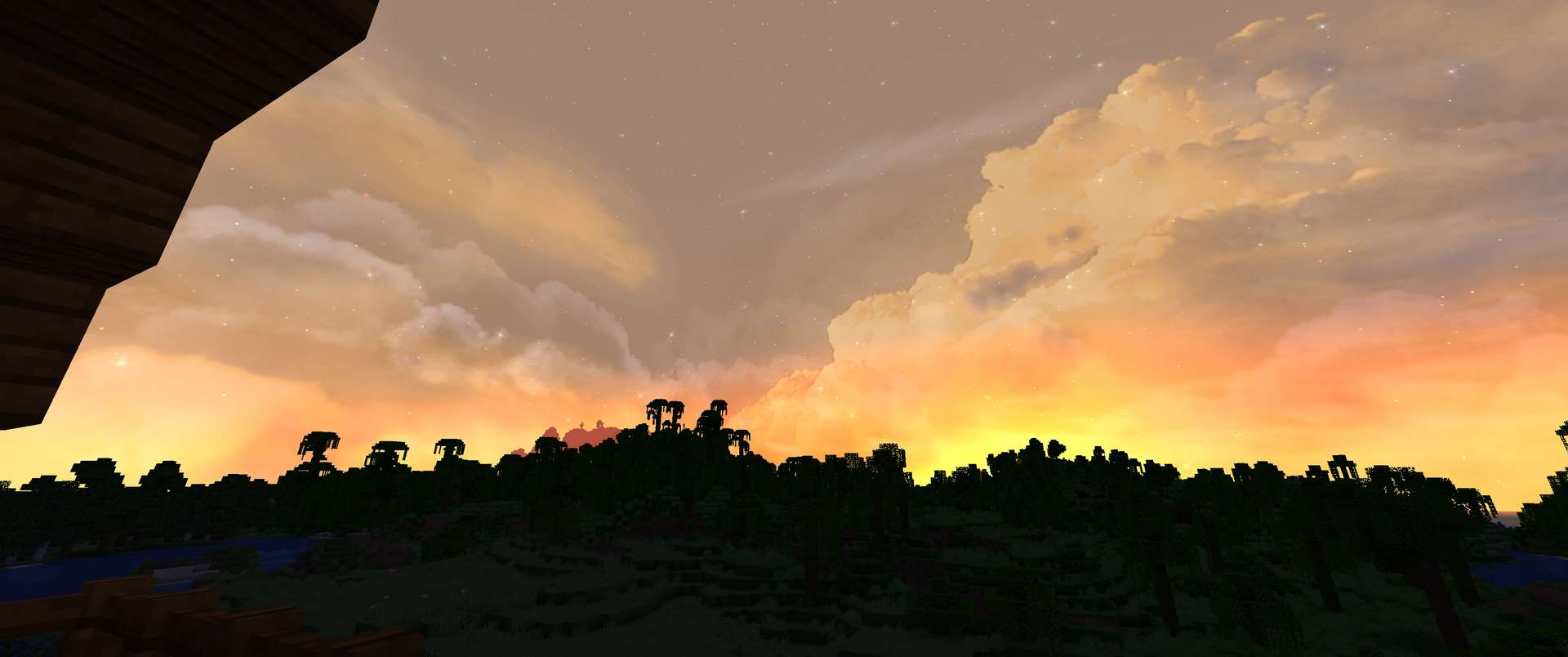
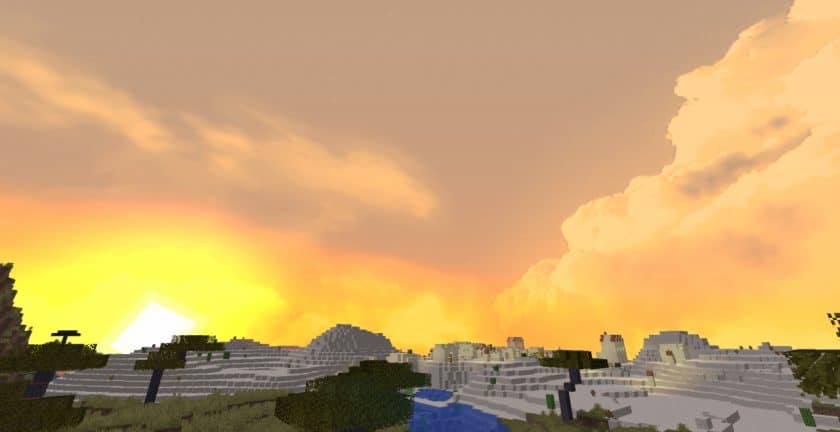
After using the Fancy Skies Resource Pack for a while, I found it to be one of those small Minecraft visual upgrades that can make a surprisingly big difference. Vanilla Minecraft’s sky is perfectly fine when you first start playing, but after spending hundreds of hours in the game, watching the same sun, moon, and clouds can become a little repetitive. Fancy Skies focuses entirely on changing that experience. Instead of touching your blocks, items, or mobs, it gives the sky a much more detailed and atmospheric appearance. The biggest difference becomes obvious when you’re exploring large open areas, climbing mountains, or simply standing outside during sunrise and sunset.
What I particularly like about Fancy Skies Texture Pack is that the new skies don’t feel completely disconnected from Minecraft. The clouds have more shape and depth, while the overall atmosphere feels more dynamic and polished. Different locations can feel dramatically different depending on what you’re doing and how the sky looks above you. I’ve also found it works especially well with realistic or vanilla-style resource packs because it doesn’t interfere with their textures. You can run Fancy Skies on its own if you only want to improve the sky, or combine it with another pack when you want to give the entire game a more complete visual upgrade. For screenshots and cinematic builds, the difference is even more noticeable because the sky can completely change the mood of a scene.
Performance is another reason I would recommend giving this pack a try. Since it focuses primarily on sky textures rather than replacing hundreds of high-resolution blocks, it doesn’t carry the same performance cost as many large resource packs. That said, the exact experience will still depend on your setup, especially if you’re using shaders or other visual mods at the same time. OptiFine is required for the custom sky features, and you need to make sure the Custom Sky option is enabled for the pack to work properly. Without the required support, Minecraft will continue showing its normal sky. Once everything is configured correctly, though, the difference is immediately visible.
For me, the biggest strength of Fancy Skies is how simple the idea is. It doesn’t try to redesign Minecraft or bury the original art style under excessive effects. It simply takes something players look at constantly and gives it considerably more personality. The detailed clouds and atmospheric skies make exploration feel fresher, and even ordinary moments around a survival base can look much more interesting. If you’re happy with Minecraft’s vanilla textures but feel that the sky could use an upgrade, Fancy Skies is an easy pack to experiment with. It’s especially worthwhile for builders, screenshot creators, and anyone who enjoys spending time exploring the world rather than just rushing through it.
Fancy Skies is compatible with all of the following Minecraft versions: 1.21.4 – 1.21.3 – 1.21.2 – 1.21.1 – 1.21 – 1.20.6 – 1.20.5 – 1.20.4 – 1.20.3 – 1.20.2 – 1.20.1 – 1.20 – 1.19.4 – 1.19.3 – 1.19.2 – 1.19.1 – 1.19 – 1.18.2 – 1.18.1 – 1.18 – 1.17.1 – 1.17 – 1.16.5 – 1.16.4 – 1.16.3 – 1.16.2 – 1.16.1 – 1.16 – 1.15.2 – 1.15.1 – 1.15 – 1.14.4 – 1.14.3 – 1.14.2 – 1.14
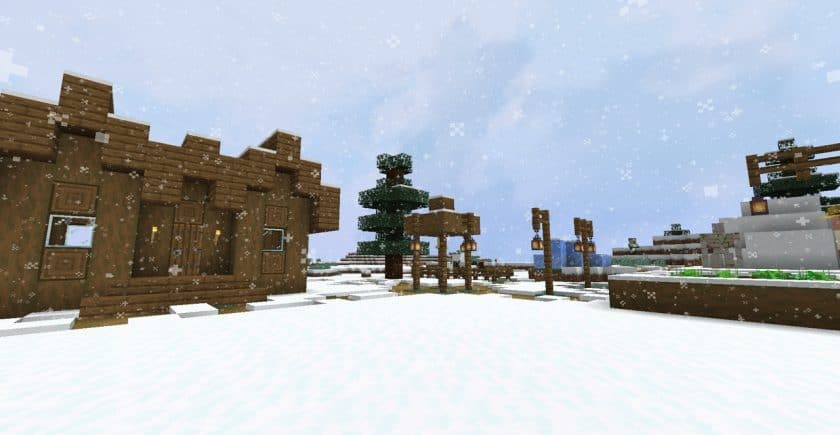
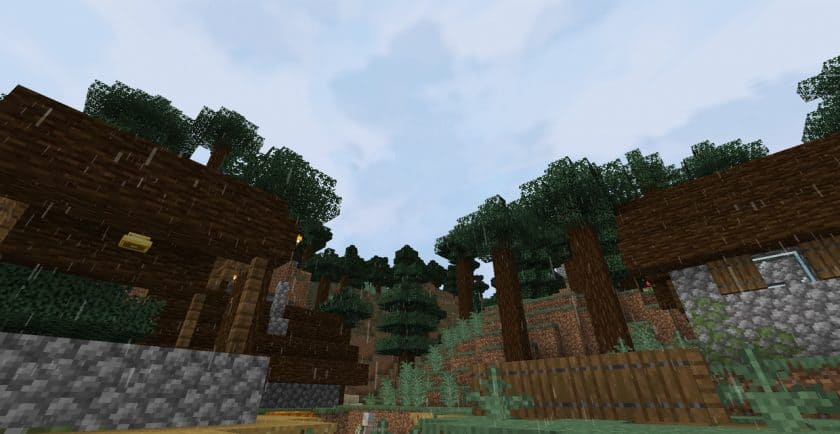
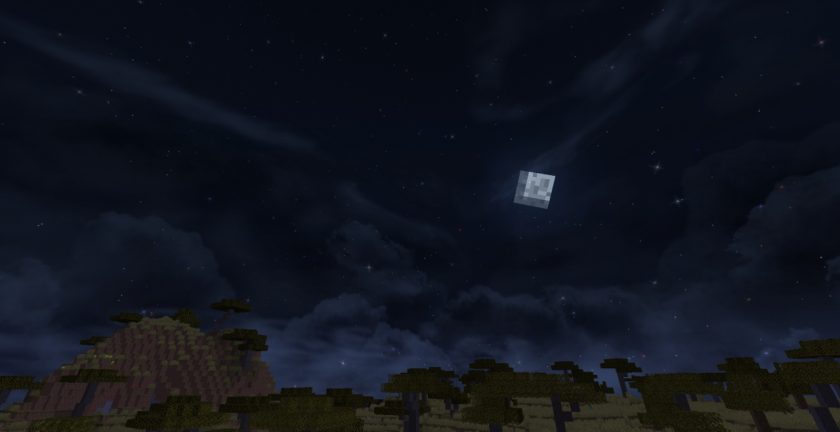
Fancy Skies — Screenshots
How to install Fancy Skies Resource Pack:
- Most source packages require Optifine, so be sure to download and install it. – a general recommended step for all packages, Optifine is also needed for most shaders
- Download the Fancy Skies texture pack for Minecraft from the download section below. – if there are many different versions, just choose the one you like, is compatible with your version/edition of minecraft that you think your computer can handle in terms of performance.
- Launch the game client via the Minecraft launcher.
- Click “Options” in the main menu.
- Click on “Resource Packs…” from the options menu.
- Click “Open Resource Pack Folder”. – a folder named “resourcepacks” will appear.
- Move the .zip file you downloaded in the first step into the newly opened “resourcepacks” folder.
- Click “Done”.
- Click on “Resource Pack…” again.
- Your package should appear in the left window, just hover over it and click on the arrow pointing to the right.
QUICK TIP: Sometimes when activating a pack, the game may say that the pack is made for a newer or older version of Minecraft. This is just a warning, it doesn’t affect your game in any way and you can still activate and enjoy the pack by just clicking “Yes” when prompted.
- Click “Done” again.
- The package has now been successfully loaded and is ready to use in your world!
- We never modify or modify resource packs in any way. None of the resource packs, shader mods or tools you see on this site are hosted on our servers. We only use official download links provided by official authors. Therefore, they are completely safe.
- Since the links are official and we update them manually – the links may stop working with each new update. We try to update the links as fast as possible and usually we update everything on time and users don’t have any problems, but if suddenly any link stops working – let us know through comments below.
- Don’t forget to leave a comment below and vote for the pack. In this way, you will help the authors to constantly improve the project. If you want to support the author(s), be sure to check the author links right below the download links.
Fancy Skies texture pack download
Java Edition:
[16x] [1.21.x – 1.19.x] Download Fancy Skies Resource Pack
[16x] [1.18.x] Download Fancy Skies Resource Pack
[16x] [1.17.x] Download Fancy Skies Resource Pack
[16x] [1.16.x] Download Fancy Skies Resource Pack
Download Instructions:
CurseForge: The download will start by itself after a few seconds.
Mediafire: Click the big blue “DOWNLOAD” button.
Google Drive: Click the small download icon (a down arrow) at the top-right corner to start the download.
Disclaimer
We are not the creators of any texture packs or shader packs shared on this site. All credit goes to the original authors. We do not edit or change any files in any way. Also, none of the downloads are hosted on our servers — we only provide official links shared by the original creators. That means all downloads are completely safe.
❗Note: Since we manually add the official links, so some may stop working after updates. If you find a broken link, tell us in the comments and we’ll fix it as soon as we can.
If you like a pack, please leave a comment and vote for it — this helps the creators improve their work. You can also support them directly through the links below the download sectio