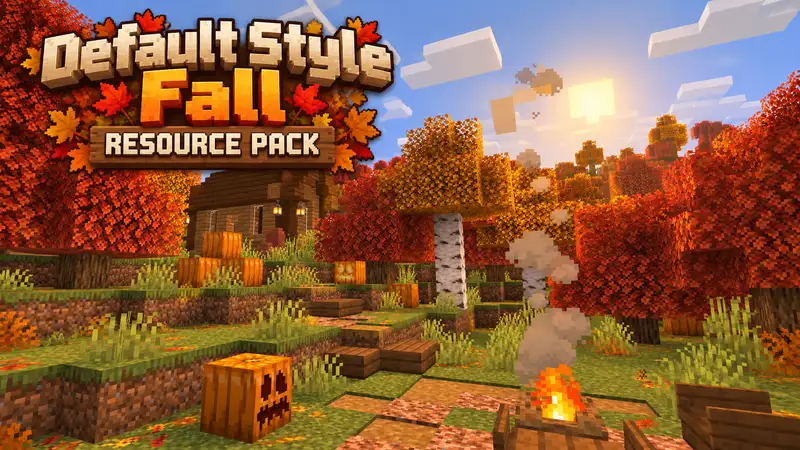
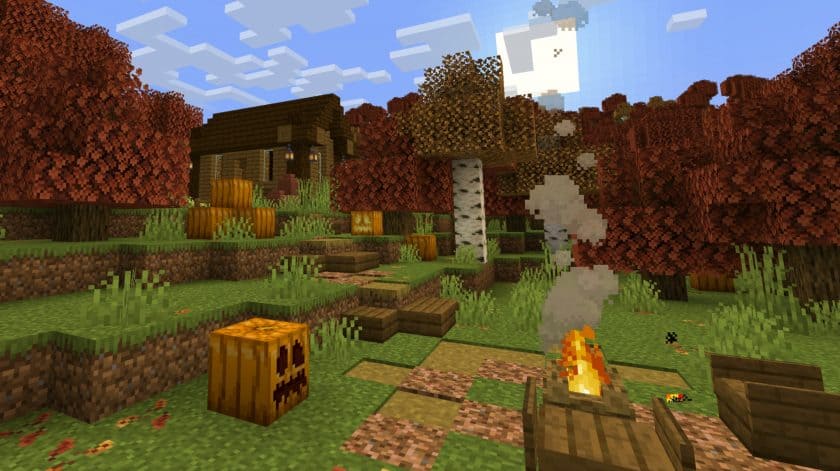
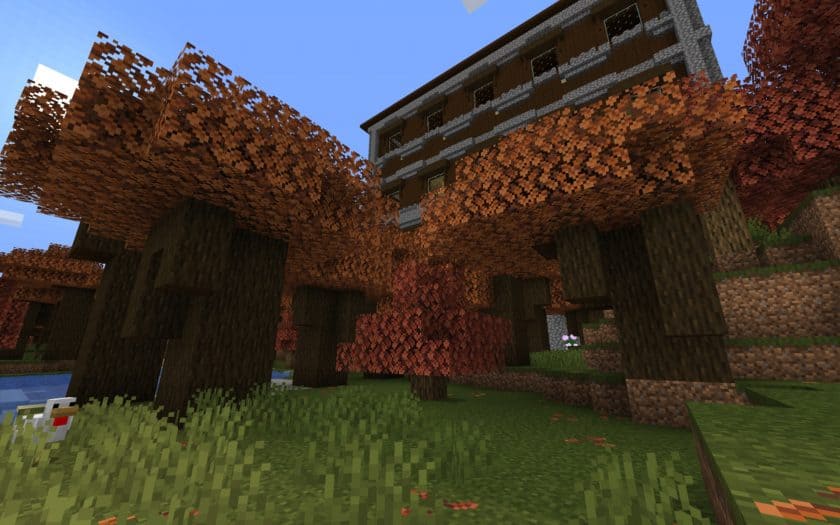
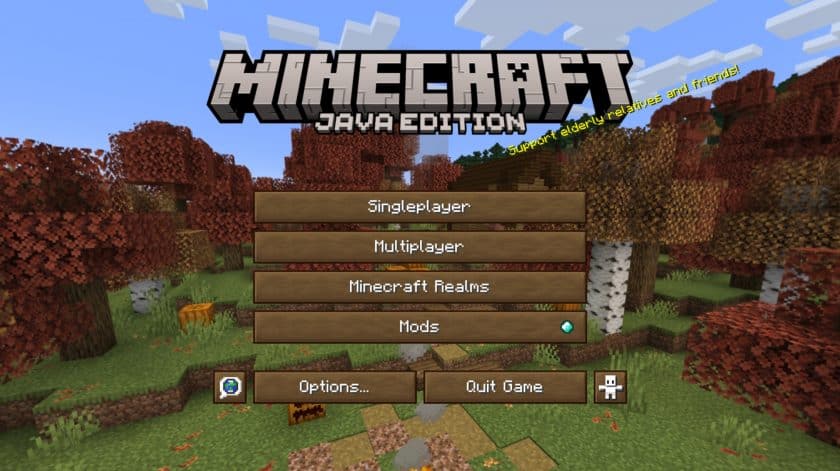
The Default Style Fall Resource Pack adds a seasonal look to Minecraft. The fall theme doesn’t entirely change the vanilla style, but it widens and changes the color palette to make it more immersive. This resource pack is excellent for fall with its modest features, stunning color hues, and slight GUI adjustments. Default Style Fall texture pack maker Futureazoo has multiple resource packs under his belt to improve this unique release. Fill it to see the dense woodlands transform dramatically. The lush greenery has been replaced by blazing reds, warm oranges, and golden yellows. However, this transformation goes beyond trees. The ground is covered in leaves as you go. This is complemented by yellow grass blocks that match the leaves. Without user interface customization, no package is complete. This beautifully constructed deck evokes autumn’s golden color and adds rustic charm to the game’s GUI with wooden buttons. They blend with the fall motif, making menu navigating tactile and attractive. Warm tones make inventory management and crafting functional and attractive. These GUI components and the fall-themed atmosphere transport players to a virtual woodland. You’ll see sunlight like never before. The horizon is painted in delicate pink and purple. Sunrises mix smoothly with fall foliage’ bright colors. Minecraft looks like never before as the sun’s rays warm the brownish leaves during golden hour. Autumn colors alter your surroundings with their beauty. As the sun sets, it produces lengthy shadows and fills the sky with fire.
Beyond grass and leaves, Minecraft’s ecosystem is shifting. Once a subdued green accent, vines now cascade over stone cliffs in autumn colors. Vines cover deep woods and various biomes, creating an immersive environment. Tree saplings adopt the theme, becoming miniature versions of their future selves. Vine and seedling transformations provide a delicate layer to the immersive fall season, making even the slightest parts of your Minecraft trip magical. There is a suitable mod for this bundle to enhance your experience. The interactive Falling Leaves Mod adds dynamic realism to this fall journey. Tree leaves fall slowly as players wander around the terrain, creating a serene and immersive feeling. The rustling sound of leaves creates a soothing soundtrack to Minecraft adventures that fits with the resource pack’s visual appeal. No high performance requirements are needed to experience this resource pack’s beauty. This Fall resource pack default style is for gamers with diverse hardware. The optimized 16×16 resolution delivers high-quality images without sacrificing system resources. This resource bundle makes Minecraft fun for everyone, regardless of hardware. Although it doesn’t require Optifine, installing it may prevent texture issues. Optifine can help weaker PCs get more FPS and enjoy the Default Style Fall bundle. This collection embodies the season with golden sunrises and falling leaves. The Default Style Fall Pack makes fall beauty visible and experienceable with its approachable style and optimized performance.
Default-Style Fall Pack should work smoothly with all of these Minecraft versions: 26.3 – 26.2 – 26.1.2 – 26.1.1 – 26.1 – 1.21.11 – 1.21.10 – 1.21.9 – 1.21.8 – 1.21.7 – 1.21.6 – 1.21.5 – 1.21.4 – 1.21.3 – 1.21.2 – 1.21.1 – 1.21 – 1.20.6 – 1.20.5 – 1.20.4 – 1.20.3 – 1.20.2 – 1.20.1 – 1.20 – 1.19.4 – 1.19.3 – 1.19.2 – 1.19.1 – 1.19 – 1.18.2 – 1.18.1 – 1.18 – 1.17.1 – 1.17 – 1.16.5 – 1.16.4 – 1.16.3 – 1.16.2 – 1.16.1 – 1.16 – 1.15.2 – 1.15.1 – 1.15 – 1.14.4 – 1.14.3 – 1.14.2 – 1.14
Default Fall Pack — Screenshots
How to install the default Fall Pack Resource Pack:
- Download Optifine: Most of the texture packs and shaders need Optifine. That’s why, first download and install Optifine for the version of Minecraft you want to play.
- Download the Texture Pack: Get the texture pack you want from the download section. Choose the version that works with your Minecraft and your PC’s performance.
- Open Minecraft Launcher: 🚀 Start Minecraft using the official game launcher — or even TLauncher, if you use that.
- Go to Options: From the main menu, click on the “Options” button.
- Open Resource Packs: Inside Options, click on “Resource Packs…”.
- Open the Resource Pack Folder: Click on “Open Resource Pack Folder”— this will open a folder named “resourcepacks.”
- Move the Pack File: Copy or move the .zip file you downloaded into that “resourcepacks” folder. (Don’t unzip the file—Minecraft uses it as-is!)
- Go Back and Refresh: Close the folder and click “Done”, then go back into “Resource Packs…” again.
- Activate the Pack: You’ll see the pack on the left side. Hover over it and click the arrow to move it to the right (active side).
- Tip: If you get a message that the pack is for a different version, just click “”Yes”—it usually works fine.
- Click Done and Enjoy: Click “Done” again. Now your pack is ready to use in-game. It’s that easy!
Default Style Fall Texture Pack was created by
Futureazoo.
Full credit goes to the original creator for their work.
Original Files & Downloads:
We help players discover resource packs, shaders,
and tools made by the Minecraft community. Where
applicable, we link to the creators' original
download pages and do not claim ownership of their work.
Download Link Updates:
Links may change or become unavailable when a creator
updates a project. We aim to keep them current, so
please leave a comment if you find a broken link.
Independent Website:
Texture-Packs.org is an independent fan resource
website and is not affiliated with or endorsed by
Mojang Studios or Microsoft. Minecraft is a trademark
of Mojang Studios.
Support the Creators:
If you enjoy this resource pack,
share your experience in the comments and consider
visiting the creator's original page to explore their
work and support their efforts.
About This Resource Pack
Default Style Fall Pack Texture Pack Download
Java Edition:
[16x] [26.3.x – 26.1.x] Download Default-Style Fall Resource Pack
[16x] [1.21.x] Download Default-Style Fall Resource Pack
[16x] [1.20.6 – 1.20.3] Download Default-Style Fall Resource Pack
[16x] [1.20.2] Download Default-Style Fall Resource Pack
[16x] [1.20.1 – 1.19.x] Download Default-Style Fall Resource Pack
[16x] [1.18.x] Download Default-Style Fall Resource Pack
[16x] [1.17.x] Download Default-Style Fall Resource Pack
[16x] [1.16.x – 1.15.x] Download Default-Style Fall Resource Pack
[16x] [1.14.x] Download Default-Style Fall Resource Pack
Download Instructions:
CurseForge: The download will start by itself after a few seconds.
Mediafire: Click the big blue “DOWNLOAD” button.
Google Drive: Click the small download icon (a down arrow) at the top-right corner to start the download.
Disclaimer
We are not the creators of any texture packs or shader packs shared on this site. All credit goes to the original authors. We do not edit or change any files in any way. Also, none of the downloads are hosted on our servers — we only provide official links shared by the original creators. That means all downloads are completely safe.
❗Note: Since we manually add the official links, so some may stop working after updates. If you find a broken link, tell us in the comments and we’ll fix it as soon as we can.
If you like a pack, please leave a comment and vote for it — this helps the creators improve their work. You can also support them directly through the links below the download section.