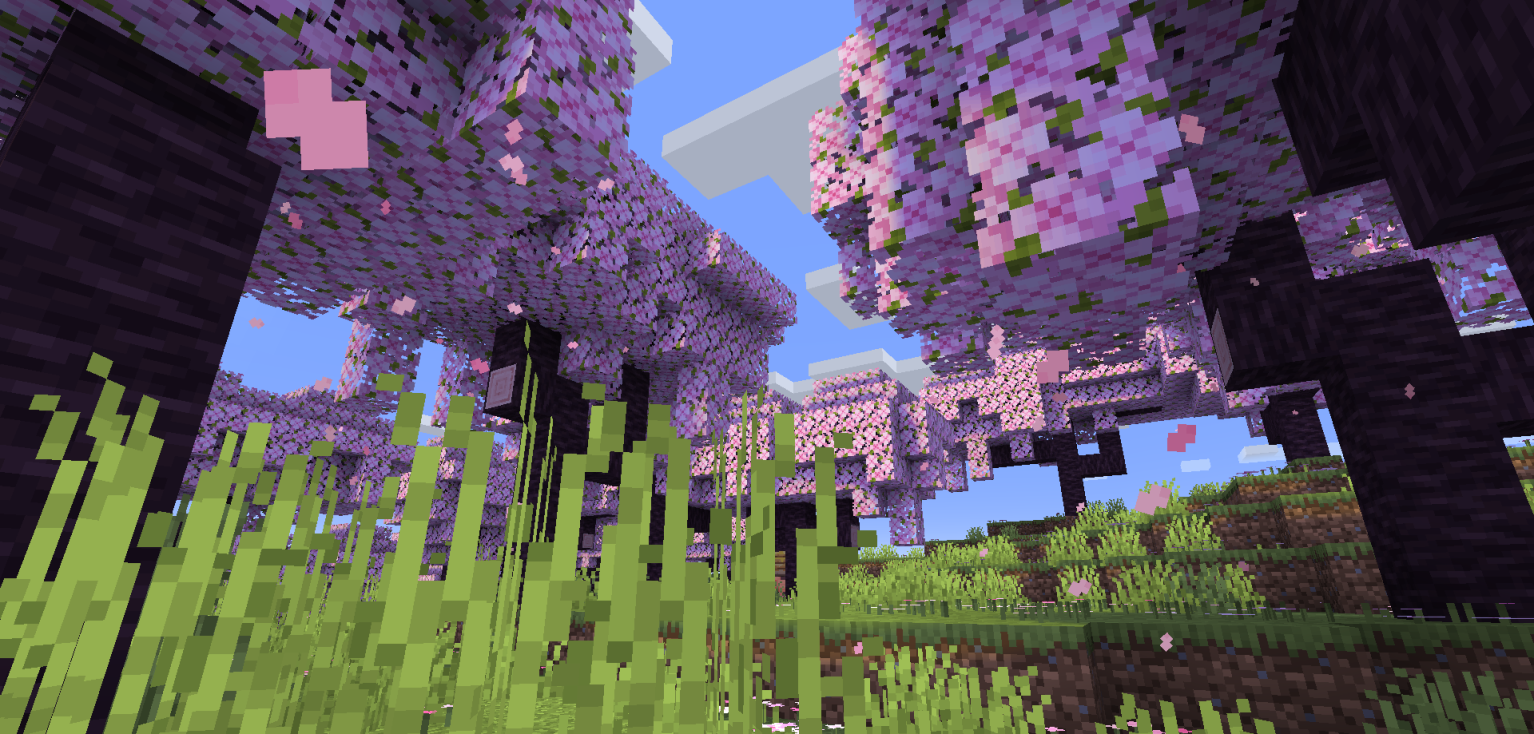
Shaders can completely transform Minecraft, but they usually come with one major downside: performance. If you’ve ever had to lower your render distance or disable your favorite shader just to keep your FPS playable, you’ll probably appreciate what Re-Shaded offers.
Unlike traditional shaders, Re-Shaded is actually a resource pack that recreates many of the lighting and shadow effects you’d normally expect from a shader. After comparing it side by side with vanilla Minecraft, I was honestly surprised by how much better the world looked considering my FPS barely changed. It doesn’t rely on ray tracing or path tracing—instead, it uses clever textures and visual effects to create a much richer atmosphere while staying incredibly lightweight.
👉 Download Re-Shaded: Download Here
Using Re-Shaded with Sodium
One of the best recent updates is that Re-Shaded now supports Sodium, making it much easier to use on modern Fabric installations. However, there’s one thing that almost caught me out while testing it.
The resource pack won’t work with Sodium by itself—you’ll also need to install Sodium Core Shader Support. Once that’s installed, everything works exactly as expected.
👉 Download Sodium Core Shader Support: Download Here
Make the Sky Look Even Better
Re-Shaded already looks fantastic on its own, but I wanted to see how far I could push the visuals without sacrificing performance.
That’s why I paired it with Story Mode Clouds. This resource pack replaces Minecraft’s default clouds with large cinematic cloud formations inspired by Minecraft: Story Mode. The difference is immediately noticeable. The sky feels much more alive, sunsets become significantly more dramatic, and the entire world gains a more immersive atmosphere.
Personally, the sunsets were my favorite part of this combination, although nighttime might be even more impressive.
👉 Download Story Mode Clouds: Download Here
Surprisingly Good Performance
What impressed me the most wasn’t just how good the game looked—it was how little performance I lost. Even after combining Re-Shaded with Story Mode Clouds, the FPS stayed remarkably close to vanilla during my testing.
That’s something I don’t usually expect when trying to improve Minecraft’s visuals. Most shader packs ask your GPU to do much more work, while this setup manages to achieve a similar atmosphere using resource packs instead.
Can You Customize It Further?
Absolutely.
One thing I really like about Re-Shaded is that it works well as a foundation. You can stack additional resource packs on top of it to customize your world even further, whether that’s higher-quality skies, better foliage, improved particles, or small UI enhancements. Since these are resource packs rather than full shaders, it’s much easier to experiment without heavily affecting performance.
Final Thoughts
I wouldn’t say Re-Shaded completely replaces high-end shaders—they can still produce effects that resource packs simply can’t. However, if you’re looking for the best balance between visuals and performance, this is one of the most impressive resource packs I’ve personally tried.
It’s honestly a little ironic that a resource pack can get surprisingly close to the look of a shader while barely affecting FPS. If you’ve always wanted a more cinematic Minecraft experience without making your GPU work overtime, Re-Shaded is definitely worth trying.