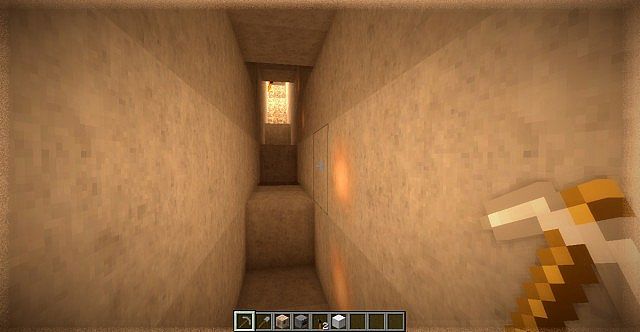
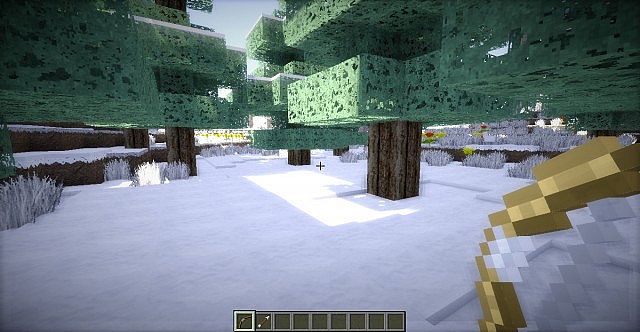
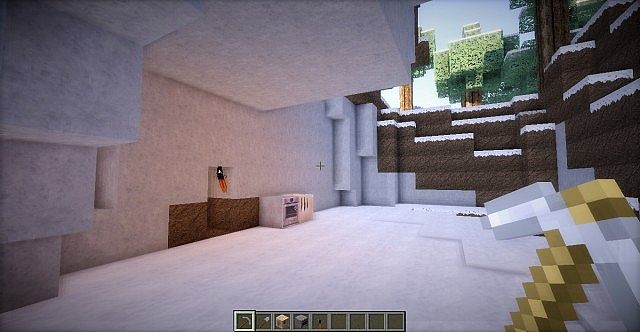
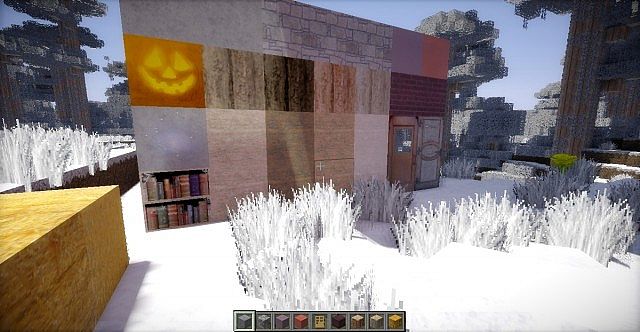
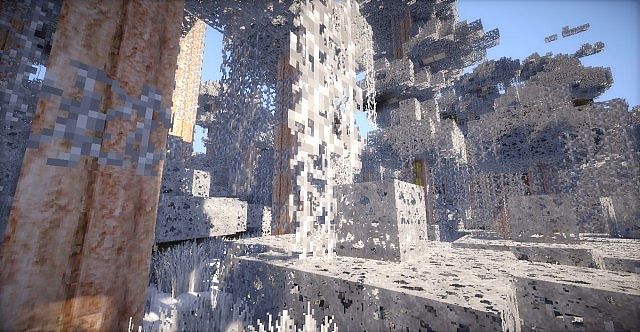
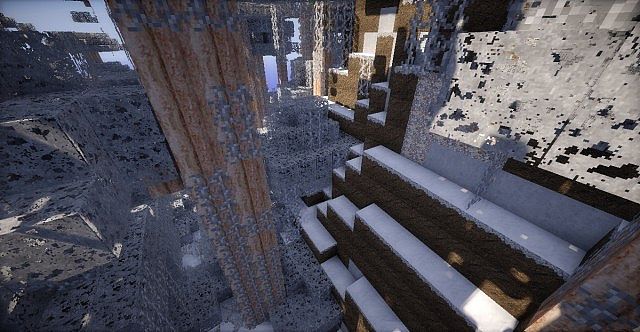
The Outdoorsy Realism Winter Resource Pack kinda makes Minecraft feel like it’s stuck in the middle of a perfect snowfall – in a good way. You load into the world and everything instantly feels quieter, colder, calmer. Trees look like they’ve just been dusted with fresh snow, the ground has that icy shine, and the whole place feels peaceful, almost cozy. Honestly, it feels less like a texture pack and more like stepping into a winter postcard.
What I really like about the Outdoorsy Realism Winter Resource Pack is how natural the snow feels. It’s not just white slapped onto blocks. Snow looks soft, ice actually looks slippery, and the lighting makes everything feel crisp and cold. Wandering through forests or revisiting old builds suddenly feels new again. It gives off the same immersive seasonal vibe you’d get from something like the Zaurx Craft Christmas Resource Pack, but this one leans more toward realism than festive decorations.
Another nice thing is flexibility. The Outdoorsy Realism Winter Resource Pack comes in multiple resolutions like 32x and 64x, so you’re not locked into one setup. If your PC isn’t super powerful, it still runs smoothly, and if you’ve got a bit more performance to spare, the higher resolution really adds depth to the snow and ice textures. Packs such as the Pulchra Revisited Resource Pack also do realism well, but Outdoorsy Winter keeps things focused on atmosphere instead of raw detail.
Building with this pack is honestly a vibe. Cozy cabins look warmer, mountains feel harsher, and just standing still during snowfall feels kinda magical. If you enjoy seasonal worlds or want Minecraft to slow down a bit, this pack really delivers. For comparison, something like the Better Snow Resource Pack shows how small tweaks can change winter visuals — but Outdoorsy Winter goes all in.
In the end, the Outdoorsy Realism Winter Resource Pack is perfect for players who love snowy worlds and immersive moods. It turns Minecraft into a calm, frosty escape where every step crunches a little more, and every build feels wrapped in winter silence.
| Minecraft Version | Compatibility |
|---|---|
| 1.7.10 | ✅ Supported |
| 1.7.9 | ✅ Supported |
| 1.7.4 | ✅ Supported |
| 1.7 | ✅ Supported |
| 1.6.4 | ✅ Supported |
| 1.6.2 | ✅ Supported |
Outdoorsy Realism: Winter – Screenshots
How to Install Texture Pack (Simple 10 Steps)
- Download Optifine: Most of the texture packs and shaders need Optifine. That’s why, first download and install Optifine for the version of Minecraft you want to play.
- Download the Texture Pack: Get the texture pack you want from the download section. Choose the version that works with your Minecraft and your PC’s performance.
- Open Minecraft Launcher: Start Minecraft using the official game launcher – or even TLauncher, if you use that.
- Go to Options: From the main menu, click on the “Options” button.
- Open Resource Packs: Inside Options, click on “Resource Packs…”.
- Open the Resource Pack Folder: Click on “Open Resource Pack Folder” – this will open a folder named “resourcepacks”.
- Move the Pack File: Copy or move the .zip file you downloaded into that “resourcepacks” folder. (Don’t unzip the file – Minecraft uses it as-is!)
- Go Back and Refresh: Close the folder and click “Done”, then go back into “Resource Packs…” again.
- Activate the Pack: You’ll see the pack on the left side. Hover over it and click the arrow to move it to the right (active side). Tip: If you get a message that the pack is for a different version, just click “Yes” – it usually works fine.
- Click Done and Enjoy: Click “Done” again. Now your pack is ready to use in-game. It’s that easy!
Download
(64x) (1.7) (1.6) Download Outdoorsy Realism Winter Resource Pack
(32x) (1.7) (1.6) Download Outdoorsy Realism Winter Resource Pack
Download Instructions
- CurseForge: If the pack is hosted on CurseForge, the download will begin automatically after a few seconds. If it does not start, use the “Download” button shown on the page.
- Modrinth: If the download is from Modrinth, click the file version that matches your Minecraft build, then press the Download button. Modrinth usually offers multiple releases, so make sure you pick the correct version before installing.
- Mediafire: On Mediafire, click the large blue Download button to start the file download. Avoid any extra pop-ups or buttons that are not related to the direct download.
- Google Drive: For Google Drive, click the small download icon at the top right corner of the page. It looks like a downward arrow. The file will be saved to your computer immediately.
Disclaimer We do not create or modify any of the texture packs or shader packs shared on this website. All credit goes to the original creators, and every download link we provide is the official link from their page, which keeps all downloads safe. Some links may stop working after updates, so if you find a broken one, let us know in the comments and we will update it quickly. If you like a pack, consider supporting the creator by visiting their official page or website that we have linked below, and feel free to leave a comment or vote to help their work reach more players.