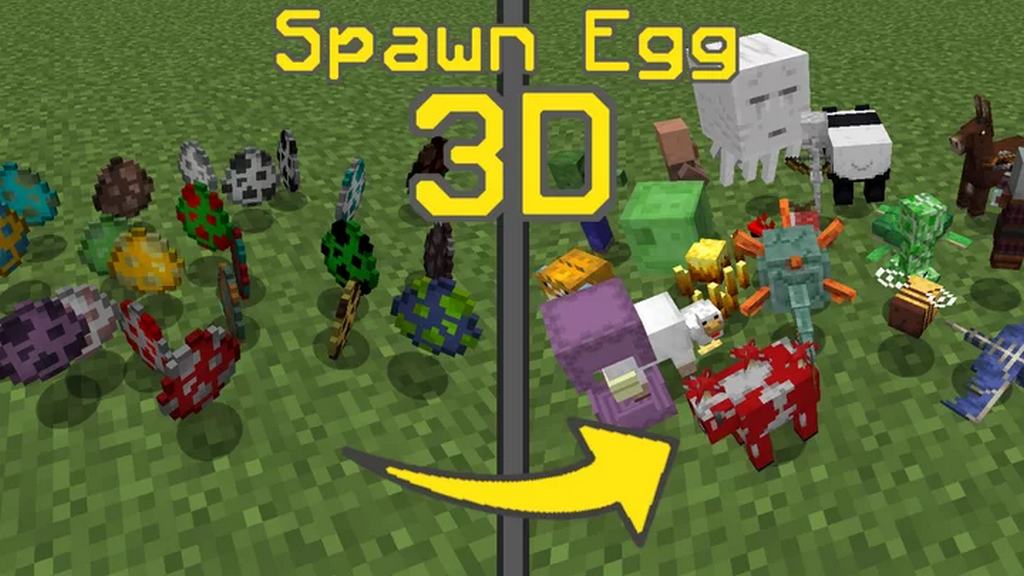
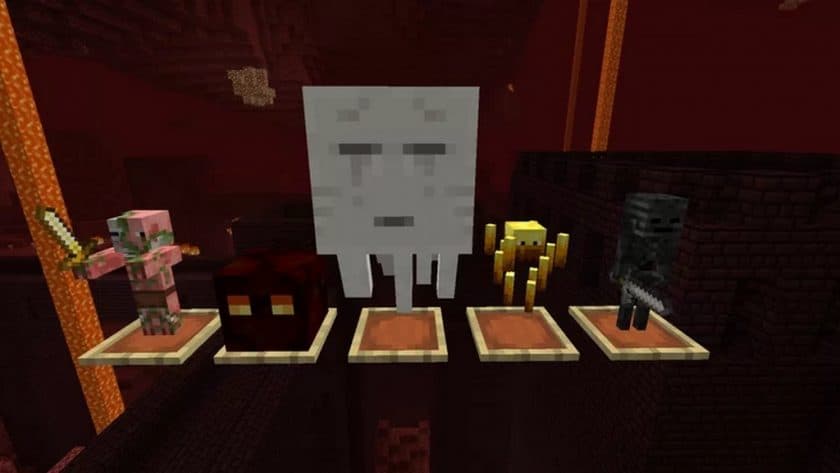
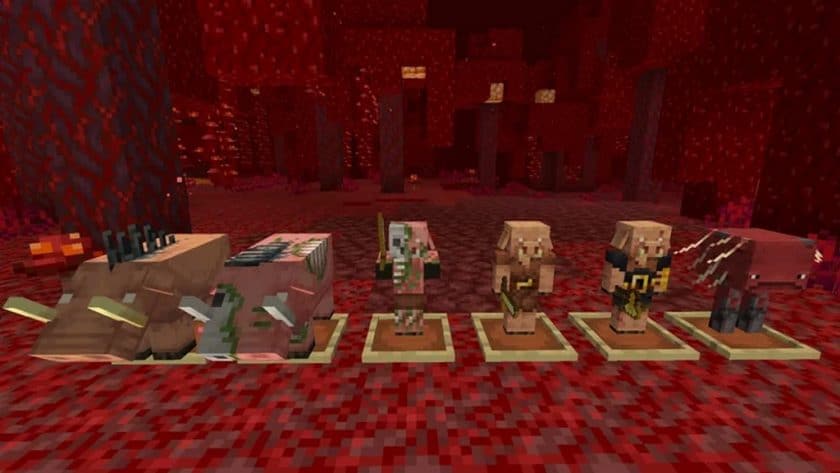
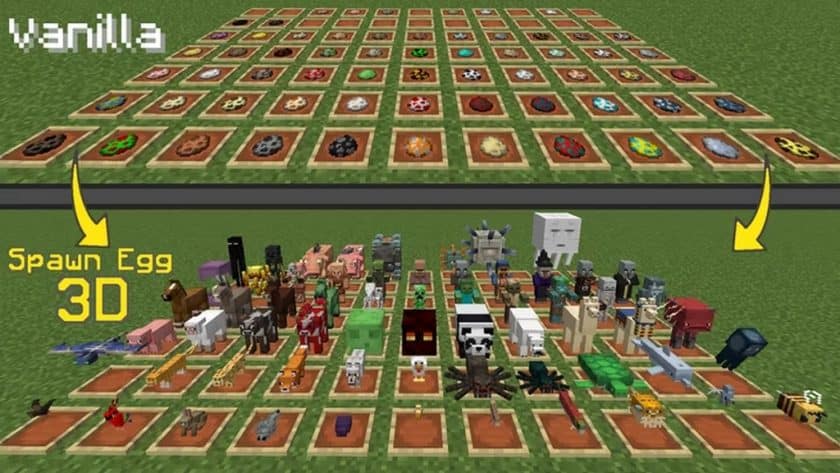
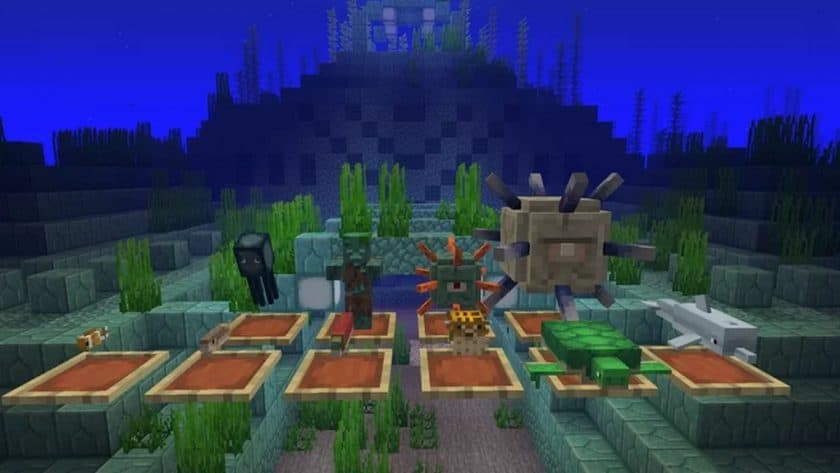
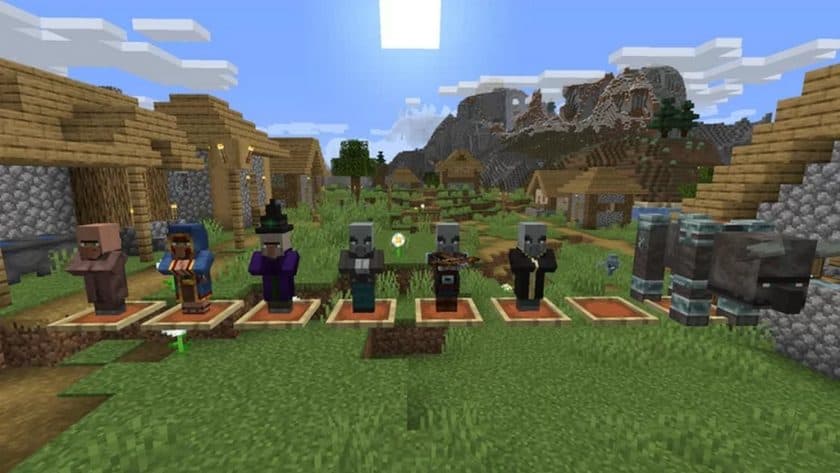
Stepping into a world enhanced by the Spawn Egg 3D Resource Pack immediately transforms a small, but significant, aspect of your Minecraft experience. If you’ve ever felt the vanilla spawn eggs lacked a certain flair, this pack is a delightful revelation. Gone are the flat, two-dimensional icons; in their place, you’ll find intricately rendered 3D models that truly pop, bringing a new layer of visual fidelity to your inventory and building projects. Each egg now possesses a tangible depth, making them feel like actual, tiny vessels of life waiting to be unleashed.
The magic of this pack lies in its subtle yet impactful redesign. Holding a Creeper spawn egg, you’ll notice the distinct, rounded contours, almost anticipating the explosion it represents. The visual distinction extends to every mob, from a docile sheep to a formidable Enderman, ensuring that identifying the correct egg is not only easier but also much more visually engaging. For builders in creative mode or map makers juggling countless mob spawners, this enhanced clarity is a true time-saver and a joy to behold. It adds a touch of sophistication to what was once a purely functional item.
Operating at a crisp 32×32 resolution, the textures within the Spawn Egg 3D Resource Pack are noticeably sharper and more defined than the default 16×16. Despite this upgrade, the pack is remarkably lightweight, meaning it runs smoothly on most systems without a hitch, avoiding any performance woes. It’s designed to enhance your game without compromising frame rates, offering a cleaner, more polished aesthetic for the spawn eggs specifically.
What’s particularly appealing is its seamless integration. This pack plays well with others, meaning you can easily layer it over your favorite existing resource packs without any conflicts. It’s a focused enhancement that respects your current setup, only bringing its unique 3D charm to the spawn eggs themselves. Installing it is a breeze – a quick download and a simple drag-and-drop into your resource packs folder is all it takes to bring these dynamic, three-dimensional eggs to your Minecraft world. It’s a small change with a big visual impact, making your interactions with mobs more immersive than ever before.
Spawn Egg 3D should work smoothly with all of these Minecraft versions: 1.21.11 – 1.21.10 – 1.21.9 – 1.21.8 – 1.21.7 – 1.21.6 – 1.21.5 – 1.21.4 – 1.21.3 – 1.21.2 – 1.21.1 – 1.21 – 1.20.6 – 1.20.5 – 1.20.4 – 1.20.3 – 1.20.2 – 1.20.1 – 1.20 – 1.19.4 – 1.19.3 – 1.19.2 – 1.19.1 – 1.19 – 1.18.2 – 1.18.1 – 1.18 – 1.17.1 – 1.17 – 1.16.5 – 1.16.4 – 1.16.3 – 1.16.2 – 1.16.1 – 1.16 – 1.15.2 – 1.15.1 – 1.15 – 1.14.4 – 1.14.3 – 1.14.2 – 1.14
Spawn Egg 3D Resource Pack – Screenshots & Videos
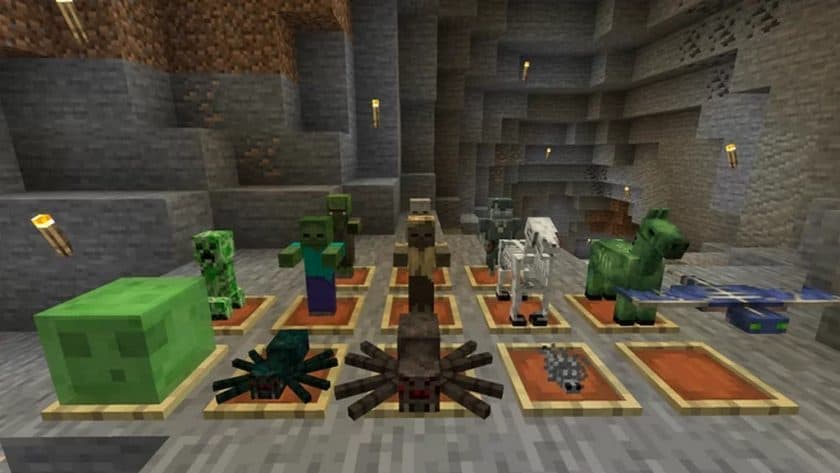
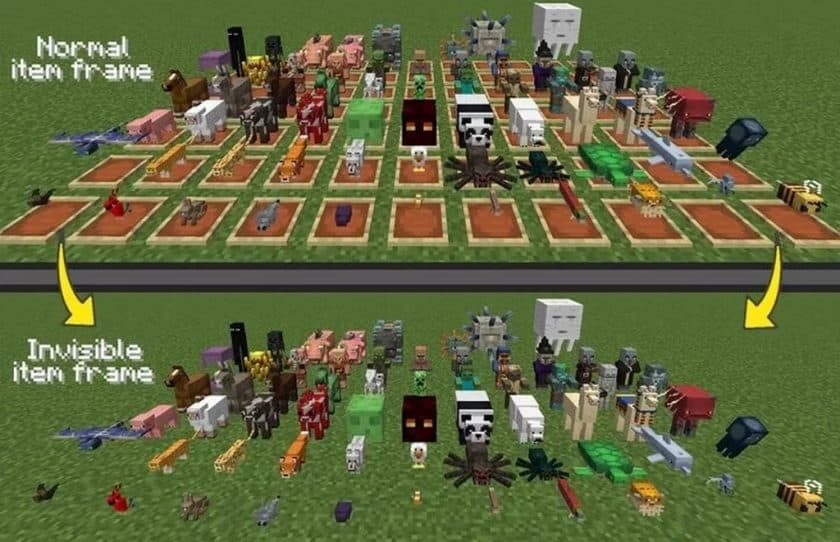
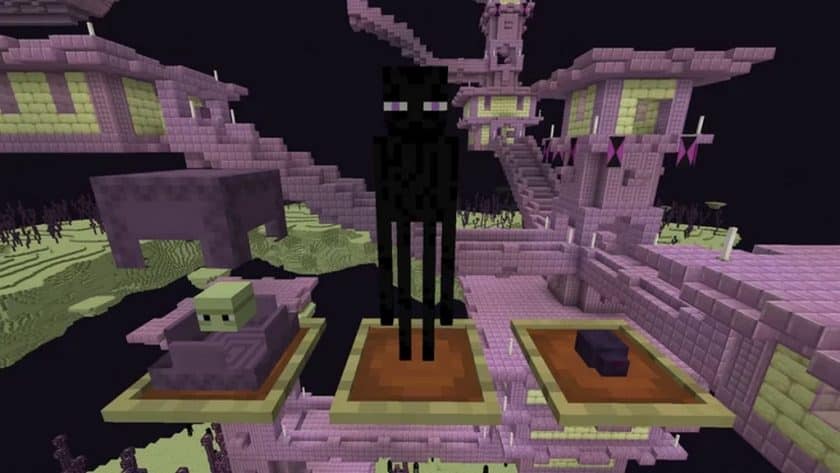
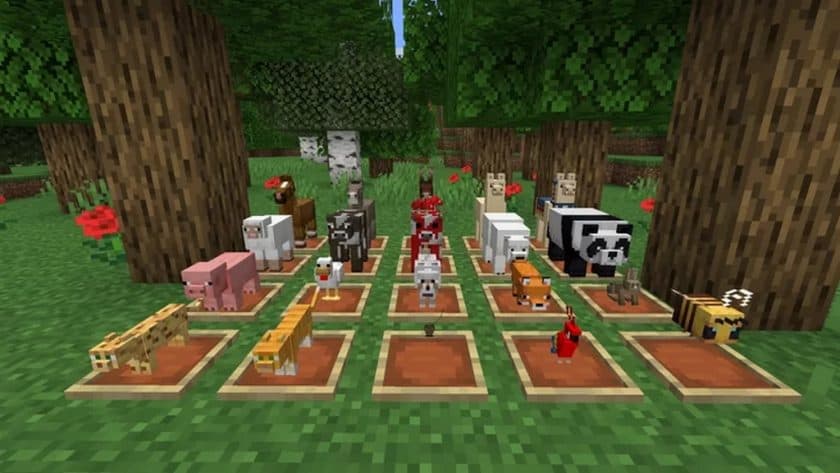
How to Install Texture Pack (Simple 10 Steps)
- Download Optifine: Most of the texture packs and shaders need Optifine. That’s why, first download and install Optifine for the version of Minecraft you want to play.
- Download the Texture Pack: Get the texture pack you want from the download section. Choose the version that works with your Minecraft and your PC’s performance.
- Open Minecraft Launcher: Start Minecraft using the official game launcher – or even TLauncher, if you use that.
- Go to Options: From the main menu, click on the “Options” button.
- Open Resource Packs: Inside Options, click on “Resource Packs…”.
- Open the Resource Pack Folder: Click on “Open Resource Pack Folder” – this will open a folder named “resourcepacks”.
- Move the Pack File: Copy or move the .zip file you downloaded into that “resourcepacks” folder. (Don’t unzip the file – Minecraft uses it as-is!)
- Go Back and Refresh: Close the folder and click “Done”, then go back into “Resource Packs…” again.
- Activate the Pack: You’ll see the pack on the left side. Hover over it and click the arrow to move it to the right (active side). Tip: If you get a message that the pack is for a different version, just click “Yes” – it usually works fine.
- Click Done and Enjoy: Click “Done” again. Now your pack is ready to use in-game. It’s that easy!
- We do not modify or edit any resource packs. All resource packs, shaders and tools found on this website are linked directly to official sources rather than hosted on our own servers. We provide only the official download links from the original creators to ensure that your files are safe and secure.
- These official links are updated manually and may occasionally stop working when a new version is released. We work hard to keep everything current so that you have a smooth experience. Please let us know in the comments if you find a link that no longer works.
- Minecraft is a trademark of Mojang Studios and has no official connection to this website. Our goal is simply to share the best creations from the community with other players.
- Please consider leaving a comment or voting for your favorite packs. This feedback helps authors improve their projects over time. You can also support the creators directly by visiting the official links located below the download section.
Download
Java Edition:
[16x] [1.21.x – 1.14.x] Download Spawn Egg 3D Resource Pack
- CurseForge: If the pack is hosted on CurseForge, the download will begin automatically after a few seconds. If it does not start, use the “Download” button shown on the page.
- Modrinth: If the download is from Modrinth, click the file version that matches your Minecraft build, then press the Download button. Modrinth usually offers multiple releases, so make sure you pick the correct version before installing.
- Mediafire: On Mediafire, click the large blue Download button to start the file download. Avoid any extra pop-ups or buttons that are not related to the direct download.
- Google Drive: For Google Drive, click the small download icon at the top right corner of the page. It looks like a downward arrow. The file will be saved to your computer immediately.
Disclaimer: We do not create or modify any of the texture packs or shader packs shared on this website. All credit goes to the original creators, and every download link we provide is the official link from their page, which keeps all downloads safe. Some links may stop working after updates, so if you find a broken one, let us know in the comments and we will update it quickly. If you like a pack, consider supporting the creator by visiting their official page or website that we have linked below, and feel free to leave a comment or vote to help their work reach more players.