After using the Stormilla Resource Pack for a while, I realized it’s very different from most vanilla-style texture packs. Instead of trying to completely redesign Minecraft, Stormilla focuses on fixing the little things that many players never notice until they’re pointed out. The developer, StormDragon77, originally started the project to correct small visual inconsistencies, but it has gradually grown into one of the most ambitious vanilla improvement packs available. The goal isn’t to replace Minecraft’s identity—it’s to polish it. As you play, you’ll start noticing that textures, models, and interface elements feel much more consistent with each other, making the entire game look cleaner without changing the familiar Minecraft style.
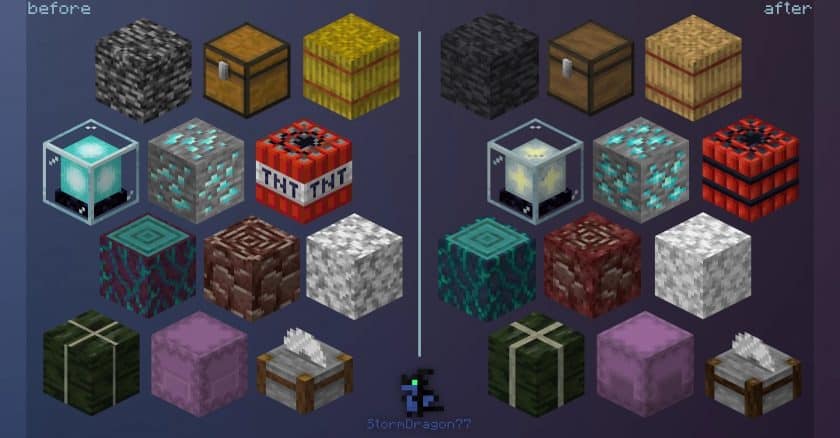
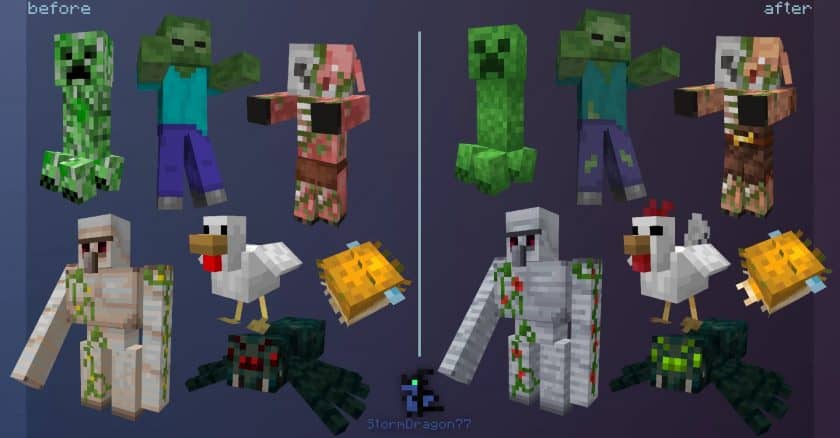
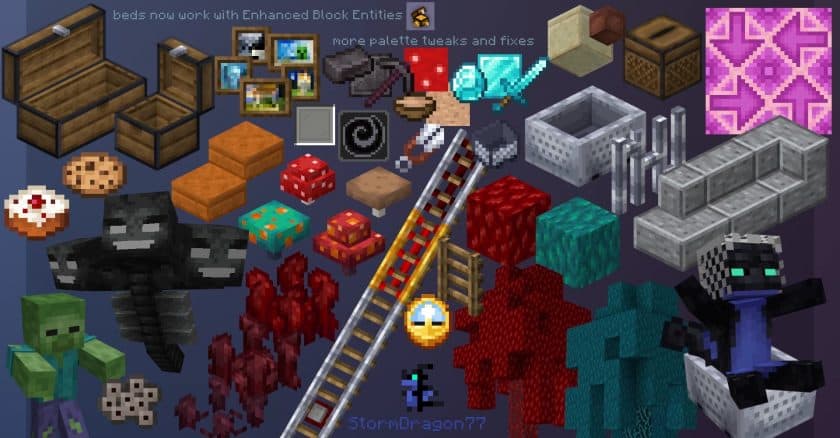
One of my favorite things about the Stormilla Texture Pack is the amount of attention given to details that most resource packs simply ignore. Various items, blocks, and GUI elements have been adjusted so they better match their in-game models and materials. Color inconsistencies have also been cleaned up, so related items now share a much more consistent appearance. The pack even reworks certain shadows and block details to make them look more natural while staying faithful to vanilla Minecraft. Another feature I appreciate is that Stormilla supports both Java Edition and Bedrock Edition, with the developer actively working to keep both versions as visually similar as possible. Although many advanced features work best with OptiFine, the base resource pack can still be used without heavily modifying your game.
Because Stormilla Resource Pack keeps Minecraft’s original 16×16 resolution, performance remains excellent even on older computers. Unlike high-resolution packs that demand powerful hardware, Stormilla focuses on refinement rather than adding unnecessary detail, so frame rates remain virtually unchanged. The project is also still under active development, with regular updates, bug fixes, and new improvements based on community feedback. After playing with it for several weeks, I’d describe Stormilla as the kind of resource pack you install once and rarely want to remove. It doesn’t overwhelm Minecraft with flashy visuals or dramatic redesigns—instead, it quietly improves hundreds of small details that collectively make the game feel more polished, consistent, and enjoyable while preserving everything that makes vanilla Minecraft special.
Stormilla is compatible with all of the following Minecraft versions: 1.21.10 – 1.21.9 – 1.21.8 – 1.21.7 – 1.21.6 – 1.21.5 – 1.21.4 – 1.21.3 – 1.21.2 – 1.21.1 – 1.21 – 1.20.6 – 1.20.5 – 1.20.4 – 1.20.3 – 1.20.2 – 1.20.1 – 1.20 – 1.19.4 – 1.19.3 – 1.19.2 – 1.19.1 – 1.19 – 1.18.2 – 1.18.1 – 1.18 – Bedrock Edition – PE
Stormilla — Screenshots
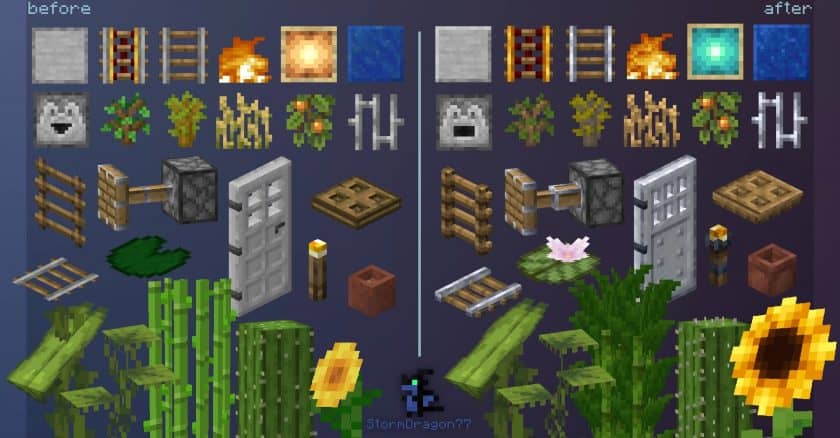
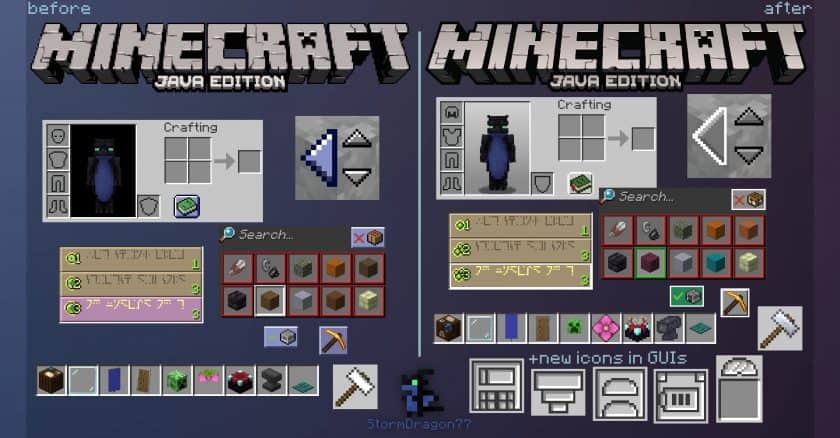
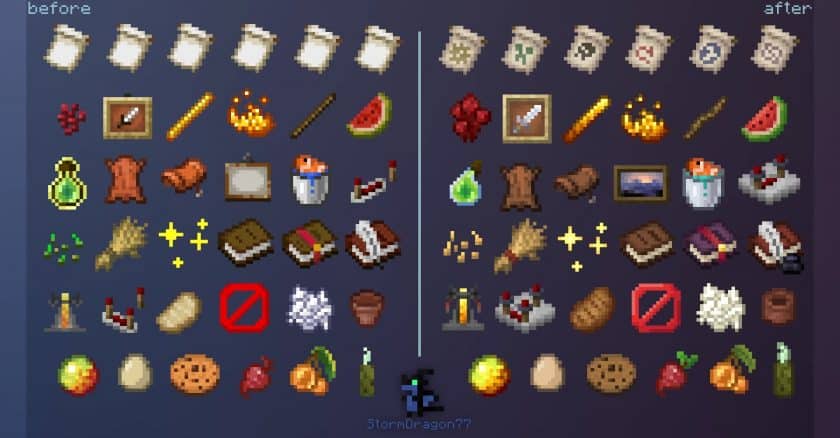
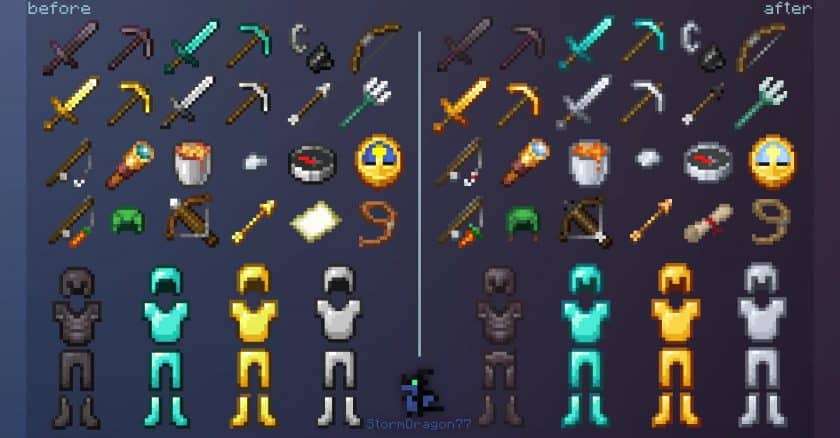
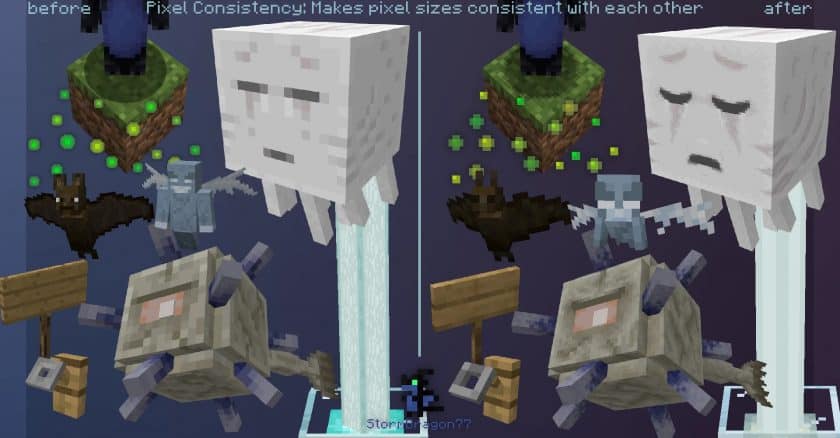
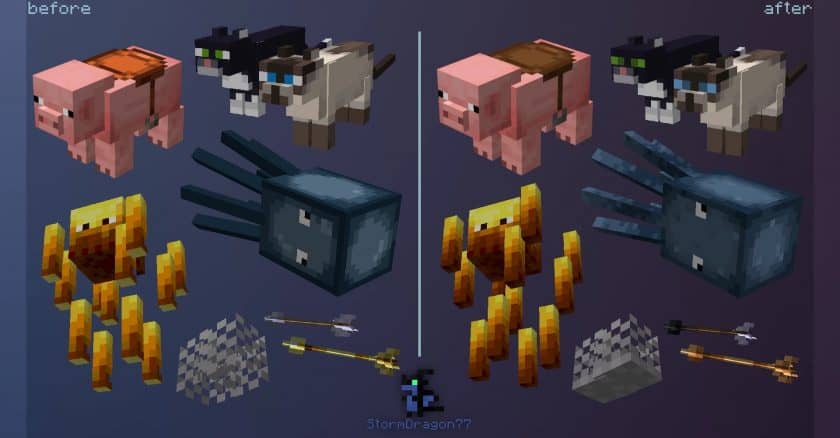
How to install Stormilla Resource Pack:
- Most source packages require Optifine, so be sure to download and install it. – a general recommended step for all packages, Optifine is also needed for most shaders
- Download the Stormilla texture pack for Minecraft from the download section below. – if there are many different versions, just choose the one you like, is compatible with your version/edition of minecraft that you think your computer can handle in terms of performance.
- Launch the game client via the Minecraft launcher.
- Click “Options” in the main menu.
- Click on “Resource Packs…” from the options menu.
- Click “Open Resource Pack Folder”. – a folder named “resourcepacks” will appear.
- Move the .zip file you downloaded in the first step into the newly opened “resourcepacks” folder.
- Click “Done”.
- Click on “Resource Pack…” again.
- Your package should appear in the left window, just hover over it and click on the arrow pointing to the right.
QUICK TIP: Sometimes when activating a pack, the game may say that the pack is made for a newer or older version of Minecraft. This is just a warning, it doesn’t affect your game in any way and you can still activate and enjoy the pack by just clicking “Yes” when prompted.
- Click “Done” again.
- The package has now been successfully loaded and is ready to use in your world!
Credits:
- Napstatoast: Contributor
- TrailerOctopus: Some emission textures, leather suits (modified), XP bottle (modified)
- Vanilla Tweaks: Villager Cloak Fix (adjusted), Soul Soil Soul Campfire, Proper Break Particles (adjusted), Iron Bars Fix, Corrected Item Holding (adjusted). Inspiration for flint-tipped arrows and unfired Redstone ore
- Insanial: Inspiration for fixing the right door lighting
- MrBrose: Minecraft style logo
Stormilla Texture Pack Download
DOWNLOAD LINKS
Optifine is recommended but not required. Emission textures, custom entity models, random entities, custom colors, custom items, and attached textures are all features that Stormilla uses and require optifine. Get optifine here.
Bedrock Edition:
Download Stormilla Bedrock Edition Resource Pack
Java Edition:
[16x] [1.21.x – 1.20.2] Download Stormilla Resource Pack
[16x] [1.20.1 – 1.20] Download Stormilla Resource Pack
[16x] [1.19.x] Download Stormilla Resource Pack
[16x] [1.18.x] Download Stormilla Resource Pack
Dark Mode GUI (Java Edition):
[1.21.x – 1.20.2] Dark Mode (GUI only)
[1.20.1 – 1.18.x] Dark Mode (GUI only)
Other Add-ons (Java Edition):
Download Instructions:
CurseForge: The download will start by itself after a few seconds.
Mediafire: Click the big blue “DOWNLOAD” button.
Google Drive: Click the small download icon (a down arrow) at the top-right corner to start the download.
Disclaimer
We are not the creators of any texture packs or shader packs shared on this site. All credit goes to the original authors. We do not edit or change any files in any way. Also, none of the downloads are hosted on our servers — we only provide official links shared by the original creators. That means all downloads are completely safe.
❗Note: Since we manually add the official links, so some may stop working after updates. If you find a broken link, tell us in the comments and we’ll fix it as soon as we can.
If you like a pack, please leave a comment and vote for it — this helps the creators improve their work. You can also support them directly through the links below the download section.