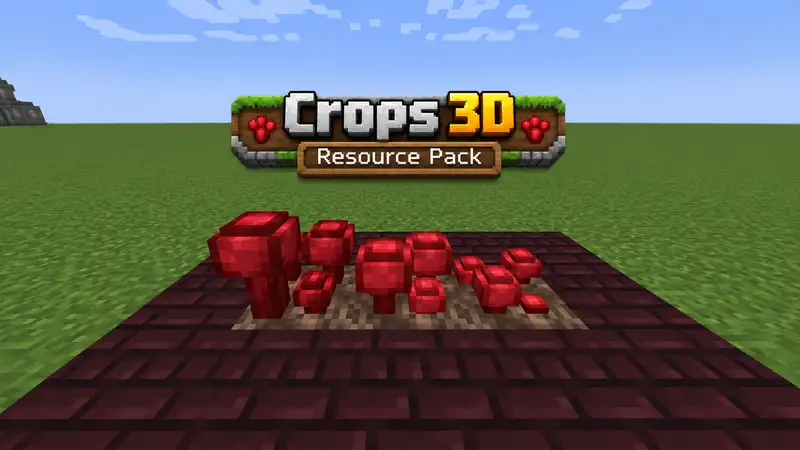
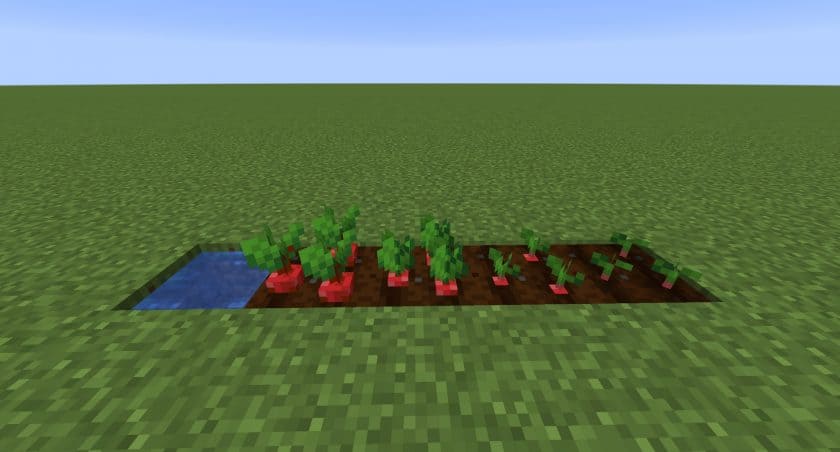
The Crops 3D Resource Pack is a great example of how a small visual change can make Minecraft feel noticeably better without changing its familiar vanilla style. I’ve tried plenty of resource packs that completely redesign the game, and while some look impressive, they can make vanilla Minecraft almost unrecognizable. Crops 3D takes the opposite approach. It focuses specifically on crops and plants, giving them proper 3D models while leaving the rest of the game almost exactly as it is. The result is subtle enough that you can continue enjoying the familiar Minecraft look, but when you walk past a farm, the difference is immediately noticeable.
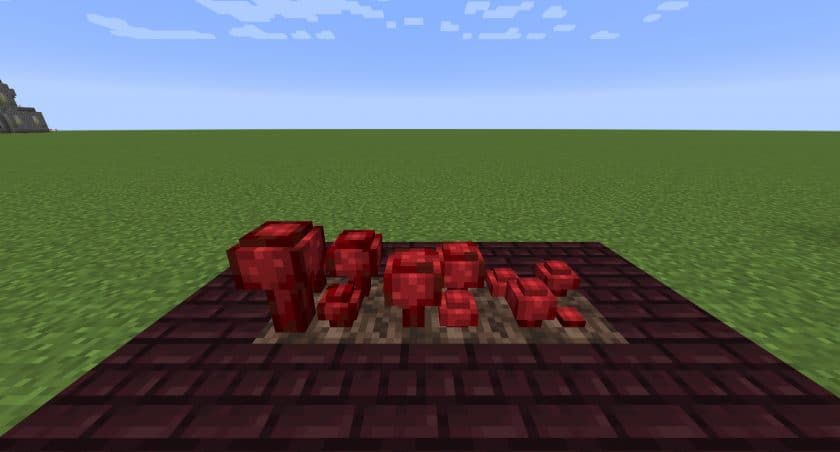
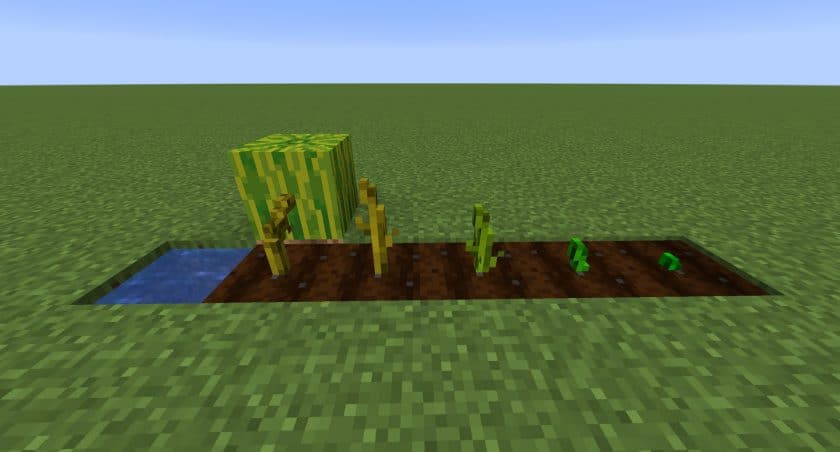
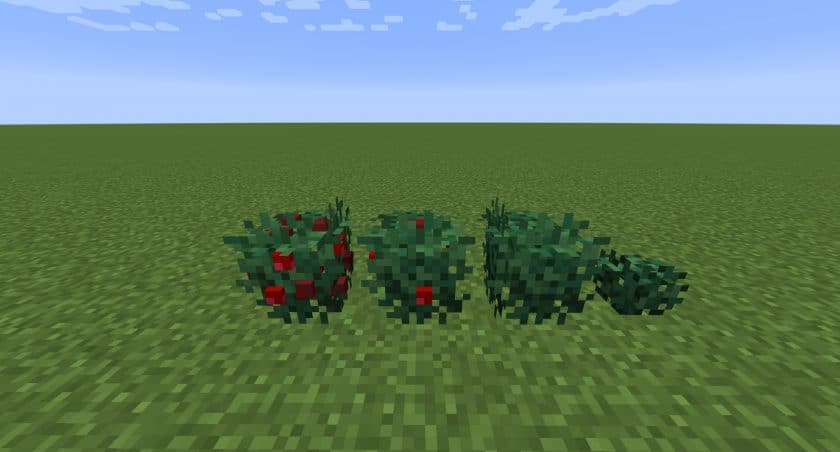
The pack was created by NinthWorld, who rebuilt the crop models from the ground up using Blockbench instead of simply stretching the original 2D textures. Wheat, carrots, potatoes, beetroot, pumpkins, melons, mushrooms, sugar cane, berries, and other supported crops now have more physical-looking shapes and better depth. I particularly like the difference when you’re working on a large farm because rows of crops no longer look like flat images stuck into the ground. The original Minecraft textures are still used and adapted to the new models, so the colors and overall appearance remain familiar. That’s what makes Crops 3D Texture Pack work so well—it adds depth without suddenly turning your farm into something from a completely different game.
Another thing I appreciate is that the pack stays extremely lightweight. It keeps Minecraft’s original 16×16 resolution, so you don’t need a powerful gaming PC just to use it. I didn’t notice any meaningful FPS difference while playing with it enabled, which also makes it a perfectly reasonable choice for PvP players or anyone running Minecraft on older hardware. You can also combine it with other resource packs because it only targets specific crops rather than trying to replace the entire game. Shaders can make the 3D models look even better by adding stronger shadows and lighting, although compatibility can vary depending on the shader you’re using.
For me, the biggest advantage of Crops 3D Resource Pack is that it knows exactly what it wants to improve and doesn’t go beyond that. It doesn’t add unnecessary effects, change the GUI, redesign mobs, or replace Minecraft’s familiar textures. It simply makes farming look better. If you spend a lot of time building farms, maintaining survival bases, or simply want your crops to have a little more depth, this is one of those packs that you can install and forget about until you return to vanilla and suddenly notice how flat the original crops look. With its vanilla-friendly design, low performance requirements, and continued updates, Crops 3D is an easy recommendation for players who prefer subtle improvements over complete visual overhauls.
Crops 3D is compatible with all of the following Minecraft versions: 26.3 – 26.2 – 26.1.2 – 26.1.1 – 26.1 – 1.21.11 – 1.21.10 – 1.21.9 – 1.21.8 – 1.21.7 – 1.21.6 – 1.21.5 – 1.21.4 – 1.21.3 – 1.21.2 – 1.21.1 – 1.21 – 1.20.6 – 1.20.5 – 1.20.4 – 1.20.3 – 1.20.2 – 1.20.1 – 1.20 – 1.19.4 – 1.19.3 – 1.19.2 – 1.19.1 – 1.19 – 1.18.2 – 1.18.1 – 1.18 – 1.17.1 – 1.17 – 1.16.5 – 1.16.4 – 1.16.3 – 1.16.2 – 1.16.1 – 1.16 – 1.15.2 – 1.15.1 – 1.15 – 1.14.4 – 1.14.3 – 1.14.2 – 1.14 – 1.13.2 – 1.13.1 – 1.13
Crops 3D — Screenshots
How to install Crops 3D Resource Pack:
- Download Optifine: Most of the texture packs and shaders need Optifine. That’s why, first download and install Optifine for the version of Minecraft you want to play.
- Download the Texture Pack: Get the texture pack you want from the download section. Choose the version that works with your Minecraft and your PC’s performance.
- Open Minecraft Launcher: 🚀 Start Minecraft using the official game launcher — or even TLauncher, if you use that.
- Go to Options: From the main menu, click on the “Options” button.
- Open Resource Packs: Inside Options, click on “Resource Packs…”.
- Open the Resource Pack Folder: Click on “Open Resource Pack Folder”— this will open a folder named “resourcepacks.”
- Move the Pack File: Copy or move the .zip file you downloaded into that “resourcepacks” folder. (Don’t unzip the file—Minecraft uses it as-is!)
- Go Back and Refresh: Close the folder and click “Done”, then go back into “Resource Packs…” again.
- Activate the Pack: You’ll see the pack on the left side. Hover over it and click the arrow to move it to the right (active side).
- Tip: If you get a message that the pack is for a different version, just click “”Yes”—it usually works fine.
- Click Done and Enjoy: Click “Done” again. Now your pack is ready to use in-game. It’s that easy!
Crops 3D Resource Pack was created by
NinthWorld.
Full credit goes to the original creator for their work.
Original Files & Downloads:
We help players discover resource packs, shaders,
and tools made by the Minecraft community. Where
applicable, we link to the creators' original
download pages and do not claim ownership of their work.
Download Link Updates:
Links may change or become unavailable when a creator
updates a project. We aim to keep them current, so
please leave a comment if you find a broken link.
Independent Website:
Texture-Packs.org is an independent fan resource
website and is not affiliated with or endorsed by
Mojang Studios or Microsoft. Minecraft is a trademark
of Mojang Studios.
Support the Creators:
If you enjoy this resource pack,
share your experience in the comments and consider
visiting the creator's original page to explore their
work and support their efforts.
About This Resource Pack
3D Textures Clipping Pack Download
DOWNLOAD LINKS
Java Edition:
[16x] [26.3.x – 26.1.x] Download Crops 3D Resource Pack
[16x] [1.21.x] Download Crops 3D Resource Pack
[16x] [1.20.x] Download Crops 3D Resource Pack
[16x] [1.19.x] Download Crops 3D Resource Pack
[16x] [1.18.x] Download Crops 3D Resource Pack
[16x] [1.17.x] Download Crops 3D Resource Pack
[16x] [1.16.x] Download Crops 3D Resource Pack
[16x] [1.15.x] Download Crops 3D Resource Pack
[16x] [1.14.x – 1.13.x] Download Crops 3D Resource Pack
Faithful x32 Variant (Java Edition):
[16x] [1.16.x] Download Crops 3D Resource Pack
[16x] [1.15.x] Download Crops 3D Resource Pack
[16x] [1.14.x] Download Crops 3D Resource Pack
Download Instructions:
CurseForge: The download will start by itself after a few seconds.
Mediafire: Click the big blue “DOWNLOAD” button.
Google Drive: Click the small download icon (a down arrow) at the top-right corner to start the download.
Disclaimer
We are not the creators of any texture packs or shader packs shared on this site. All credit goes to the original authors. We do not edit or change any files in any way. Also, none of the downloads are hosted on our servers — we only provide official links shared by the original creators. That means all downloads are completely safe.
❗Note: Since we manually add the official links, so some may stop working after updates. If you find a broken link, tell us in the comments and we’ll fix it as soon as we can.
If you like a pack, please leave a comment and vote for it — this helps the creators improve their work. You can also support them directly through the links below the download sectio