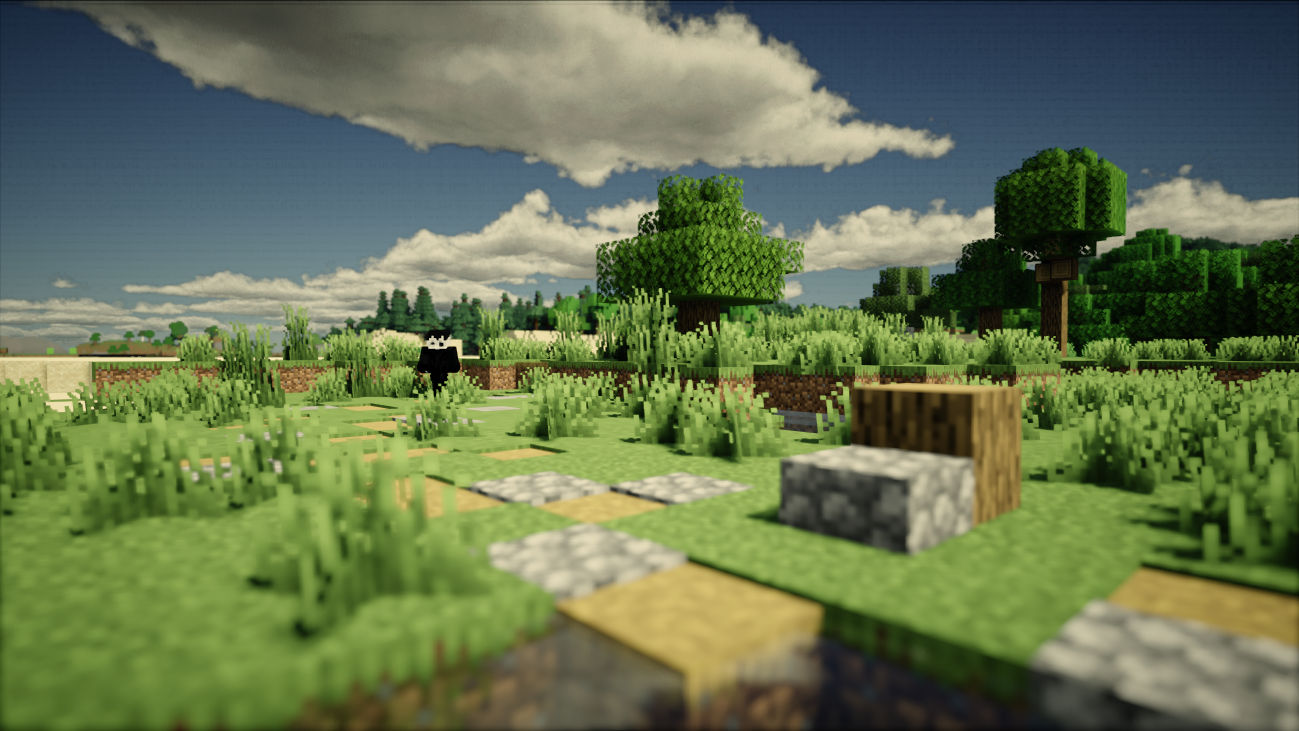
Derivative Shaders is one of those hidden Minecraft shaders that most players never hear about, but once you try it, the visuals speak for themselves. It sits perfectly between cinematic quality and smooth performance, making it a great option for mid-range PCs. Even though it’s not available on Modrinth or CurseForge due to past controversies, many players still search for it because of its natural lighting, film-style clouds, and impressive FPS stability.
In this article, I’m simply sharing my personal experience using Derivative and explaining what makes it unique. This is not an endorsement or official support, just an honest look at a shader pack I genuinely enjoyed testing.
A Perfect Middle-Ground You Shouldn’t Skip
When it comes to Minecraft shaders, the options are endless. Some packs lean into a soft, chilled ambiance with warm lighting and minimal effects, while others go fully realistic with heavy reflections, volumetric lighting, and extremely detailed shadows. But Derivative Shaders sits in a sweet spot between these two extremes, and that balance is exactly why it stands out.
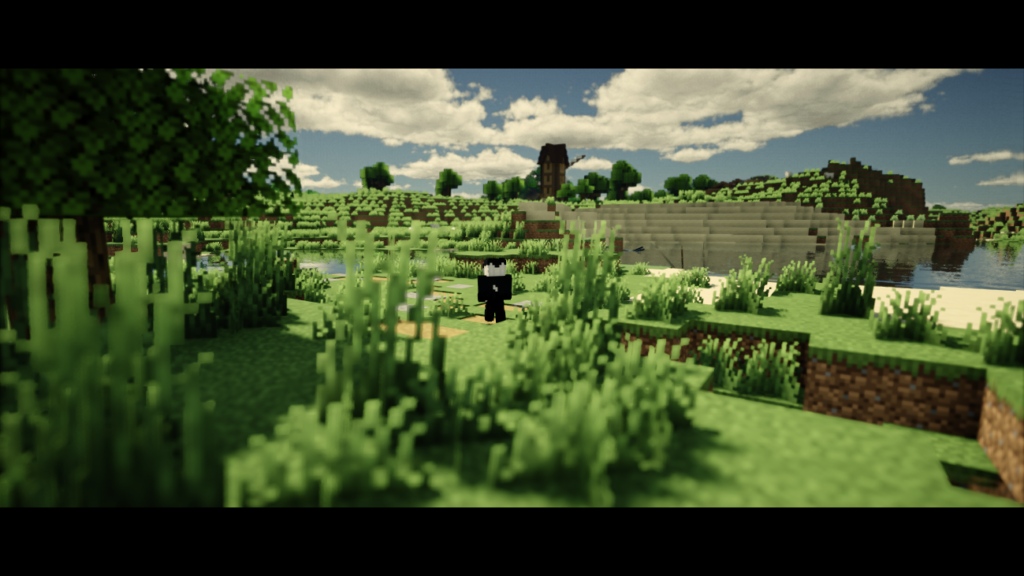
Derivative focuses on cinematic quality rather than pure realism or stylized softness. The shader uses several visual techniques inspired by film-making, including smoother exposure transitions, camera-like depth of field, subtle color grading, and lighting profiles that imitate real-world lenses. The moment you load into a world, you’ll notice film-style clouds, a bright blue sky, and lighting that feels clean and natural without over-sharpening or over-saturating the scene. It creates a calm, immersive mood while still giving your game a polished, high-end look.
What makes Derivative especially interesting is the way it handles cinematic tricks. The Film Profile applies LUT-style color grading, a controlled contrast curve, and a light atmospheric haze that mimics movie-style rendering. The depth-of-field effect stays soft and realistic instead of aggressively blurring everything. These small design choices make the world feel more like a real landscape captured through a camera rather than a typical game render.
Despite all this cinematic processing, Derivative performs surprisingly well. It delivers visuals that feel more premium than many popular shaders while still running smoothly on mid-range hardware. This rare balance of performance and visual quality is the main reason Derivative stands out for players who want beautiful graphics without destroying their FPS.
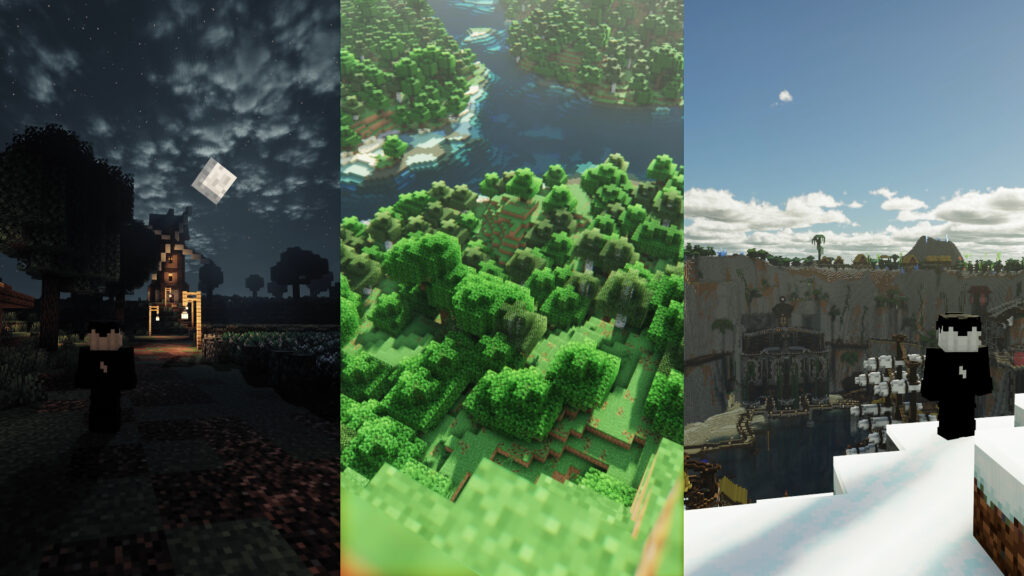
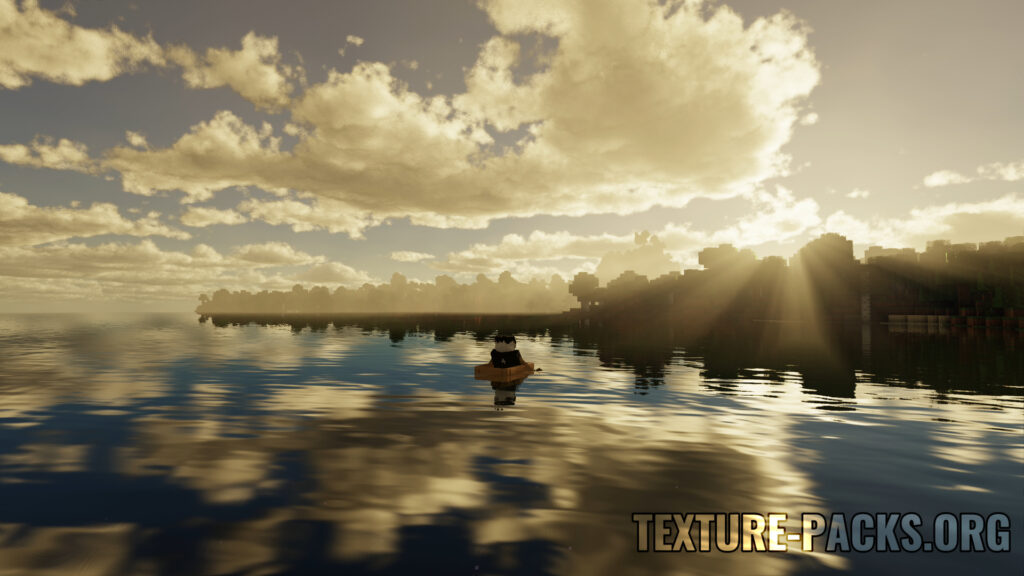
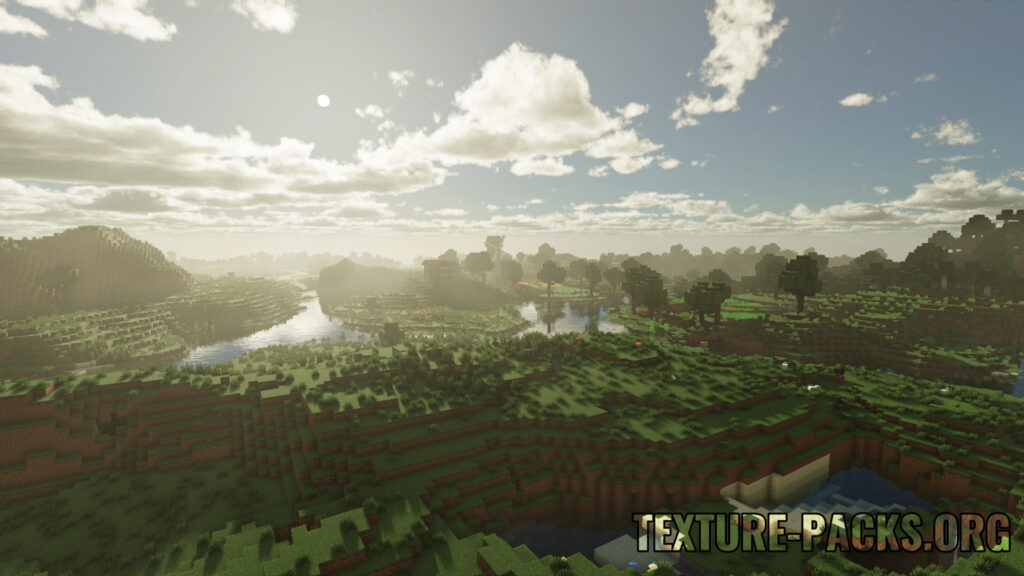
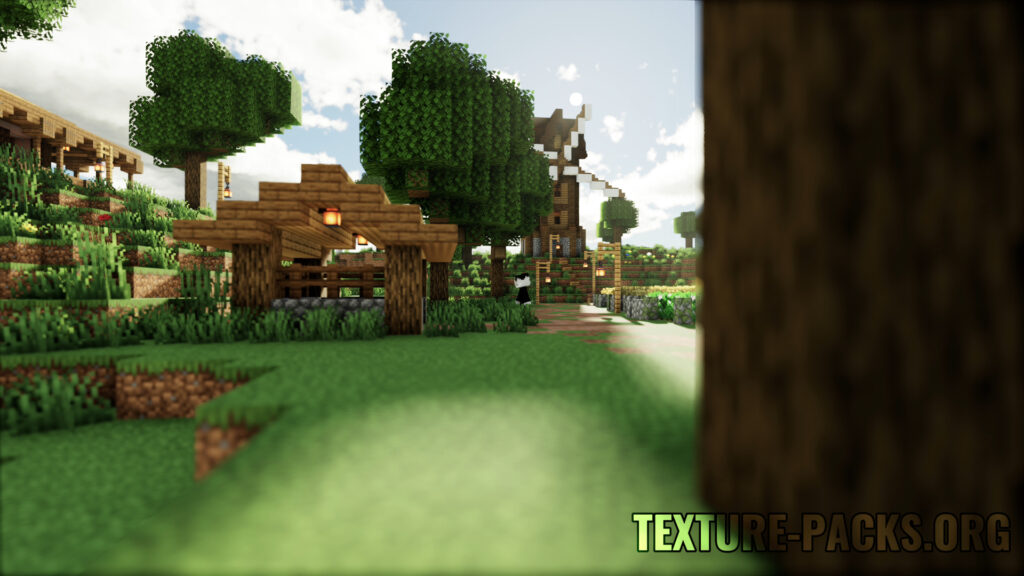
After testing countless shaders over the years, from lightweight performance-focused packs to ultra-realistic cinematic giants, very few have ever made me stop and seriously reconsider my main setup. But Derivative did. The Film Profile completely changes the mood of the game. Lighting becomes more dramatic, colors settle into a subtle cinematic grade, and depth-of-field behaves more like a real camera lens instead of a generic blur. Simple landscapes start to feel intentionally directed rather than just rendered. That’s why I genuinely caught myself thinking, “Should I switch to this as my main shader?” Once you experience the Film Profile yourself, it’s easy to understand why Derivative feels so special.
Compatibility
Derivative was published on April 3, 2024 and supports a wide range of Minecraft versions.
Below is the compatibility table:
| Minecraft Version | Compatibility |
|---|---|
| 1.21.10 – 1.21 | Supported |
| 1.20.6 – 1.20 | Supported |
| 1.19.4 – 1.19 | Supported |
| 1.18.2 – 1.18 | Supported |
| 1.17.1 – 1.17 | Supported |
| 1.16.5 – 1.16 | Supported |
| 1.15.2 – 1.15 | Supported |
| 1.14.4 – 1.14 | Supported |
| 1.13.2 – 1.13 | Supported |
| 1.12.2 – 1.12 | Supported |
| 1.11.2 – 1.11 | Supported |
| 1.10.2 – 1.10 | Supported |
| 1.9.4 – 1.9 | Supported |
| 1.8.9 – 1.8 | Supported |
POM and PBR Support – A Major Advantage for Texture Packs
Derivative fully supports PBR (Physically Based Rendering) and POM (Parallax Occlusion Mapping), making it a great choice for players who use detailed or 3D texture packs.
It works especially well with packs like:
These packs rely on labPBR to display material depth, reflections, and surface detail, and Derivative handles all of it cleanly and consistently.
Why Derivative Isn’t on Modrinth or CurseForge
It’s important to stay transparent.
Derivative, like IterationT, was developed within the Chinese Minecraft community. While both gained popularity for their visuals, they were later involved in copyright issues. Parts of their code were taken from other shaders, including SEUS Renewed, without proper permission.
In the shader community, reusing code is acceptable only when licenses allow it:
- Complementary was based on BSL
- Rethinking Voxels was inspired by Complementary
In Derivative’s case, licensing terms were not followed, which is why it is not hosted on major platforms.
Because of this, Derivative is not available on:
It is currently shared only through a limited number of third-party sources.
My Experience Using Derivative
Screenshots can’t fully capture how Derivative behaves in motion. If you want to see the lighting transitions, clouds, overall atmosphere, and the full download and setup process in real gameplay, the video below explains everything clearly.
Derivative genuinely surprised me. Most shaders either go too soft and washed out or push realism so hard that the game starts to feel heavy and overprocessed. Derivative sits perfectly in the middle. The lighting feels clean, the sky looks natural, and the overall image stays calm without losing detail. It feels polished and cinematic without being overdone, which is exactly what makes it stand out.
Performance, Settings & Expected FPS (Based on My Testing)
Since I already talked about how Derivative looks and feels, it makes sense to also share how it actually performs in real gameplay — especially because FPS is the main reason people hesitate before downloading shaders.
All the FPS numbers below are based on my own testing using Fabric + Iris with all major optimization mods enabled (Sodium, Lithium, FerriteCore, Entity Culling, and required helpers). Same shader version, same world — only hardware, render distance, and settings were different.
On my GT 710 + i5-4570 system at 7 render distance, I got:
- 8–12 FPS on default Derivative settings
- 19–22 FPS after applying my optimized low-end settings
On my RTX 2060 + i3 10th Gen system at 8 render distance, I got:
- 70–85 FPS on default settings
- 140–170 FPS with the same optimized settings
This clearly shows that Derivative scales extremely well once unnecessary effects are adjusted.
To give readers a better idea of where they might land, I used these two systems as reference points and created an estimated FPS scaling chart for other GPUs using a similar setup. This is not a benchmark — just a realistic assumption based on real data, so your results may vary slightly.
| GPU | Expected FPS |
|---|---|
| GT 710 (DDR3) | 19–22 FPS |
| GTX 750 Ti | 60–75 FPS |
| GTX 1050 Ti | 85–110 FPS |
| GTX 1650 | 100–130 FPS |
| GTX 1660 Super | 120–150 FPS |
| RTX 2060 | 140–170 FPS |
| RTX 3060 | 180–220 FPS |
| RTX 4060 | 200–250 FPS (CPU-limited) |
Realistically speaking, if you have a GTX 1650, GTX 1660, GTX 1660 Super, RTX 2060, RTX 3060, or anything above that, Derivative should run smoothly with proper settings. And if you’re already on an RTX card, you can honestly download it without overthinking.
The FPS gains shown above come directly from specific shader tweaks. I’ve shared the exact settings you can copy and paste, along with a simple explanation of why each change improves performance, here:
My Simple Derivative Shader Settings (FPS Boost Guide)
Download Derivative Shaders
Derivative isn’t available on official platforms due to licensing issues, but the original file can still be accessed through a direct link.
Downloading and using this shader is completely your choice. I’m only reviewing it and providing the link for players who want to try it.
Direct Download Link (Official File)
How to Install
- Download the shader
.zipfile - Open Minecraft using Iris or OptiFine
- Go to Options → Video Settings → Shader Packs
- Click Open Shaderpacks Folder
- Place the
.zipfile inside (do not extract) - Select Derivative from the list and enjoy
Disclaimer:
We do not create or modify any shader packs or texture packs featured on this website. All credit belongs to their respective creators. Some projects, including Derivative, are not hosted on official mod platforms due to licensing or availability issues. In such cases, links are provided solely for user convenience.
Ryxelix does not endorse or promote any specific creators or projects. Downloading and usage decisions are entirely your own. If a link is broken, please report it in the comments and it will be updated.