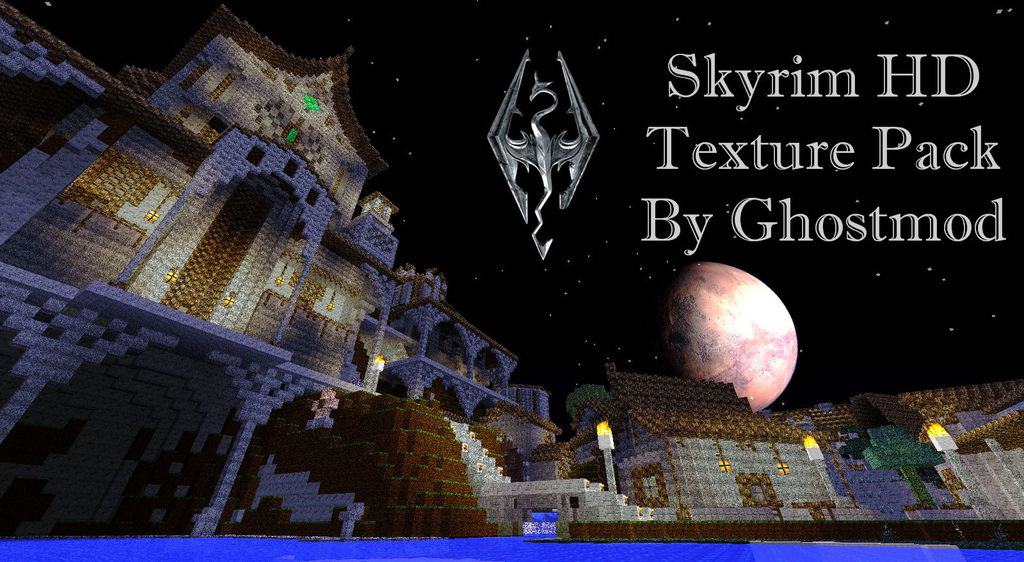
Loading into a world with the Ghostmods Skyrim HD Resource Pack honestly feels less like starting Minecraft and more like accidentally booting up a whole different RPG. Everything hits you at once. The textures. The depth. That heavy, moody atmosphere that instantly screams Skyrim. With its massive 128x resolution, the pack doesn’t try to be subtle at all — blocks lose that chunky vanilla feel and suddenly look carved, worn, real. Stone feels ancient, wood looks rough and weathered, and even basic terrain starts giving off that “northern fantasy” vibe. The Ghostmods Skyrim HD Resource Pack really commits, reworking not just blocks but items, weapons, armor, paintings… all of it, so nothing feels out of place.
Once you start exploring, that immersion just keeps stacking. Forests feel dense and alive, mountains actually look intimidating, and plains stretch out with way more detail than you’re probably used to. It’s the kind of pack that makes you want to build castles, not dirt huts. Big ones. Dramatic ones. If you’ve ever enjoyed medieval-focused visuals like Chivalry Resource Pack, this takes that idea and pushes it way further into full RPG territory. And the music? Yeah, that extra audio layer really seals the deal, making everything feel cinematic instead of just decorative.
What really stands out with the Ghostmods Skyrim HD Resource Pack is how complete it feels. Chests don’t look generic anymore, paintings actually match the world’s tone, fire and ground textures blend naturally into the environment. It’s not just prettier Minecraft — it’s Minecraft pretending to be Skyrim, and honestly doing a pretty solid job at it. The vibe sits somewhere between dark fantasy and grounded realism, similar to what you’d expect from something like Faerielight Resource Pack, but heavier and more dramatic.
Now, real talk — this pack is demanding. That 128x resolution isn’t messing around. On weaker systems, you’re probably going to feel it, especially in big builds or dense biomes. But if your setup can handle it, the payoff is huge. Everything feels epic. Purposeful. Even simple exploration turns into an experience. If you like realism but don’t want to lose Minecraft’s structure entirely, and you’ve tried cleaner packs like Defscape Resource Pack before, this is the next level. The Ghostmods Skyrim HD Resource Pack doesn’t just change how the game looks — it changes how the world feels, and that’s what makes it so memorable.
| Minecraft Version | Compatibility |
|---|---|
| 1.8.9 | ✅ Supported |
| 1.8.8 | ✅ Supported |
| 1.8.1 | ✅ Supported |
| 1.8.6 | ✅ Supported |
| 1.8 | ✅ Supported |
| 1.7.10 | ✅ Supported |
| 1.7.9 | ✅ Supported |
| 1.7.4 | ✅ Supported |
| 1.7 | ✅ Supported |
| 1.6.4 | ✅ Supported |
| 1.6.2 | ✅ Supported |
Ghostmods Skyrim HD Resource Pack – Screenshots & Videos
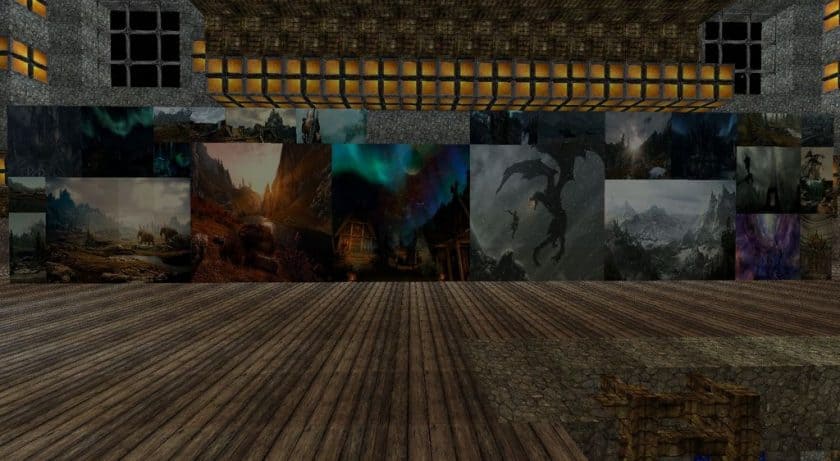
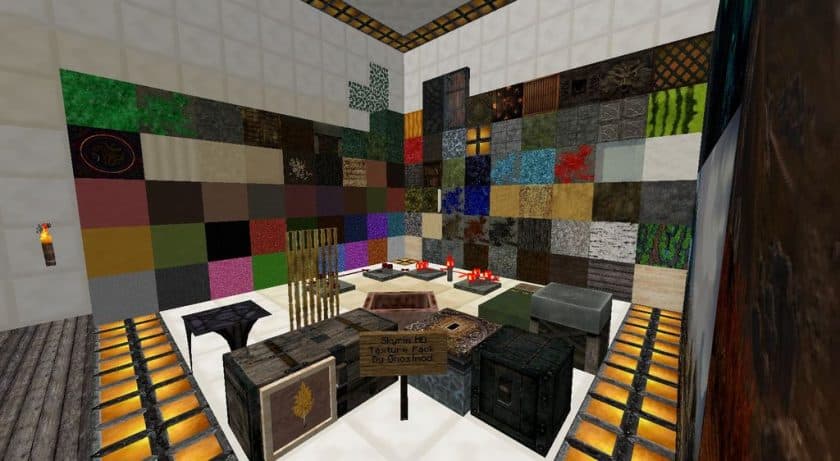
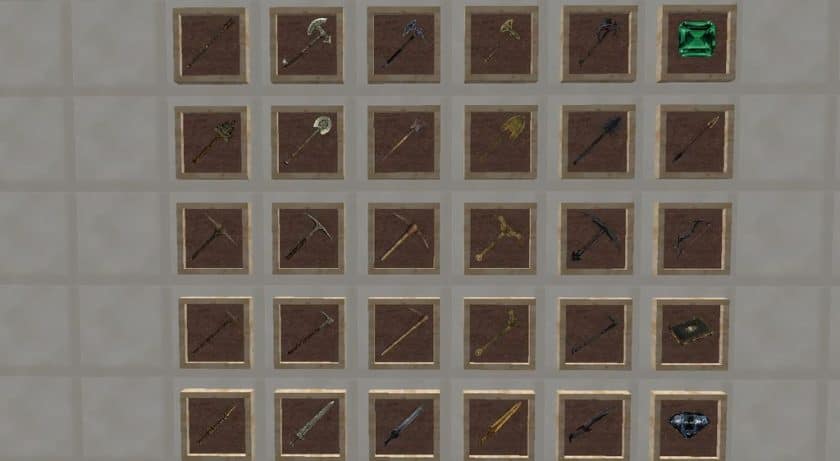
How to Install Texture Pack (Simple 10 Steps)
- Download Optifine: Most of the texture packs and shaders need Optifine. That’s why, first download and install Optifine for the version of Minecraft you want to play.
- Download the Texture Pack: Get the texture pack you want from the download section. Choose the version that works with your Minecraft and your PC’s performance.
- Open Minecraft Launcher: Start Minecraft using the official game launcher – or even TLauncher, if you use that.
- Go to Options: From the main menu, click on the “Options” button.
- Open Resource Packs: Inside Options, click on “Resource Packs…”.
- Open the Resource Pack Folder: Click on “Open Resource Pack Folder” – this will open a folder named “resourcepacks”.
- Move the Pack File: Copy or move the .zip file you downloaded into that “resourcepacks” folder. (Don’t unzip the file – Minecraft uses it as-is!)
- Go Back and Refresh: Close the folder and click “Done”, then go back into “Resource Packs…” again.
- Activate the Pack: You’ll see the pack on the left side. Hover over it and click the arrow to move it to the right (active side). Tip: If you get a message that the pack is for a different version, just click “Yes” – it usually works fine.
- Click Done and Enjoy: Click “Done” again. Now your pack is ready to use in-game. It’s that easy!
Download
Java Edition:
(128x) (1.8.x – 1.7.x) Download Ghostmod’s Skyrim HD Resource Pack
(128x) (1.6.x) Download Ghostmod’s Skyrim HD Resource Pack
Download Instructions
- CurseForge: If the pack is hosted on CurseForge, the download will begin automatically after a few seconds. If it does not start, use the “Download” button shown on the page.
- Modrinth: If the download is from Modrinth, click the file version that matches your Minecraft build, then press the Download button. Modrinth usually offers multiple releases, so make sure you pick the correct version before installing.
- Mediafire: On Mediafire, click the large blue Download button to start the file download. Avoid any extra pop-ups or buttons that are not related to the direct download.
- Google Drive: For Google Drive, click the small download icon at the top right corner of the page. It looks like a downward arrow. The file will be saved to your computer immediately.
Disclaimer We do not create or modify any of the texture packs or shader packs shared on this website. All credit goes to the original creators, and every download link we provide is the official link from their page, which keeps all downloads safe. Some links may stop working after updates, so if you find a broken one, let us know in the comments and we will update it quickly. If you like a pack, consider supporting the creator by visiting their official page or website that we have linked below, and feel free to leave a comment or vote to help their work reach more players.