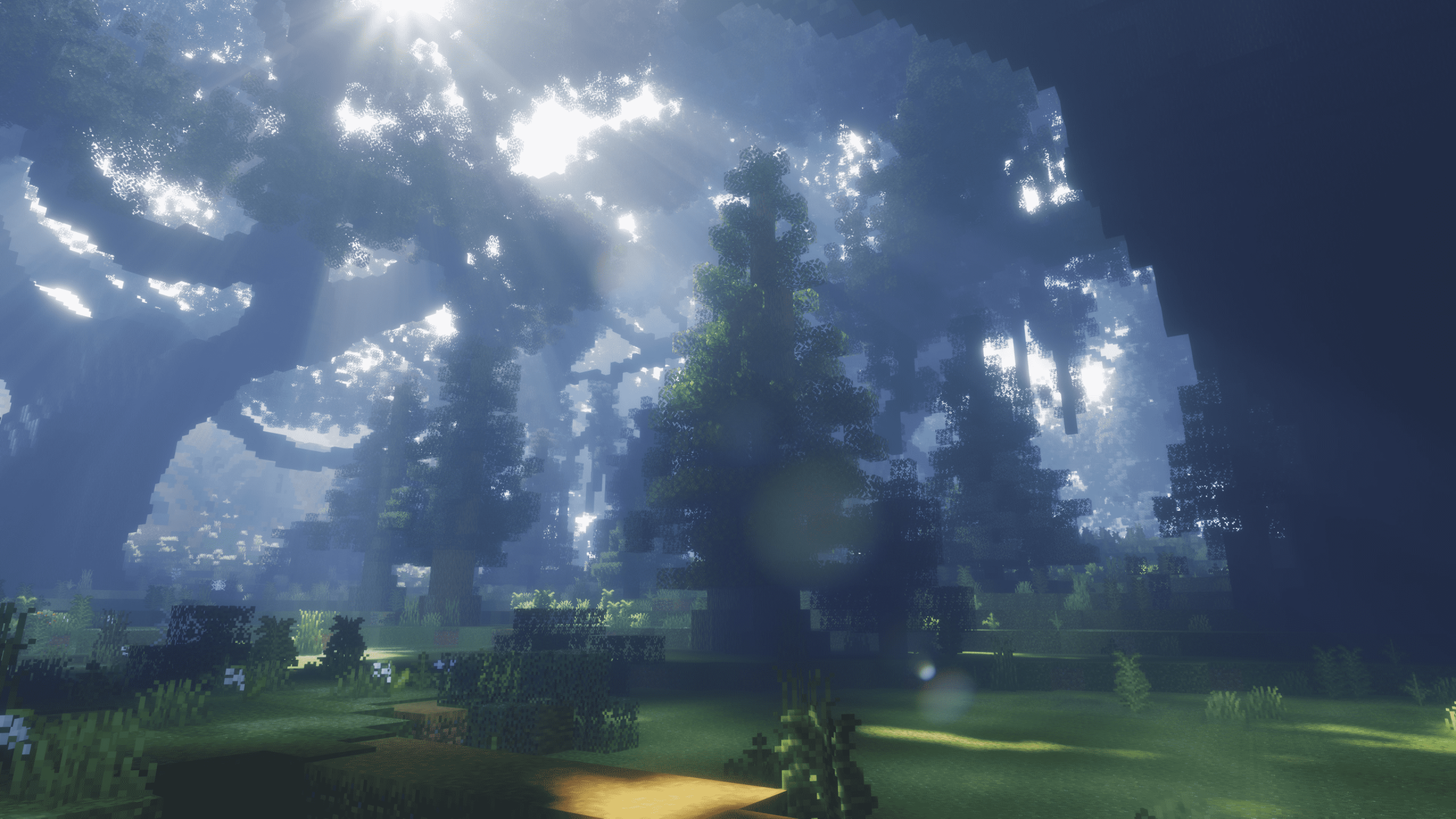
Okay, so let me share why I am absolutely hooked on IterationT Shaders. From the moment I turned it on, everything just felt cinematic. The lighting is warm and vivid. Sunrise hits with that perfect golden glow, sunsets feel deep and dramatic, and daytime lighting never looks flat. Water finally feels alive too. It ripples naturally, reflects the sky and terrain, and even underwater visibility changes with fog and light beams. Add volumetric clouds slowly moving across the sky, and suddenly Minecraft feels way more immersive than it ever should.
What surprised me the most is how consistent the visuals feel. Many shaders look great in one situation but fall apart in others. IterationT keeps the same cinematic mood whether you are exploring forests, flying with elytra, or just standing still watching the sky. It does not try to oversharpen colors or push realism too far. Instead, it balances realism and atmosphere in a way that feels intentional.
Now let us talk about the End dimension, because this is where IterationT completely goes crazy. Instead of the plain empty End sky, you get a full cosmic scene. Black hole style visuals, swirling stars, distant planets, and space-like lighting effects completely change the mood. Yes, it feels very sci-fi and not very vanilla, but that is exactly why it works. The End finally feels like a final dimension instead of a flat purple void. Every End build instantly looks ten times more dramatic.
IterationT Shaders is compatible with all of the following Minecraft versions: 26.3 – 26.2 – 26.1.2 – 26.1.1 – 26.1 – 1.21.11 – 1.21.10 – 1.21.9 – 1.21.8 – 1.21.7 – 1.21.6 – 1.21.5 – 1.21.4 – 1.21.3 – 1.21.2 – 1.21.1 – 1.21 – 1.20.6 – 1.20.5 – 1.20.4 – 1.20.3 – 1.20.2 – 1.20.1 – 1.20 – 1.19.4 – 1.19.3 – 1.19.2 – 1.19.1 – 1.19 – 1.18.2 – 1.18.1 – 1.18 – 1.17.1 – 1.17
👉 Related:
- Top 3 PvP Texture Packs (FPS Boost)
- Best Realistic Texture Packs for Minecraft
- Top Cartoon / Cute Texture Packs
IterationT is created by Tahnass, and the latest stable release is version 3.2.0. This version fixed a lot of the issues older releases had and made the shader much easier to use on modern setups. It supports Minecraft versions from 1.17 up to 26.2, which makes it a solid choice if you are playing on newer updates and want a cinematic shader that still feels polished.
If you enjoy shaders like SEUS, Kappa, or other realism focused packs, IterationT fits perfectly in that category. It is especially good for cinematic videos, screenshots, and long survival sessions where atmosphere matters more than flashy effects.
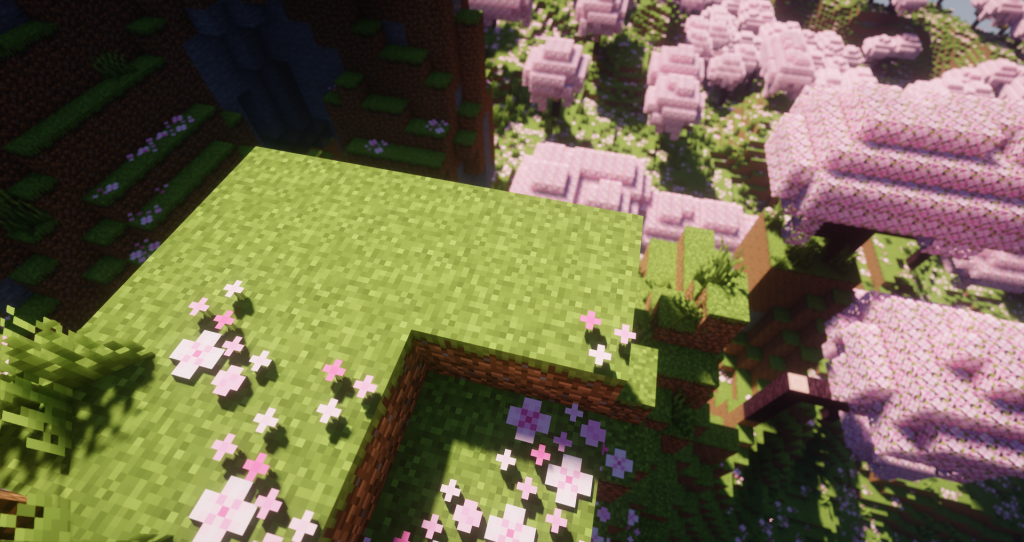
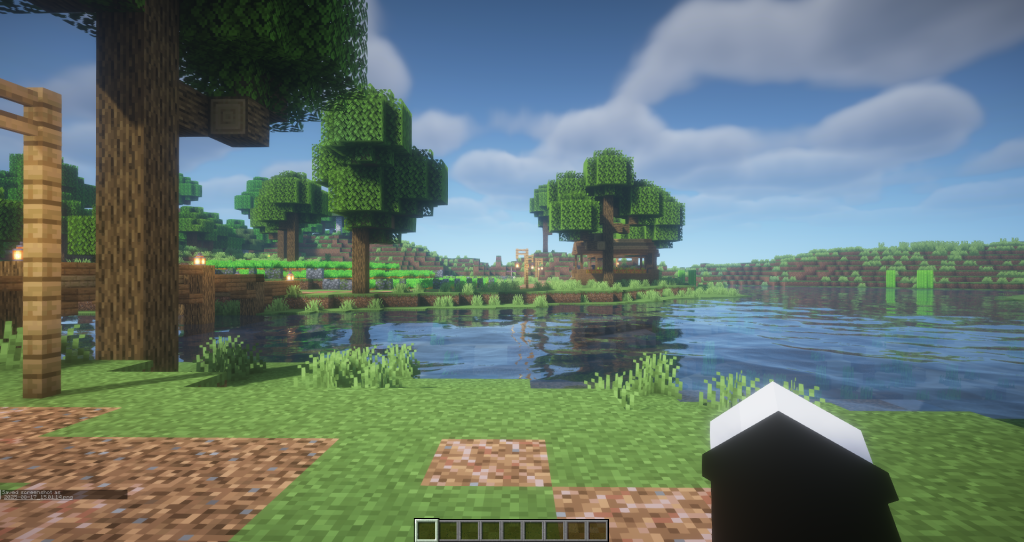
Performance
IterationT Shaders are visually ambitious, pushing Minecraft’s lighting, shadows, and reflections far beyond the vanilla experience. Because of this, performance varies dramatically depending on your hardware. On high-end GPUs like the NVIDIA RTX 3080, RTX 4080, and AMD RX 6800 XT, players can often sustain smooth frame rates at 1080p with most settings enabled, though even these cards will see dips in extremely dense scenes. Mid-range graphics cards such as the NVIDIA RTX 2060, RTX 3060, and AMD RX 6600 XT will struggle to hold stable performance, especially at 1440p or with additional mods like high-resolution texture packs. Even with optimized settings and lowered render distances, the sheer computational cost of IterationT’s complex volumetric lighting and shadows can push these GPUs to their limits, resulting in frame time spikes and inconsistent gameplay.
On my own system with an RTX 2060, maintaining a consistent 80 FPS in IterationT is challenging unless several shader options are toned down. Settings like ray-traced shadows, ambient occlusion, and high quality reflections significantly impact performance, and users on GPUs such as the GTX 1660 Super, RTX 2070, or RX 5700 XT may need to balance visual fidelity with playability. Lowering world render distance, disabling certain advanced lighting effects, and using performance-friendly shader presets can help smooth out framerate, but it’s important to set realistic expectations: IterationT is designed to look spectacular, and that comes with a heavier performance cost compared to lighter shader packs. Gamers with older or entry-level GPUs like GTX 1050 Ti or RX 560 should anticipate much lower FPS and may need to stick with optimized shader alternatives for a stable experience.
👉 Related:
- Top 3 PvP Texture Packs (FPS Boost)
- Best Realistic Texture Packs for Minecraft
- Top Cartoon / Cute Texture Packs
How to Install Shader Pack (Simple and Easy 7 Steps)
- Install Minecraft: Make sure to have Minecraft on your PC.
- Set the Game Version: Open the Minecraft Launcher, go to the “Installations” tab, click “New Installation”, choose the version you want to play, and click “Create”.
- Install Optifine or Iris: Download and install Optifine or Iris (we recommend Iris for better performance).
- To download Iris, click here.
- To download Optifine, click here.
- Launch with the Shader Mod: Open the Minecraft Launcher again and select the Optifine or Iris profile you installed.
- Download the Shader Pack: Download the shader pack (.zip file) from the download section below. (Don’t unzip it!)
- Open the Shaderpacks Folder :
- For Optifine: Go to Options > Video Settings > Shaders > Shaders Folder
- For Iris: Go to Options > Video Settings > Shader Packs > Open Shader Pack Folder.
- Add and Activate the Shader Pack: Move the downloaded .zip file ️into the shaderpacks folder. Then go back to the game, select the shader pack from the list, and click “Done” to activate it.
Download and Credits
Before downloading, keep this in mind:
IterationT is developed by the Chinese creator Tahnass, so some download pages may appear in Chinese. If that feels confusing, just enable your browser’s built-in translate option and everything becomes easy to follow.
You can download IterationT Shaders from the official pages here:
Download IterationT Shaders 3.2.0
Download IterationT Shaders 3.0.1
IterationT works best with modern shader loaders like Iris and OptiFine and is recommended to be used alongside a performance focused mod setup for smoother gameplay.
Disclaimer
We are not the creators of any shader packs shared on this site. All credit goes to the original authors. We do not modify any files and do not host downloads on our servers. All links provided are official and safe.
Some links may stop working after updates. If you find a broken link, let us know in the comments and we will fix it as soon as possible.
If you like the shader, consider leaving a comment or voting for it. This helps creators improve their work and helps others discover quality packs.