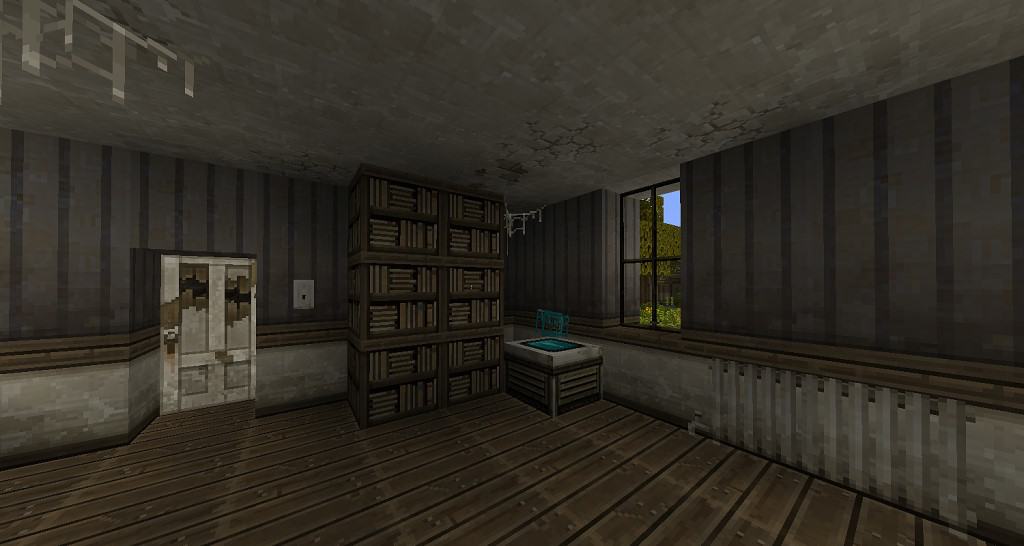
The moment you step into a world with The End is Extremely Nigh resource pack, a palpable sense of desolation washes over you. This isn’t just another texture pack; it’s a complete atmospheric overhaul, plunging Minecraft into a grim, post-apocalyptic landscape that feels both hauntingly familiar and profoundly new. Unlike the myriad of medieval or cartoonish packs, The End is Extremely Nigh dares to explore a rarer, darker theme, and it executes it with impressive depth.
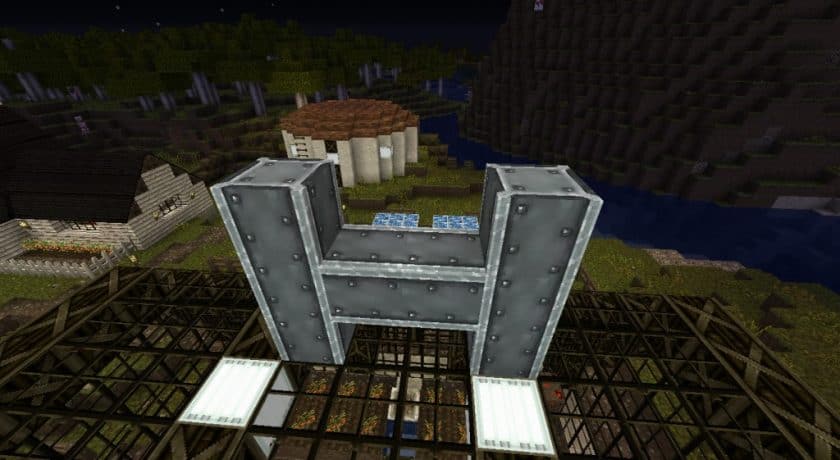
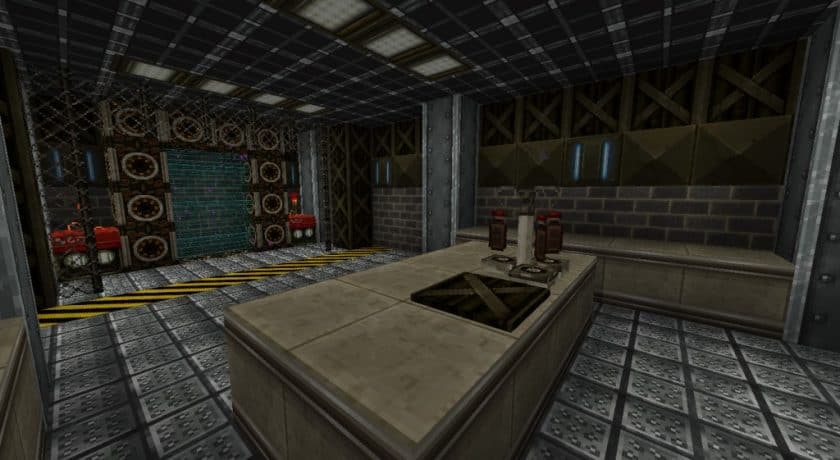
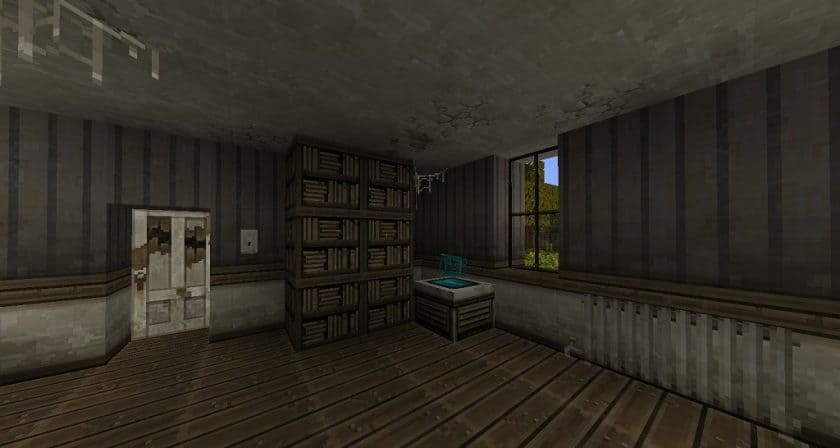
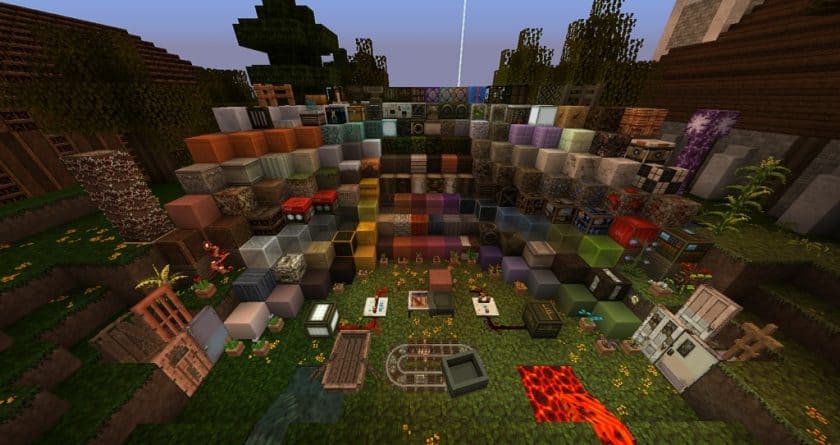
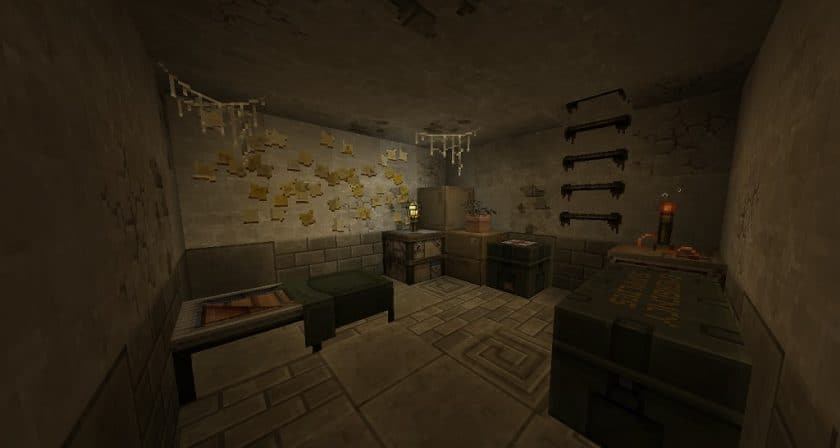
Originally released in late 2011, this pack has recently received a much-anticipated update to version 1.16, breathing new life into its decaying world. While some textures are still being refined, the core experience is strikingly complete. The world instantly transforms with new concrete blocks, weathered asphalt roads, and stark metal structures, perfect for constructing abandoned cities or resilient outposts. Brick walls show their age, wooden crates hint at scavenged supplies, and updated fences stand as a fragile barrier against the wilderness.
The attention to detail extends to custom items, like a grimy oven, ominous gas tanks, and a variety of new window designs that either offer a bleak view or serve as a broken barrier. Even mundane items like paintings and a fridge are reimagined to fit the overarching theme of a world struggling to rebuild. The lighting engine plays a crucial role in enhancing this atmosphere; the game becomes less vibrant, embracing deeper, darker tones. Subtle interior lights cast eerie green and blue hues, creating a persistent sense of urgency and decay. Every sound and GUI element has been carefully adjusted, further cementing the immersive experience of navigating a shattered realm.
Visually, The End is Extremely Nigh boasts a 32x resolution, a notable step up from Minecraft’s default 16x textures. This higher resolution allows for much greater detail in blocks and items, giving the world a sharper, more defined look. While not every single texture has been overhauled, the most impactful elements have been addressed, ensuring a consistent and compelling aesthetic. Players with older systems should be aware that this increased detail might lead to a minor performance dip, but for those seeking a truly unique and intense Minecraft journey, the slight trade-off is often well worth it. This pack truly captures the essence of a world on the brink, inviting you to forge your own story amidst the ruins.
| Minecraft Version | Compatibility |
|---|---|
| 1.16.5 | ✅ Supported |
| 1.16.4 | ✅ Supported |
| 1.16.3 | ✅ Supported |
| 1.16.2 | ✅ Supported |
| 1.16.1 | ✅ Supported |
| 1.16 | ✅ Supported |
| 1.15.2 | ✅ Supported |
| 1.15.1 | ✅ Supported |
| 1.15 | ✅ Supported |
| 1.14.4 | ✅ Supported |
| 1.14.3 | ✅ Supported |
| 1.14.2 | ✅ Supported |
| 1.14 | ✅ Supported |
| 1.10.2 | ✅ Supported |
| 1.10 | ✅ Supported |
| 1.9.4 | ✅ Supported |
| 1.9 | ✅ Supported |
| 1.8.9 | ✅ Supported |
| 1.8.8 | ✅ Supported |
| 1.8.1 | ✅ Supported |
| 1.8.6 | ✅ Supported |
| 1.8 | ✅ Supported |
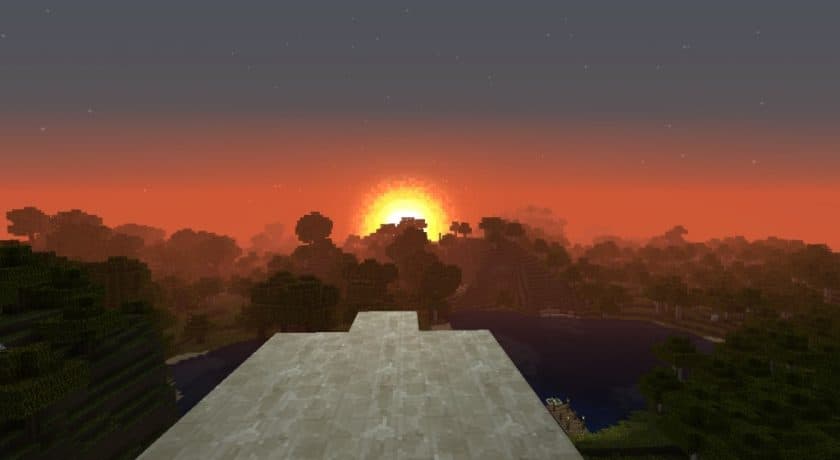
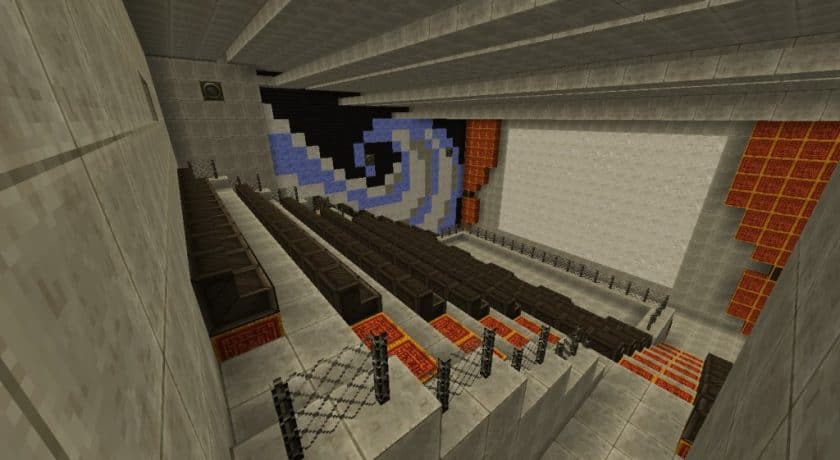
The End is Extremely Nigh – Screenshots
How to Install Texture Pack (Simple 10 Steps)
- Download Optifine: Most of the texture packs and shaders need Optifine. That’s why, first download and install Optifine for the version of Minecraft you want to play.
- Download the Texture Pack: Get the texture pack you want from the download section. Choose the version that works with your Minecraft and your PC’s performance.
- Open Minecraft Launcher: Start Minecraft using the official game launcher – or even TLauncher, if you use that.
- Go to Options: From the main menu, click on the “Options” button.
- Open Resource Packs: Inside Options, click on “Resource Packs…”.
- Open the Resource Pack Folder: Click on “Open Resource Pack Folder” – this will open a folder named “resourcepacks”.
- Move the Pack File: Copy or move the .zip file you downloaded into that “resourcepacks” folder. (Don’t unzip the file – Minecraft uses it as-is!)
- Go Back and Refresh: Close the folder and click “Done”, then go back into “Resource Packs…” again.
- Activate the Pack: You’ll see the pack on the left side. Hover over it and click the arrow to move it to the right (active side). Tip: If you get a message that the pack is for a different version, just click “Yes” – it usually works fine.
- Click Done and Enjoy: Click “Done” again. Now your pack is ready to use in-game. It’s that easy!
Download
Java Edition:
(32x) (1.16.x – 1.15.x) Download The End is Extremely Nigh Resource Pack
(32x) (1.14.x) Download The End is Extremely Nigh Resource Pack
(32x) (1.10.x – 1.8.x) Download The End is Extremely Nigh Resource Pack
Download Instructions
-
CurseForge: If the pack is hosted on CurseForge, the download will begin automatically after a few seconds. If it does not start, use the “Download” button shown on the page.
-
Modrinth: If the download is from Modrinth, click the file version that matches your Minecraft build, then press the Download button. Modrinth usually offers multiple releases, so make sure you pick the correct version before installing.
-
Mediafire: On Mediafire, click the large blue Download button to start the file download. Avoid any extra pop-ups or buttons that are not related to the direct download.
-
Google Drive: For Google Drive, click the small download icon at the top right corner of the page. It looks like a downward arrow. The file will be saved to your computer immediately.
Disclaimer We do not create or modify any of the texture packs or shader packs shared on this website. All credit goes to the original creators, and every download link we provide is the official link from their page, which keeps all downloads safe. Some links may stop working after updates, so if you find a broken one, let us know in the comments and we will update it quickly. If you like a pack, consider supporting the creator by visiting their official page or website that we have linked below, and feel free to leave a comment or vote to help their work reach more players.