
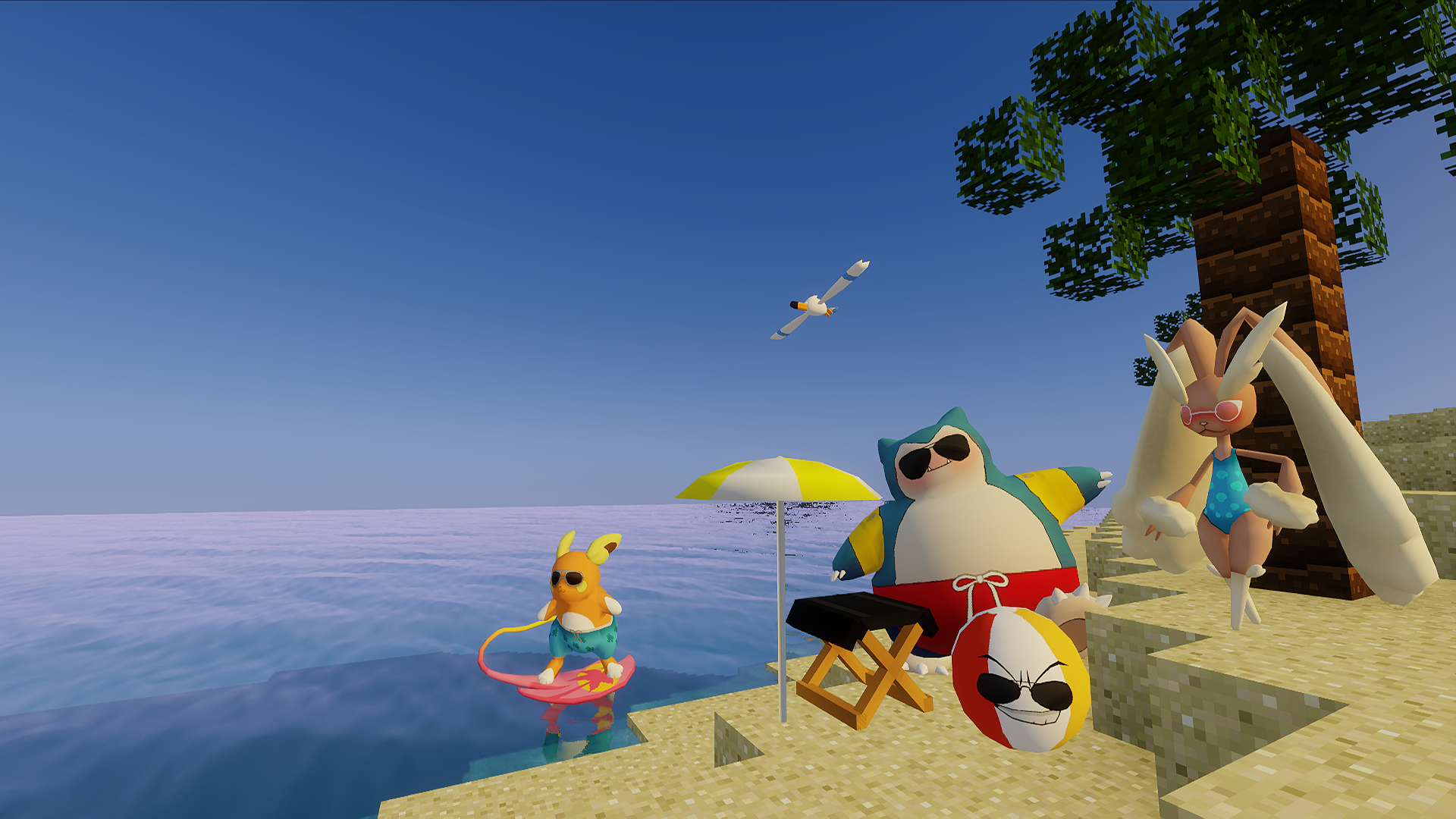
Pixelmon is one of those mods that instantly changes how Minecraft feels the moment you load into the world. You are no longer punching trees just to rush diamonds. You are exploring forests looking for rare Pokémon, planning battles, and building bases that feel more like Pokémon centers than survival huts.
Unlike many big modpacks, Pixelmon does not try to overwhelm you with complex systems. It replaces Minecraft’s core gameplay with a Pokémon-style experience while still keeping the sandbox freedom Minecraft is known for.
If you like Pokémon even a little, Pixelmon feels like something Minecraft was secretly built for.
What Is Pixelmon
Pixelmon is a Minecraft mod that adds Pokémon directly into the game world. Instead of mobs like zombies and skeletons, you will find Pokémon roaming naturally across different biomes.
Each Pokémon behaves differently, spawns in specific environments, and can be caught, trained, evolved, and battled just like in the original Pokémon games.
You still have Minecraft blocks, crafting, building, and exploration. But the main progression shifts from gear and armor to Pokémon teams, movesets, and battles.
Pixelmon does not feel like a side feature. It feels like a full game built inside Minecraft.
How Pixelmon Feels to Play
The biggest strength of Pixelmon is how naturally it fits into Minecraft.
Pokémon spawn directly in the world instead of random menus. You see them walking, flying, swimming, and interacting with the environment. Exploring biomes suddenly feels meaningful again, because each biome has unique Pokémon spawns.
Battles are turn-based and familiar to anyone who has played Pokémon before. Catching Pokémon feels rewarding, especially when you finally find a rare or legendary spawn after hours of exploration.
Progression feels relaxed. You can build, explore, battle, or just collect Pokémon at your own pace. Pixelmon does not rush you, and it does not punish you for playing casually.
This makes it very different from hardcore modpacks like RLCraft. Pixelmon is challenging when you want it to be, not all the time.
Performance Requirements and Hardware Expectations
Pixelmon is much lighter than most large modpacks, but it is still heavier than vanilla Minecraft.
Most of the performance load comes from Pokémon models, animations, and world spawning logic. The good news is that it scales well with decent hardware.
Here is a realistic breakdown.
For smooth gameplay without shaders:
-
CPU: Intel i3 6th gen or Ryzen 3
-
RAM: 4 to 6 GB allocated
-
GPU: Integrated graphics or GT 1030
-
Storage: SSD recommended
For gameplay with shaders:
-
CPU: Intel i5 or Ryzen 5
-
GPU: GTX 1650, GTX 1660, or RTX 2060
-
RAM: 6 to 8 GB allocated
-
SSD: Recommended
Pixelmon runs well even on mid-range systems. You do not need a high-end PC unless you plan to add shaders and high render distance.
FPS Mindset for Pixelmon
Pixelmon does not require high FPS to enjoy.
A stable 60 FPS feels perfect. Even 45 FPS is completely playable. What matters more is avoiding stutters when Pokémon spawn or during battles.
Lowering render distance slightly helps a lot, especially in areas with many Pokémon spawns.
Pixelmon is more about experience than speed.
How to Download and Install Pixelmon (Most Used Method)
Since Pixelmon is officially available on CurseForge, this is the most common and recommended way to install it.
Step 1: Install CurseForge Launcher
Download and install the CurseForge launcher on your PC. This handles Minecraft versions, Forge, and mod files automatically.
Step 2: Search for Pixelmon
Open CurseForge, go to the Minecraft section, and search for Pixelmon.
Make sure you select the official mod page and not an unofficial reupload.
Step 3: Install Pixelmon
Click Install on the Pixelmon page. CurseForge will download the mod and set up the correct Minecraft version.
Step 4: Allocate RAM
Open profile settings and allocate RAM:
-
Minimum: 4 GB
-
Recommended: 6 GB if available
Pixelmon does not need excessive RAM. Over-allocating can actually cause instability.
Step 5: Launch and Test
Launch the game once without shaders to ensure everything works properly. After that, you are free to customize.
That is it. No manual file copying needed.
Using Shaders With Pixelmon
Shaders work surprisingly well with Pixelmon if chosen carefully.
Because Pokémon models are detailed, lightweight or balanced shaders are the best choice. Heavy realistic shaders can make battles feel cluttered and reduce clarity.
Good shader types for Pixelmon:
-
BSL on low or medium settings
-
Complementary on balanced profiles
-
Soft lighting shaders focused on atmosphere
Avoid extremely dark or ultra-realistic shaders. Pokémon battles should stay clear and readable.
Pixelmon is colorful by design. Let it stay that way.
Who Pixelmon Is Made For
Pixelmon is one of the most accessible large Minecraft mods.
It is perfect for players who:
-
Love Pokémon
-
Want relaxed progression
-
Enjoy exploration without constant danger
-
Prefer collection and strategy over survival stress
It also works great for multiplayer servers, where trading, battling, and events make the world feel alive.
If hardcore survival feels exhausting, Pixelmon is the exact opposite.
My Personal Take on Pixelmon
Pixelmon feels like comfort Minecraft.
It does not rush you. It does not punish curiosity. It lets you play the way you want. Whether you are hunting legendaries, building a themed base, or just watching Pokémon wander around your world, it always feels rewarding.
It is one of those mods you can come back to anytime and still enjoy without relearning everything.
Get the Pixelmon Mod
You can download Pixelmon directly from the official CurseForge page.
This is the safest source and ensures you get the latest supported version.
Final Thoughts
Pixelmon proves that Minecraft does not need to be harder to be better.
By merging Pokémon mechanics with Minecraft’s sandbox freedom, it creates an experience that feels natural, relaxing, and endlessly replayable.
If you ever wanted to explore a Pokémon world you can build inside, Pixelmon is the closest thing to that dream.
And the best part is, getting started is just one click away.
