
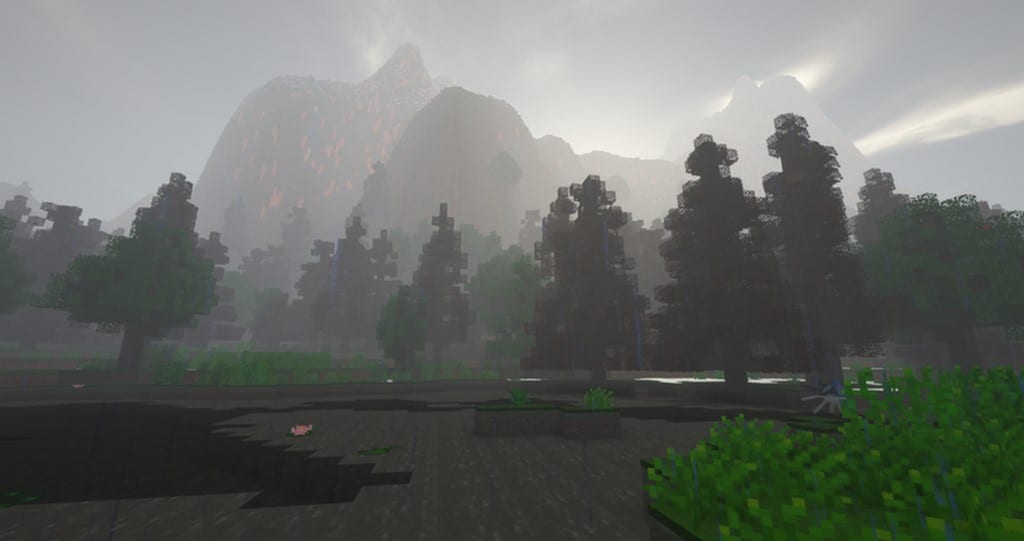
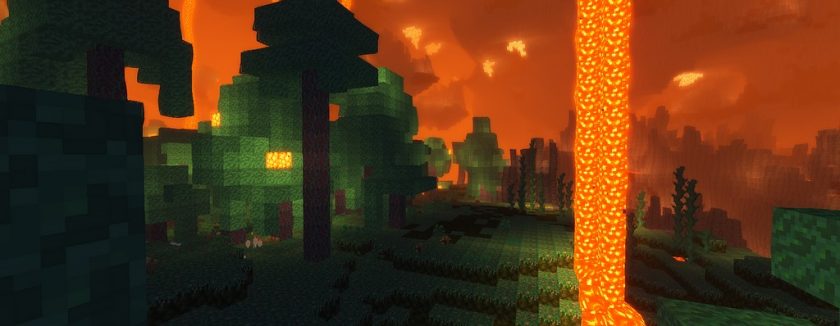
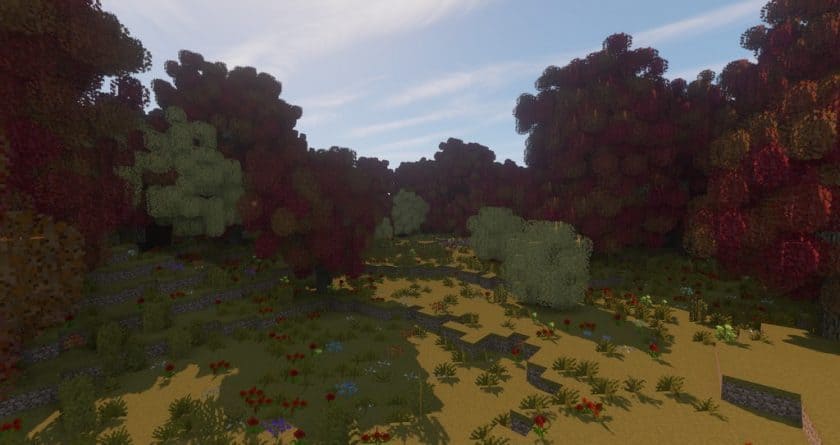
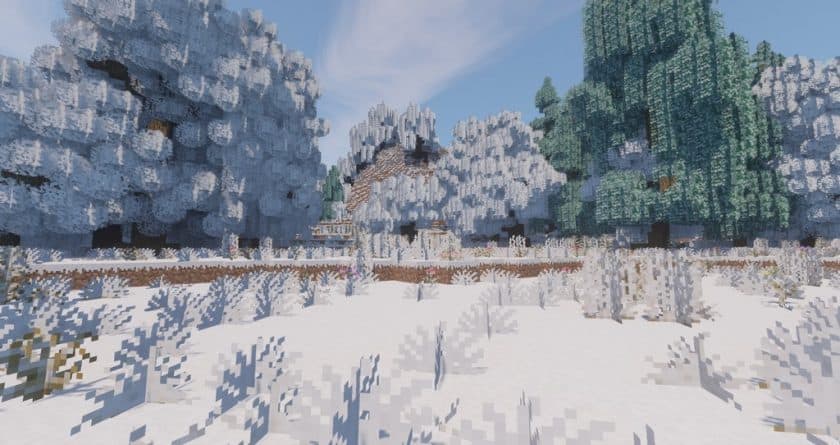
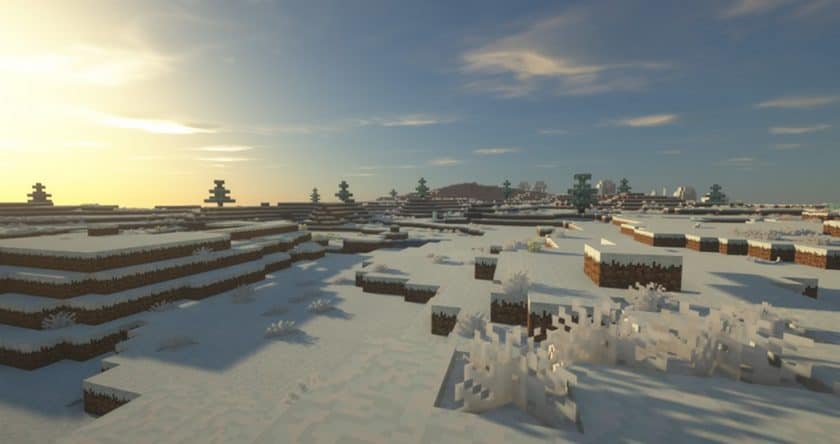
The Mes’easons Resource Pack invites players into a deeply immersive Minecraft experience where the world actively shifts through the four distinct seasons. Unlike typical packs that merely alter aesthetics, Mes’easons weaves seasonal cycles directly into the fabric of your gameplay, with each season spanning a generous 10 in-game hours. This extended duration truly allows players to acclimate to and appreciate the unique ambiance of spring’s vibrant greens, summer’s lush foliage, autumn’s rich, earthy tones, and winter’s serene, snow-blanketed landscapes. Venturing through a prolonged winter and then witnessing the spectacular explosion of life in spring becomes a profound and visually rewarding journey. While the dynamic appearance changes are a core strength, some players might find the shifting mechanics a unique aspect to adapt to.
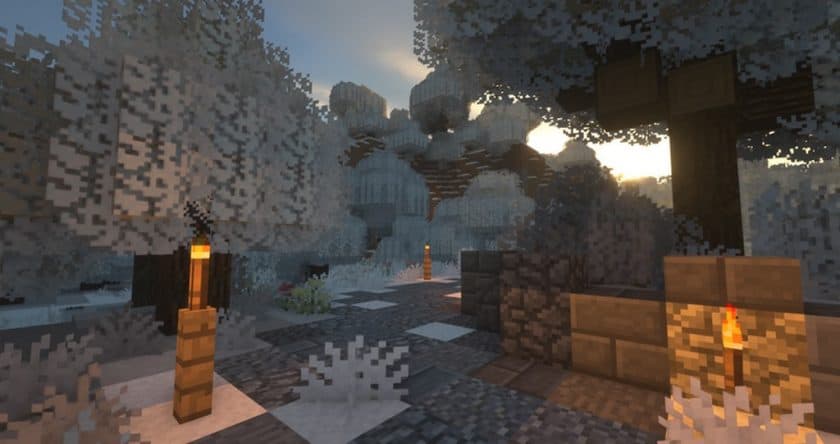
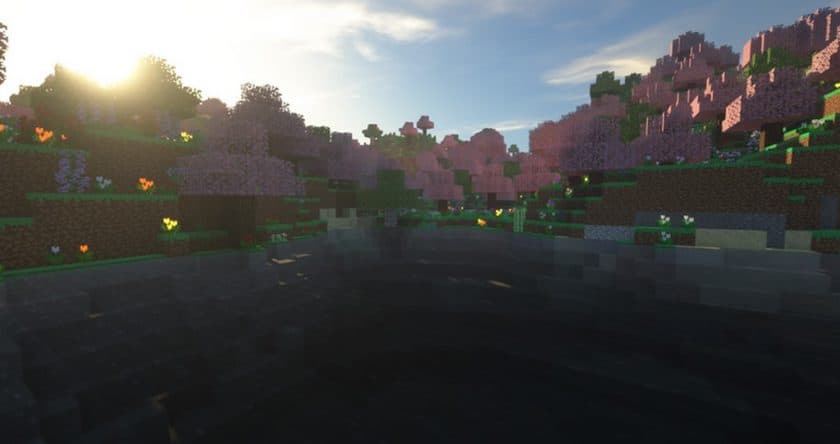
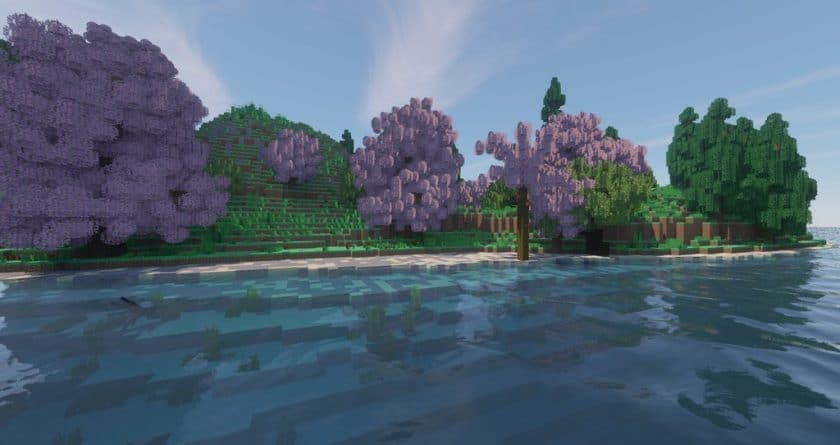
The meticulous detail required to bring this vision to life is truly impressive. Each element, from the smallest blade of grass to the grandest oak tree, boasts four distinct textures, one for every season. Imagine the same tree transitioning from the bright, budding greens of spring, to the full, verdant canopy of summer, then to the warm browns and reds of fall, and finally to a stark, snow-dusted silhouette in winter. This comprehensive retexturing extends to topography, flowers, and all outdoor objects, demanding a significant artistic effort from the developer. Interestingly, Mes’easons maintains a player-friendly approach by allowing crops to grow even in winter, diverging from real-life limitations and ensuring gameplay remains accessible throughout the seasonal shifts. This thoughtful design, combined with community feedback, has refined the pack into a beloved addition to the Minecraft experience, boasting tens of thousands of downloads.
Further enhancing the world’s richness, the Mes’easons pack integrates seamlessly with the Wild Nature Mod, transforming Minecraft into an even more vibrant ecosystem. With this powerful combination, players gain access to an astonishing array of new content: 27 tree types, 595 tree shapes, 227 unique flowers, 11 new mushrooms, 8 types of ores, 5 distinct crystals, and over 130 food items. This expansive addition truly makes the world feel alive, offering more diverse flora, fauna, and resources to discover. The Mes’easons pack operates at a familiar 16x resolution, matching vanilla Minecraft’s pixel density. While a dynamic seasonal system might introduce minor performance considerations compared to a static pack, the impact is generally minimal. For optimal performance and to fully utilize its features, Mes’easons is designed to work efficiently with Optifine HD installed.
| Minecraft Version | Compatibility |
|---|---|
| 1.18.2 | ✅ Supported |
| 1.18.1 | ✅ Supported |
| 1.18 | ✅ Supported |
| 1.17.1 | ✅ Supported |
| 1.17 | ✅ Supported |
| 1.16.5 | ✅ Supported |
| 1.16.4 | ✅ Supported |
| 1.16.3 | ✅ Supported |
| 1.16.2 | ✅ Supported |
| 1.16.1 | ✅ Supported |
| 1.16 | ✅ Supported |
| 1.15.2 | ✅ Supported |
| 1.15.1 | ✅ Supported |
| 1.15 | ✅ Supported |
| 1.14.4 | ✅ Supported |
| 1.14.3 | ✅ Supported |
| 1.14.2 | ✅ Supported |
| 1.14 | ✅ Supported |
| 1.13.2 | ✅ Supported |
| 1.13.1 | ✅ Supported |
| 1.13 | ✅ Supported |
| 1.12.2 | ✅ Supported |
| 1.12 | ✅ Supported |
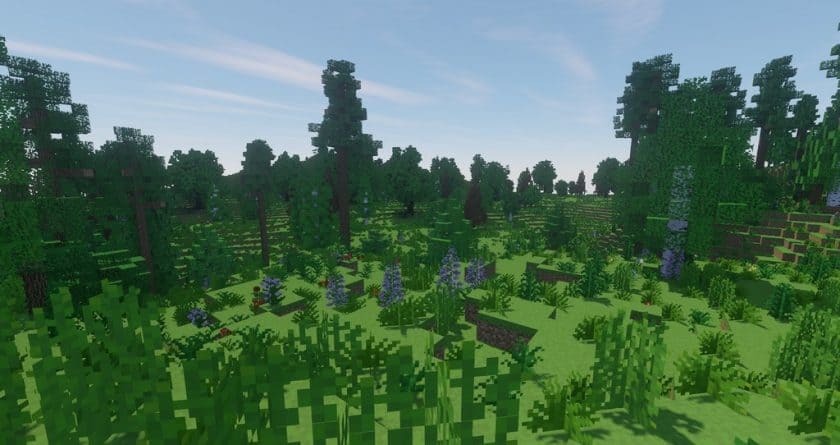
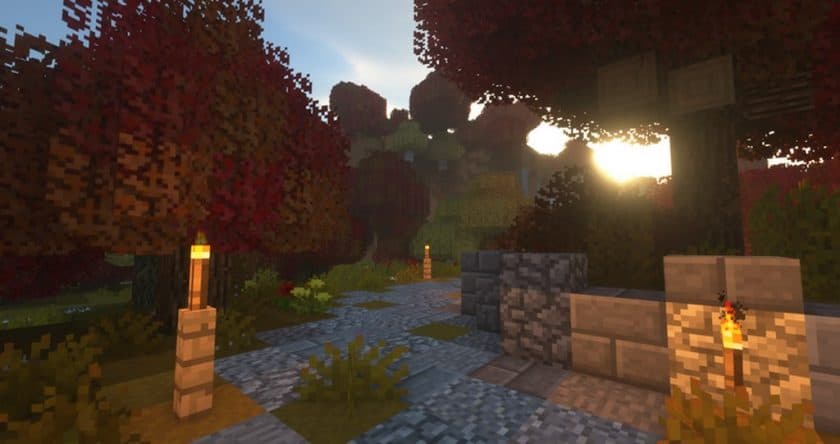
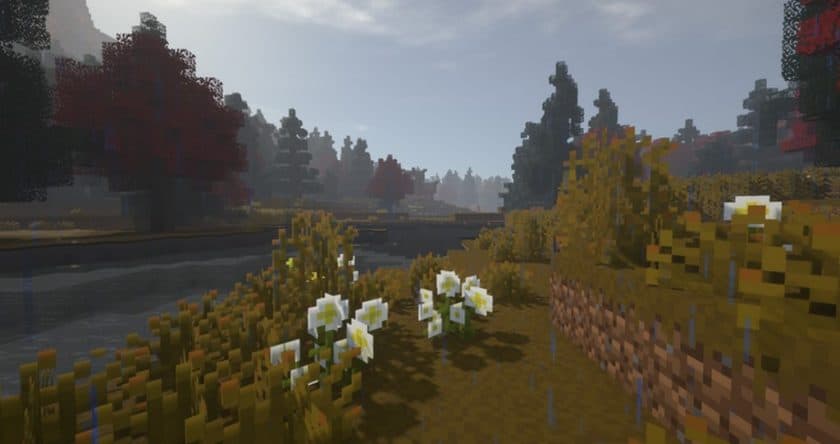
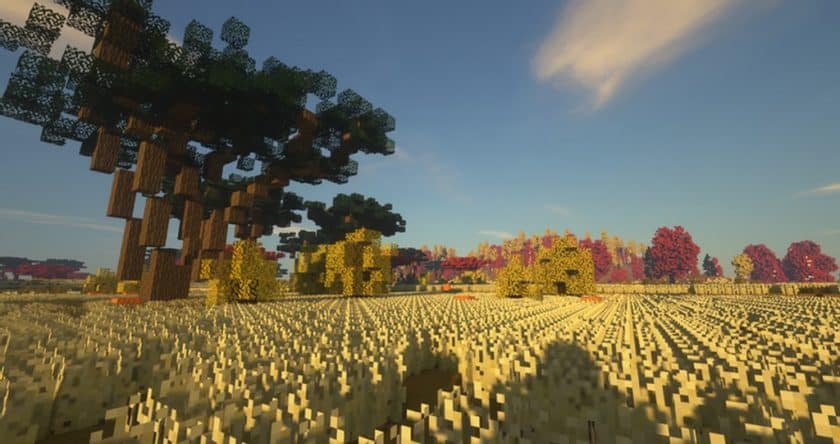
Mes’easons Resource Pack – Screenshots
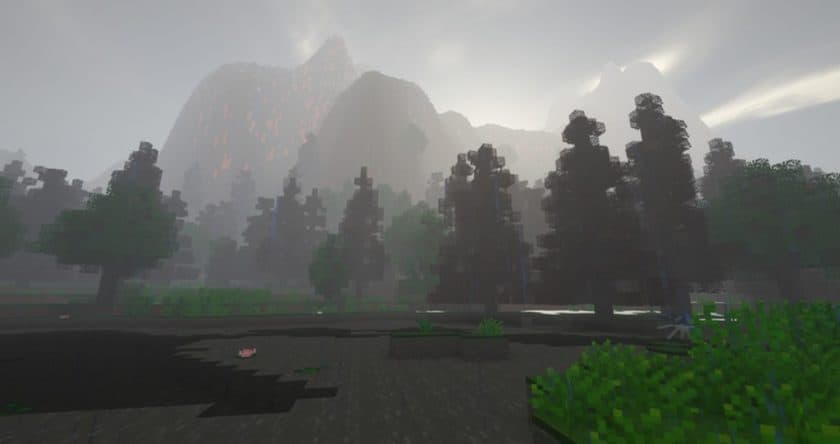
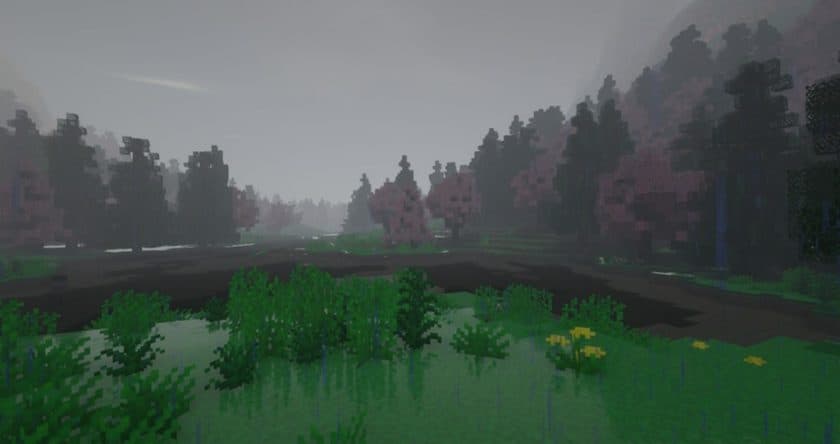
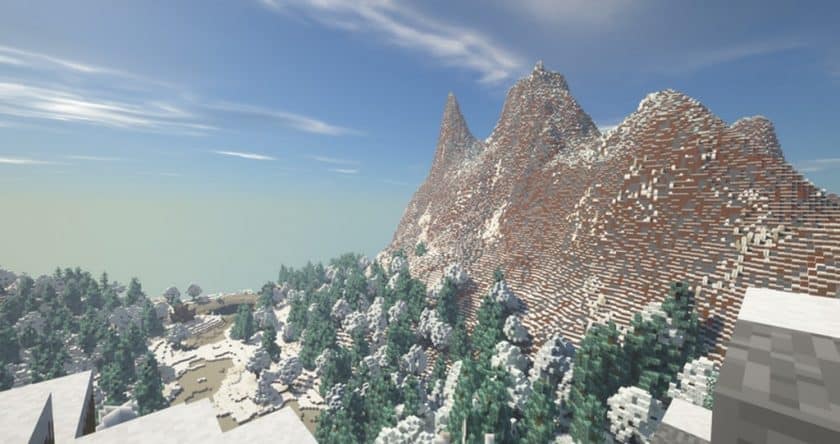

How to Install Texture Pack (Simple 10 Steps)
- Download Optifine: Most of the texture packs and shaders need Optifine. That’s why, first download and install Optifine for the version of Minecraft you want to play.
- Download the Texture Pack: Get the texture pack you want from the download section. Choose the version that works with your Minecraft and your PC’s performance.
- Open Minecraft Launcher: Start Minecraft using the official game launcher – or even TLauncher, if you use that.
- Go to Options: From the main menu, click on the “Options” button.
- Open Resource Packs: Inside Options, click on “Resource Packs…”.
- Open the Resource Pack Folder: Click on “Open Resource Pack Folder” – this will open a folder named “resourcepacks”.
- Move the Pack File: Copy or move the .zip file you downloaded into that “resourcepacks” folder. (Don’t unzip the file – Minecraft uses it as-is!)
- Go Back and Refresh: Close the folder and click “Done”, then go back into “Resource Packs…” again.
- Activate the Pack: You’ll see the pack on the left side. Hover over it and click the arrow to move it to the right (active side). Tip: If you get a message that the pack is for a different version, just click “Yes” – it usually works fine.
- Click Done and Enjoy: Click “Done” again. Now your pack is ready to use in-game. It’s that easy!
Download
1.6 day release:
(16x) (1.18.x – 1.17.x) Download Mes’easons 1.6Days Resource Pack
(16x) (1.16.x – 1.15.x) Download Mes’easons 1.6Days Resource Pack
(16x) (1.14.x) Download Mes’easons 1.6Days Resource Pack
(16x) (1.13.x) Download Mes’easons 1.6Days Resource Pack
(16x) (1.12.x) Download Mes’easons 1.6Days Resource Pack
5 day release:
(16x) (1.18.x – 1.17.x) Download Mes’easons 5Days Resource Pack
(16x) (1.16.x – 1.15.x) Download Mes’easons 5Days Resource Pack
(16x) (1.14.x) Download Mes’easons 5Days Resource Pack
(16x) (1.13.x) Download Mes’easons 5Days Resource Pack
(16x) (1.12.x) Download Mes’easons 5Days Resource Pack
10 day edition:
(16x) (1.18.x – 1.17.x) Download Mes’easons 10Days Resource Pack
(16x) (1.16.x – 1.15.x) Download Mes’easons 10Days Resource Pack
(16x) (1.14.x) Download Mes’easons 10Days Resource Pack
(16x) (1.13.x) Download Mes’easons 10Days Resource Pack
(16x) (1.12.x) Download Mes’easons 10Days Resource Pack
Solo Seasons – Spring:
(16x) (1.18.x) Download Mes’easons – Spring Resource Pack
(16x) (1.16.x – 1.15.x) Download Mes’easons – Spring Resource Pack
(16x) (1.14.x) Download Mes’easons – Spring Resource Pack
(16x) (1.13.x) Download Mes’easons – Spring Resource Pack
(16x) (1.12.x) Download Mes’easons – Spring Resource Pack
Solo Seasons – Summer:
(16x) (1.18.x) Download Mes’easons – Summer Resource Pack
(16x) (1.16.x – 1.15.x) Download Mes’easons – Summer Resource Pack
(16x) (1.14.x) Download Mes’easons – Summer Resource Pack
(16x) (1.13.x) Download Mes’easons – Summer Resource Pack
(16x) (1.12.x) Download Mes’easons – Summer Resource Pack
Solo Seasons – Autumn:
(16x) (1.18.x) Download Mes’easons – Autumn Resource Pack
(16x) (1.16.x – 1.15.x) Download Mes’easons – Autumn Resource Pack
(16x) (1.14.x) Download Mes’easons – Autumn Resource Pack
(16x) (1.13.x) Download Mes’easons – Autumn Resource Pack
(16x) (1.12.x) Download Mes’easons – Autumn Resource Pack
Solo Seasons – Winter:
(16x) (1.18.x) Download Mes’easons – Winter Resource Pack
(16x) (1.16.x – 1.15.x) Download Mes’easons – Winter Resource Pack
(16x) (1.14.x) Download Mes’easons – Winter Resource Pack
(16x) (1.13.x) Download Mes’easons – Winter Resource Pack
(16x) (1.12.x) Download Mes’easons – Winter Resource Pack
Add-ons and modifications:
Download Better Trees Add-on from the official website
Download Wild Nature Mod from the official site
Official links:
Check out the Mes’easons Resource Pack on the official website
Download Instructions
-
CurseForge: If the pack is hosted on CurseForge, the download will begin automatically after a few seconds. If it does not start, use the “Download” button shown on the page.
-
Modrinth: If the download is from Modrinth, click the file version that matches your Minecraft build, then press the Download button. Modrinth usually offers multiple releases, so make sure you pick the correct version before installing.
-
Mediafire: On Mediafire, click the large blue Download button to start the file download. Avoid any extra pop-ups or buttons that are not related to the direct download.
-
Google Drive: For Google Drive, click the small download icon at the top right corner of the page. It looks like a downward arrow. The file will be saved to your computer immediately.
Disclaimer We do not create or modify any of the texture packs or shader packs shared on this website. All credit goes to the original creators, and every download link we provide is the official link from their page, which keeps all downloads safe. Some links may stop working after updates, so if you find a broken one, let us know in the comments and we will update it quickly. If you like a pack, consider supporting the creator by visiting their official page or website that we have linked below, and feel free to leave a comment or vote to help their work reach more players.
