
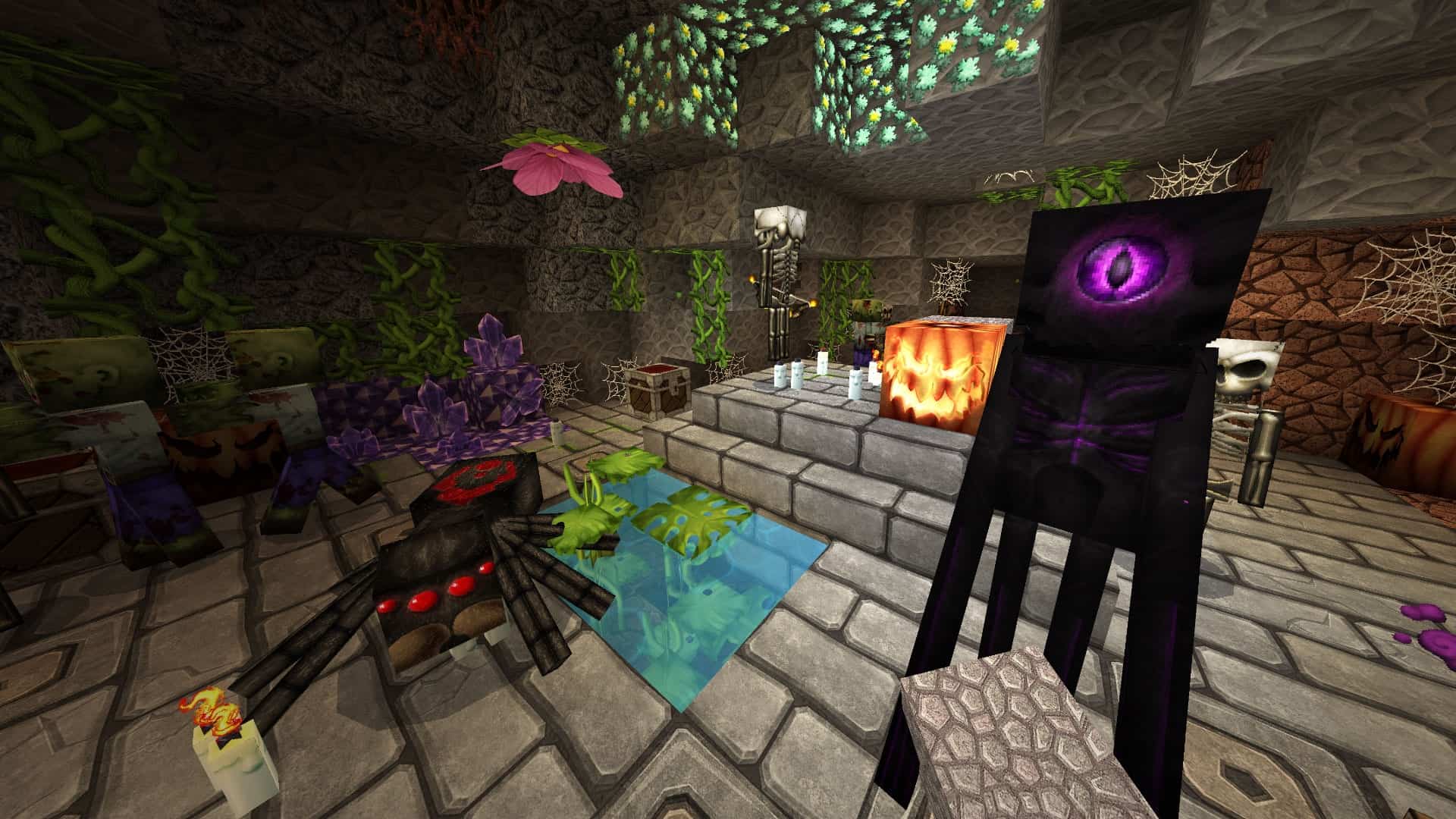
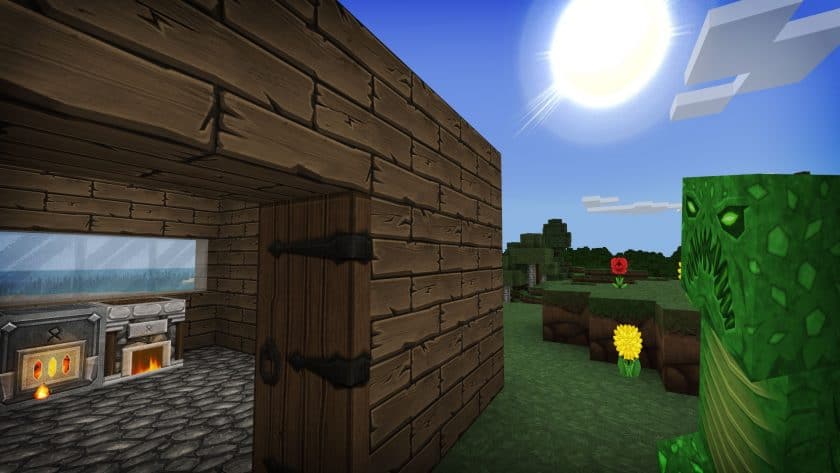
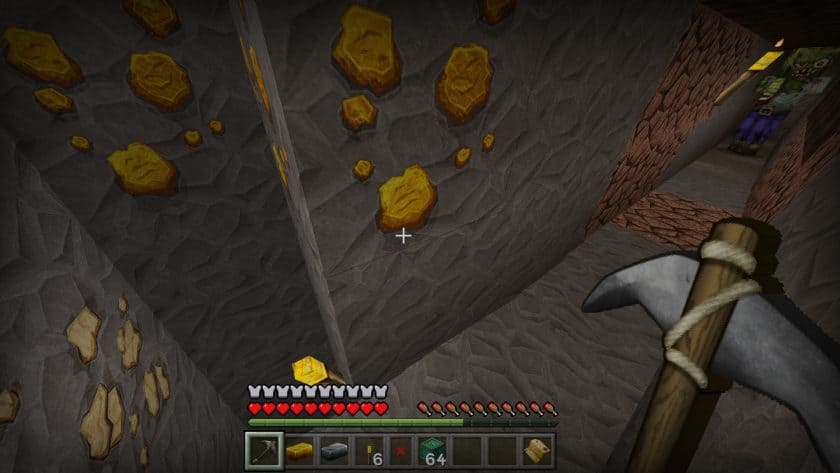
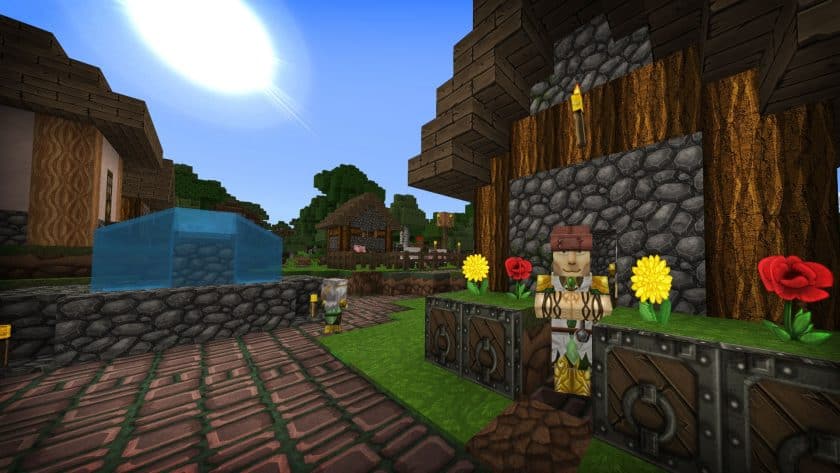
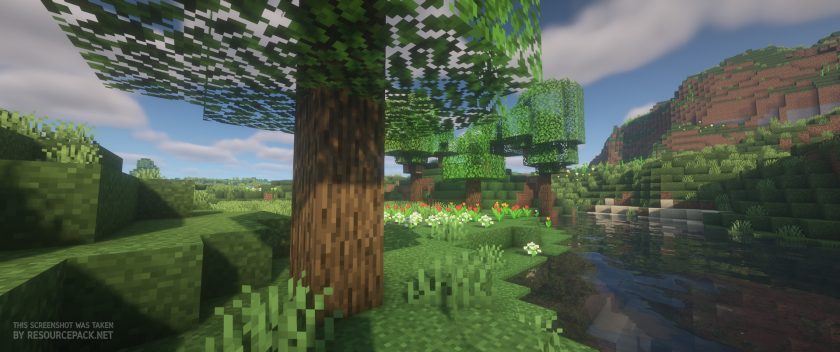
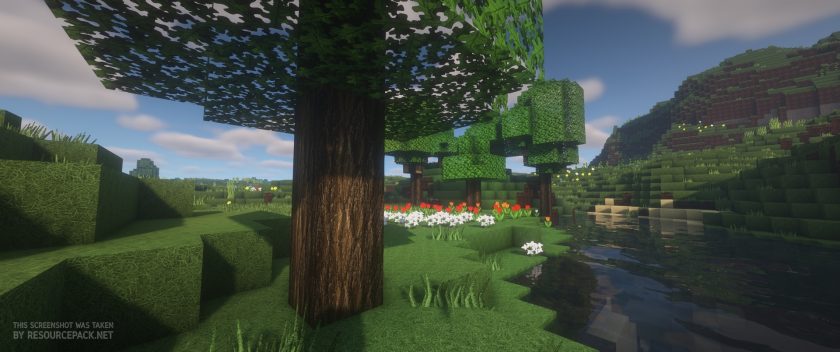
Stepping into a Minecraft world enhanced by the GrungeBDcraft Resource Pack is like seeing your familiar blocky landscapes transformed into a more grizzled, semi-realistic realm. This pack, meticulously crafted by Sphax, the visionary behind PureBD, instills a sense of age and wear into every texture. The world feels lived-in, with objects showcasing a neglected, well-used aesthetic that perfectly embodies its “grunge” namesake. The attention to detail is truly remarkable; from the meticulous textures on every surface to the way light and shadows now blend, creating realistic shading effects that deepen the atmosphere.
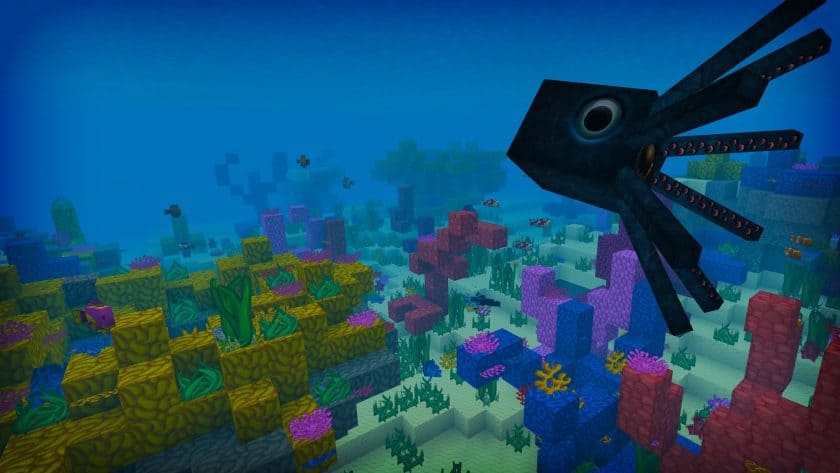
What’s truly impressive about GrungeBDcraft is how it beautifully retains the quintessential charm of vanilla Minecraft while profoundly elevating its visual fidelity. You’ll still recognize your oak blocks, cobblestones, and torches, but they now boast a higher quality and a distinct character. Villagers appear with more expressive faces and unique clothing, flowers unfurl with added petals, and individual blades of grass are visible on blocks, making the terrain feel richer and more alive. Items, too, lose their chunky simplicity for a more refined appearance. Imagine diving into the ocean, not just for clay, but to witness retextured fish, their colors immaculate and forms more realistic, swimming gracefully around you. Or perhaps an octopus, its body detailed enough to almost feel its skin and suction cups, with giant, intelligent eyes watching your every move. This enhanced aquatic life would undoubtedly make any in-game aquarium a breathtaking spectacle.
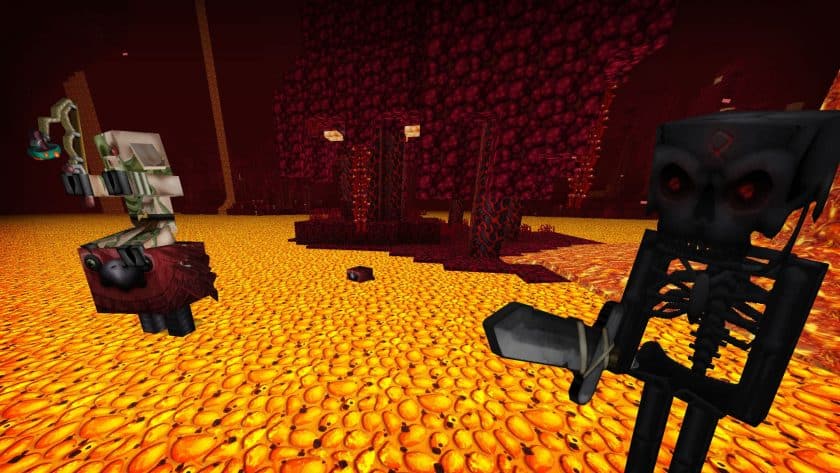
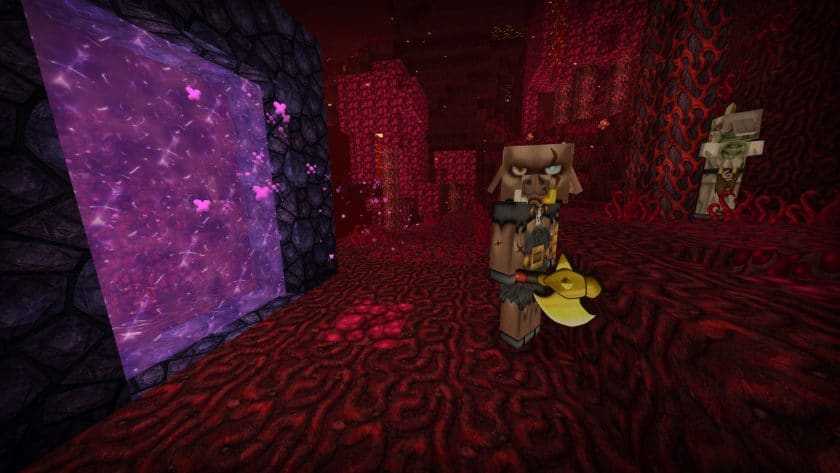
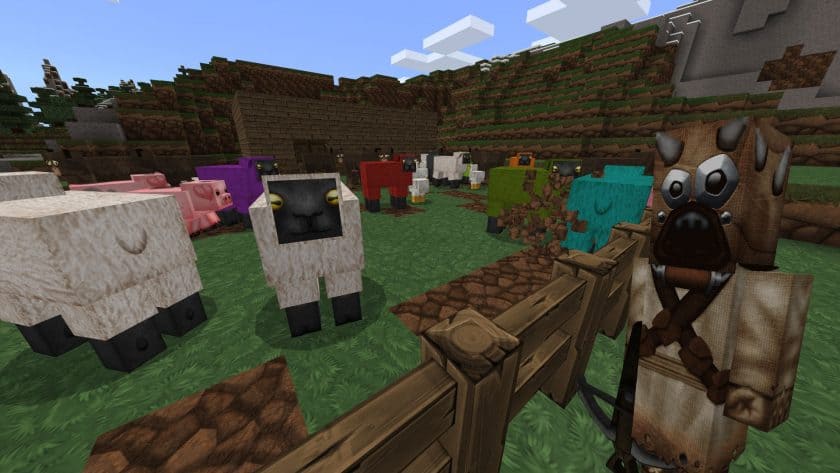
For those who prefer a simpler, more rustic playstyle, founding a farm becomes an even more immersive experience. Sheep wool looks genuinely rough, almost three-dimensional, pigs sport detailed, floppy ears, and fence posts reveal the subtle marks of time and weather. But the transformation doesn’t stop at the familiar overworld. Venturing into the Nether with GrungeBDcraft is a truly terrifying and exhilarating experience. As you emerge from the obsidian portal, you might encounter a grizzled Piglin, its body etched with battle scars, sturdy fur armor adorning its shoulders and waist, and gold glinting on its chest and weapon. This heightened realism is not limited to the living; imagine stumbling upon a rotting zombie in a dimly lit mine shaft, its lowered eyebrows, open mouth, and torn clothes visible in chilling detail. This pack adds a visceral realism that deeply enhances your gaming experience, drawing you further into Minecraft’s world.
Given the exceptional detail, it’s important to note that the GrungeBDcraft Resource Pack has relatively high system requirements. While standard Minecraft runs at 16x resolution, this pack typically operates at a crisp 128x, with other resolutions available ranging from 32x all the way up to 512x. To fully appreciate its stunning visuals and ensure proper functionality, a robust computer and the installation of Optifine are essential. If your hardware is up to the task and you’re seeking a grungy, dirty, yet beautifully realistic aesthetic that honors Minecraft’s core identity while offering a fresh, immersive visual journey, then GrungeBDcraft is an absolute must-try. Its creators’ dedication to detail truly makes the performance investment worthwhile.
| Minecraft Version | Compatibility |
|---|---|
| 1.19.4 | ✅ Supported |
| 1.19.3 | ✅ Supported |
| 1.19.2 | ✅ Supported |
| 1.19.1 | ✅ Supported |
| 1.19 | ✅ Supported |
| 1.18.2 | ✅ Supported |
| 1.18.1 | ✅ Supported |
| 1.18 | ✅ Supported |
| 1.17.1 | ✅ Supported |
| 1.17 | ✅ Supported |
| 1.8.9 | ✅ Supported |
| 1.8.8 | ✅ Supported |
| 1.8.1 | ✅ Supported |
| 1.8.6 | ✅ Supported |
| 1.8 | ✅ Supported |
| 1.7.10 | ✅ Supported |
| 1.7.9 | ✅ Supported |
| 1.7.4 | ✅ Supported |
| 1.7 | ✅ Supported |
| 1.6.4 | ✅ Supported |
| 1.6.2 | ✅ Supported |
| Bedrock edition | ✅ Supported |
| PE | ✅ Supported |
GrungeBDcraft – Screenshots & Videos
How to Install Texture Pack (Simple 10 Steps)
- Download Optifine: Most of the texture packs and shaders need Optifine. That’s why, first download and install Optifine for the version of Minecraft you want to play.
- Download the Texture Pack: Get the texture pack you want from the download section. Choose the version that works with your Minecraft and your PC’s performance.
- Open Minecraft Launcher: Start Minecraft using the official game launcher – or even TLauncher, if you use that.
- Go to Options: From the main menu, click on the “Options” button.
- Open Resource Packs: Inside Options, click on “Resource Packs…”.
- Open the Resource Pack Folder: Click on “Open Resource Pack Folder” – this will open a folder named “resourcepacks”.
- Move the Pack File: Copy or move the .zip file you downloaded into that “resourcepacks” folder. (Don’t unzip the file – Minecraft uses it as-is!)
- Go Back and Refresh: Close the folder and click “Done”, then go back into “Resource Packs…” again.
- Activate the Pack: You’ll see the pack on the left side. Hover over it and click the arrow to move it to the right (active side). Tip: If you get a message that the pack is for a different version, just click “Yes” – it usually works fine.
- Click Done and Enjoy: Click “Done” again. Now your pack is ready to use in-game. It’s that easy!
Download
 Vanilla (BSL Shaders)
 GrungeBDcraft (BSL Shaders)
Download Instructions
-
CurseForge: If the pack is hosted on CurseForge, the download will begin automatically after a few seconds. If it does not start, use the “Download” button shown on the page.
-
Modrinth: If the download is from Modrinth, click the file version that matches your Minecraft build, then press the Download button. Modrinth usually offers multiple releases, so make sure you pick the correct version before installing.
-
Mediafire: On Mediafire, click the large blue Download button to start the file download. Avoid any extra pop-ups or buttons that are not related to the direct download.
-
Google Drive: For Google Drive, click the small download icon at the top right corner of the page. It looks like a downward arrow. The file will be saved to your computer immediately.
Disclaimer We do not create or modify any of the texture packs or shader packs shared on this website. All credit goes to the original creators, and every download link we provide is the official link from their page, which keeps all downloads safe. Some links may stop working after updates, so if you find a broken one, let us know in the comments and we will update it quickly. If you like a pack, consider supporting the creator by visiting their official page or website that we have linked below, and feel free to leave a comment or vote to help their work reach more players.
