
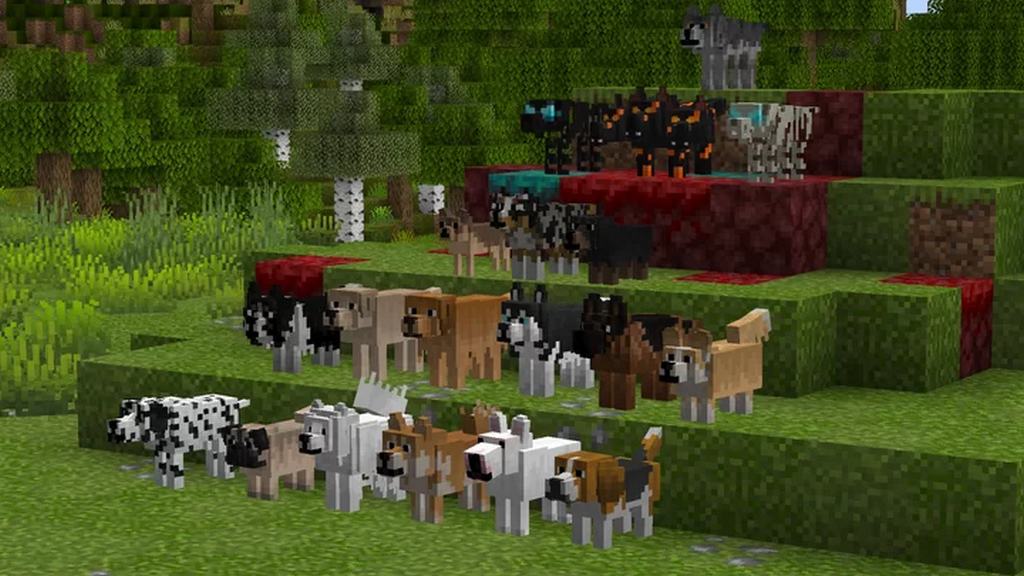
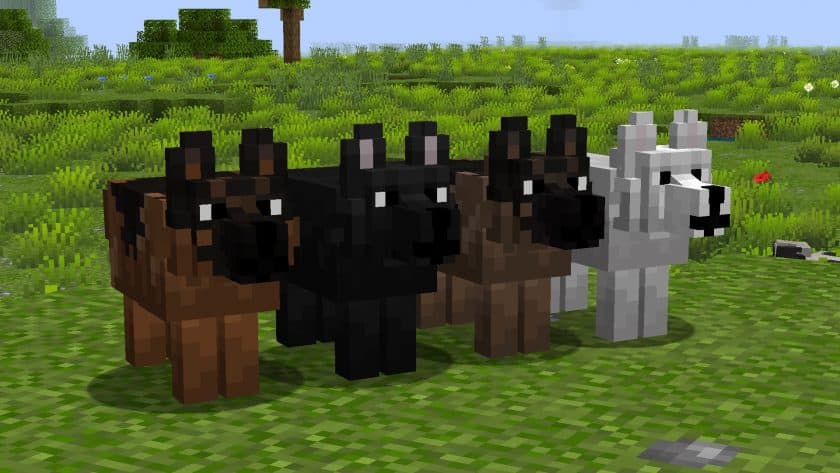
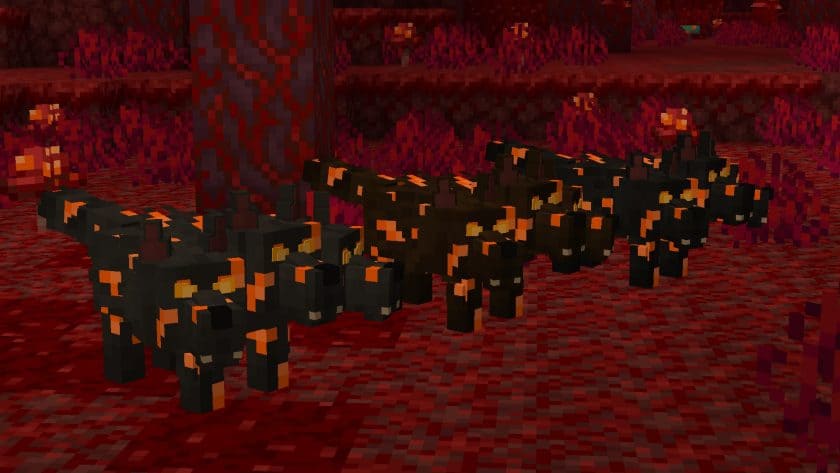
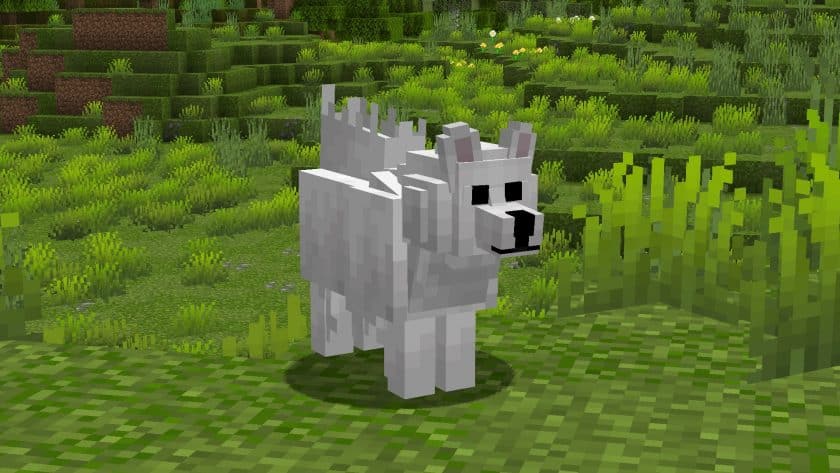
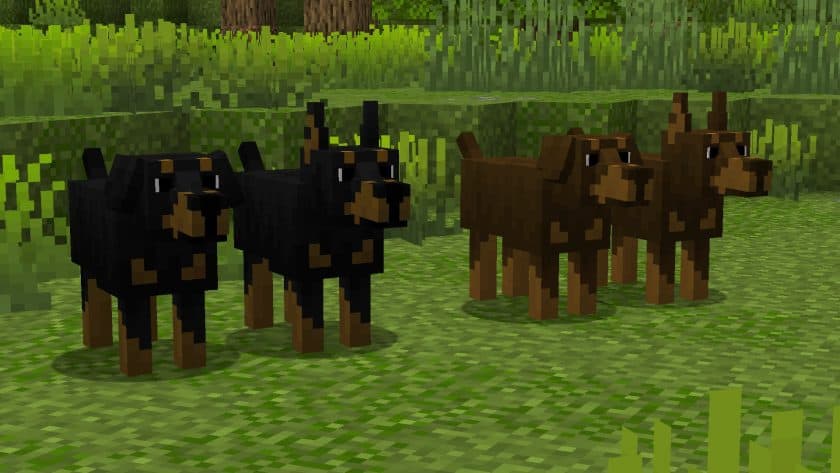
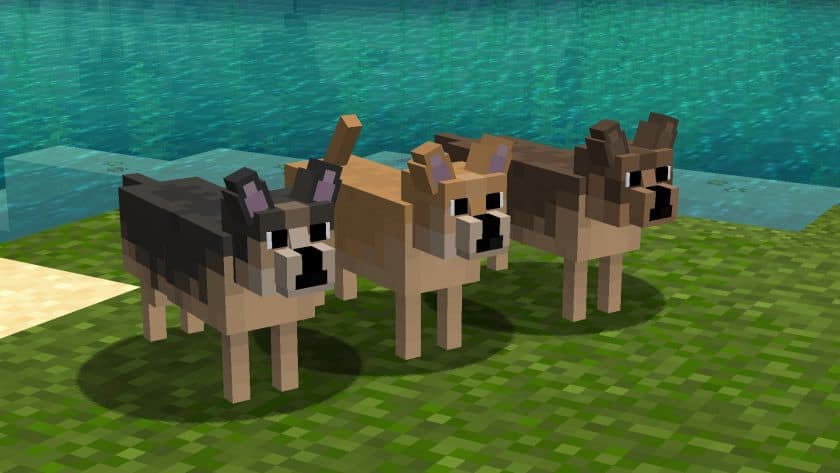
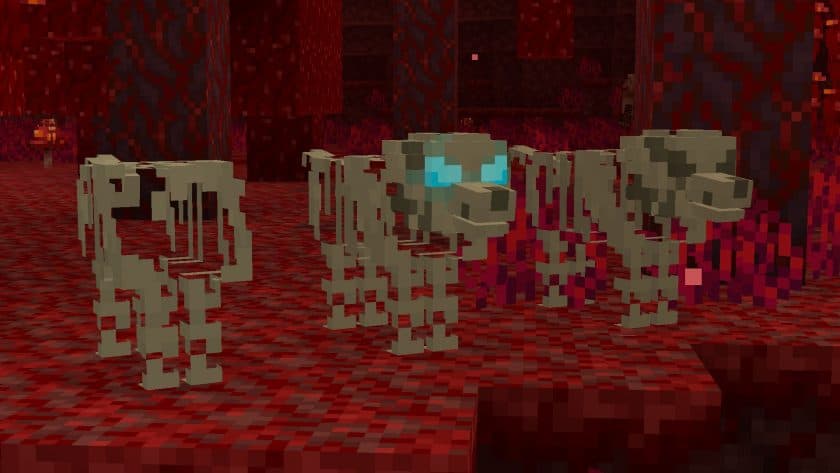
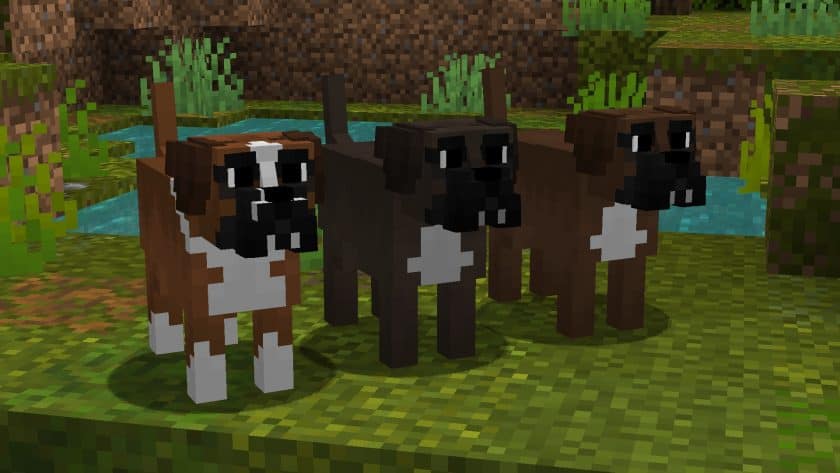
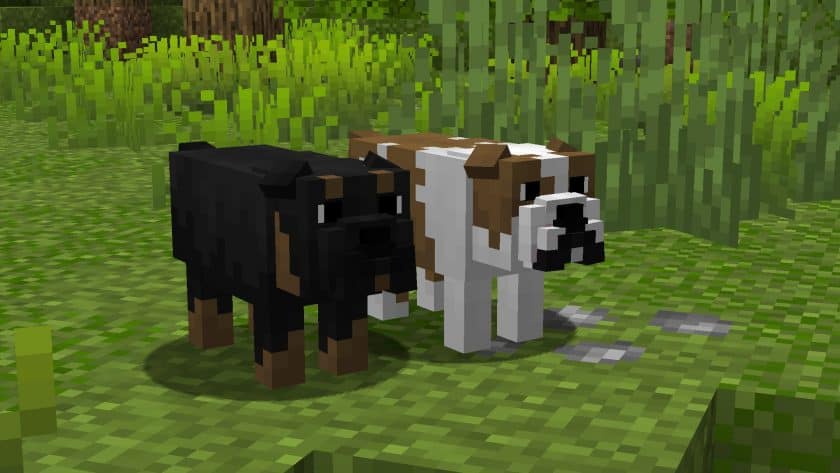
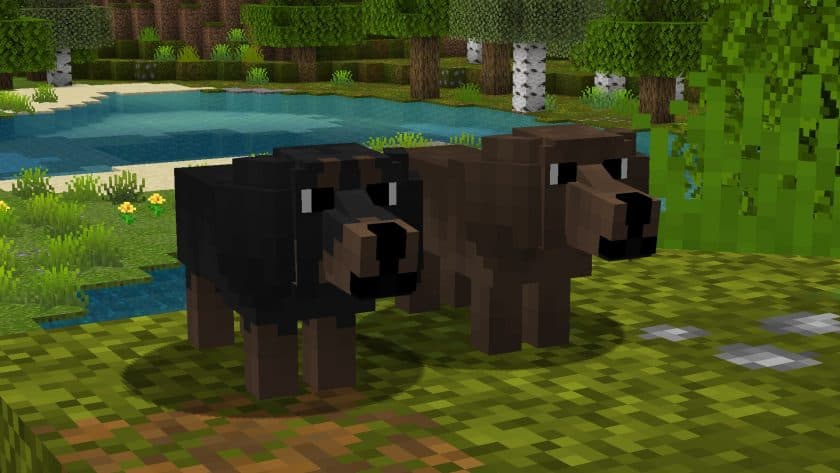
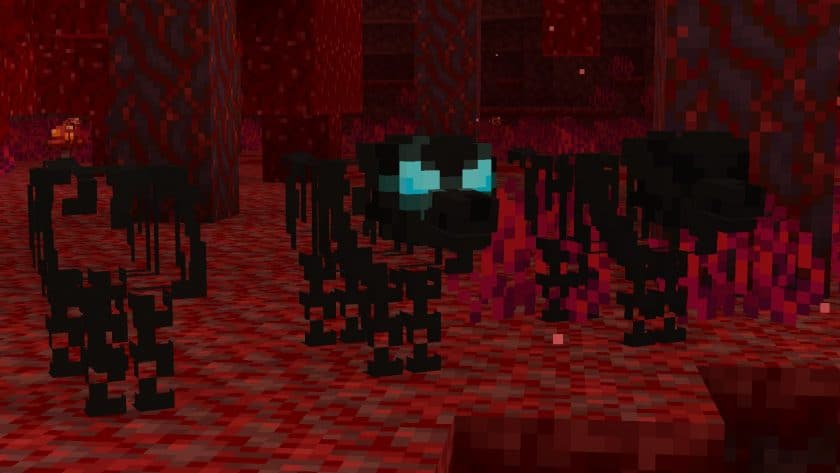
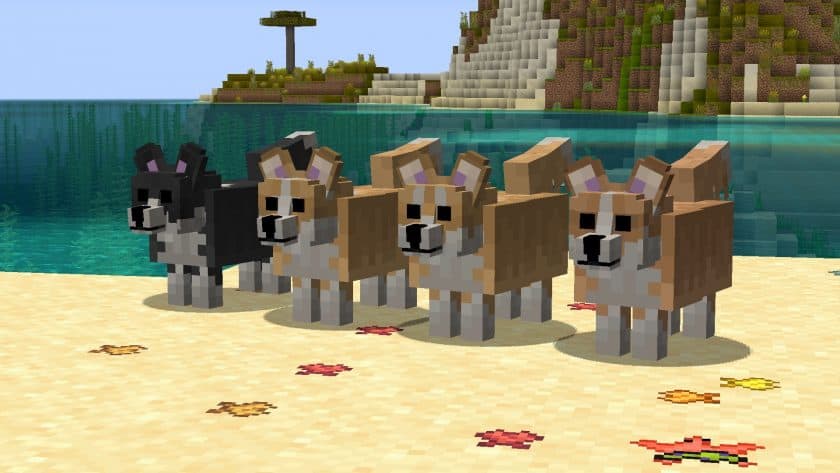
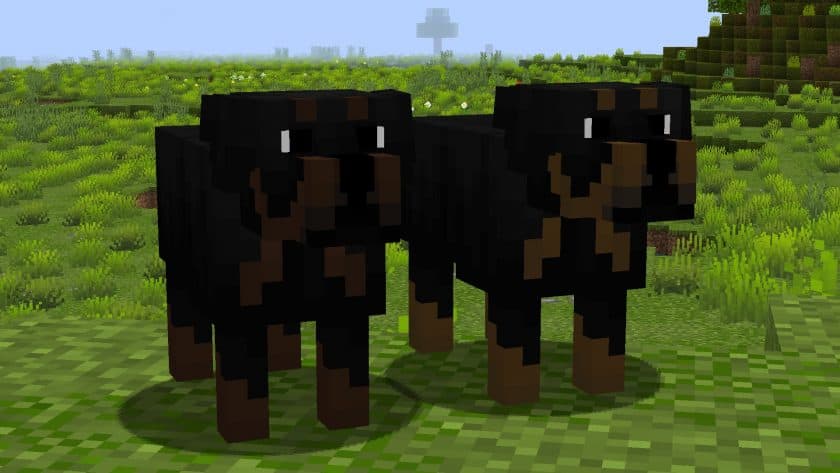
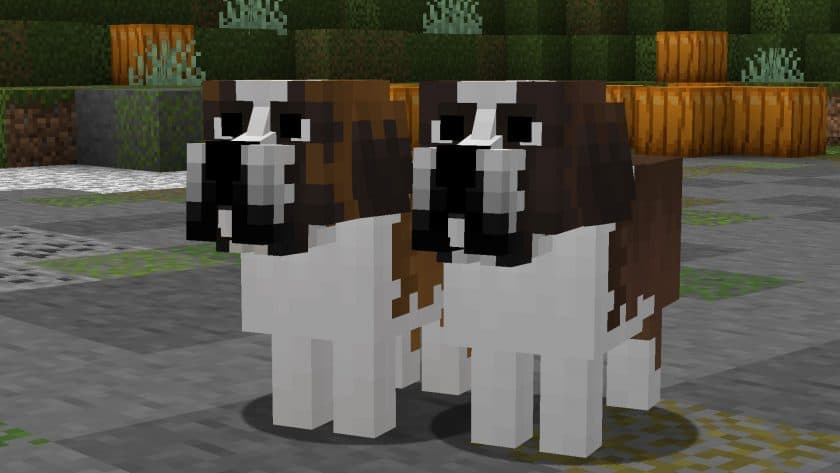
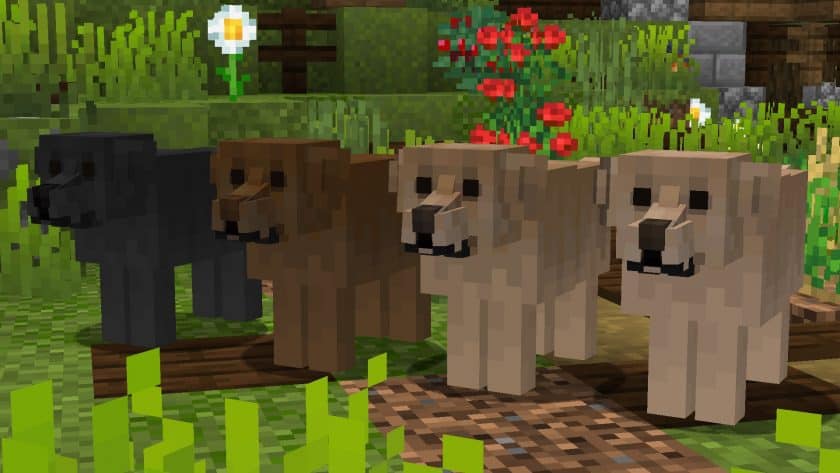
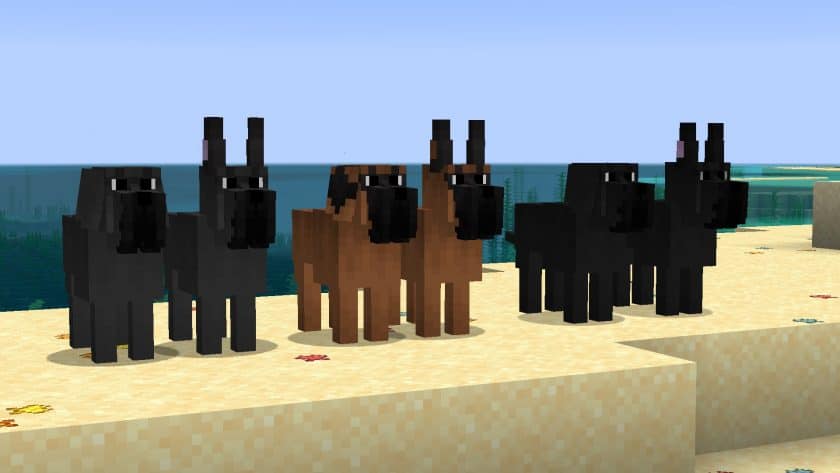
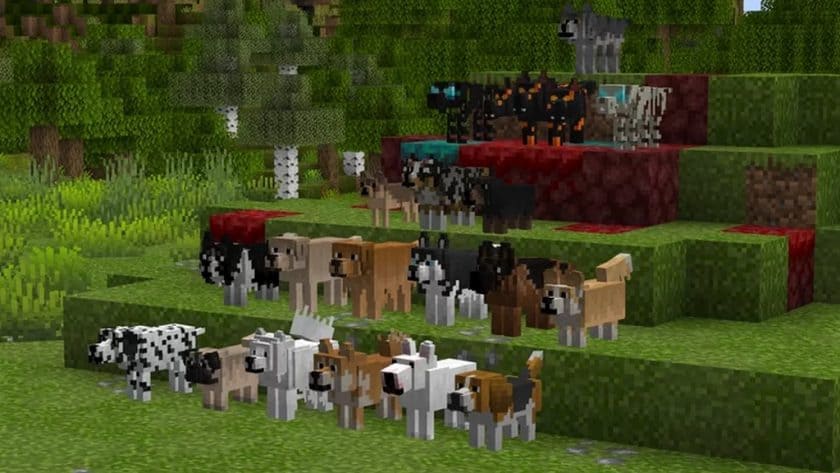
The Better Dogs Resource Pack breathes new life into your Minecraft world by completely transforming the familiar, somewhat monotonous wolf mob into a diverse array of charming dog breeds. Imagine exploring the wilderness, only to discover a playful Pomeranian, a loyal German Shepherd, or a sleek Husky accompanying you on your adventures. This pack isn’t just a simple texture swap; it’s an immersive experience that adds a layer of warmth and personality to your in-game companions. Finding a wild wolf now holds a fresh sense of anticipation, as each taming session could reveal a unique furry friend. Once tamed, your new canine companion will surprise you with its randomized breed, and for those who desire a specific look, name tags offer the magical ability to choose your dog’s appearance from a wide selection. Whether you dream of a tenacious Terrier or a fluffy Samoyed, the power to customize your pixelated pal is at your fingertips.
Beyond its aesthetic appeal, the Better Dogs Resource Pack is designed with performance in mind. Operating at a standard 16×16 resolution, it ensures that your game runs smoothly, making it accessible to a broad range of hardware configurations. You won’t have to sacrifice frame rates for these delightful new textures. However, to unlock the full potential of this charming pack, including its custom entity models and randomized appearances, Optifine is a necessary companion. Enabling “Custom entity models” and “Random entities” within Optifine’s video settings will ensure every unique dog breed renders perfectly, bringing your virtual kennel to life. The pack boasts impressive compatibility, seamlessly integrating with a vast range of Minecraft versions, often requiring just a simple confirmation click even if it warns about version mismatch. It’s a testament to its thoughtful design that such a delightful visual upgrade can be so broadly enjoyed without performance hiccups.
| Minecraft Version | Compatibility |
|---|---|
| 1.20.6 | ✅ Supported |
| 1.20.5 | ✅ Supported |
| 1.20.4 | ✅ Supported |
| 1.20.3 | ✅ Supported |
| 1.20.2 | ✅ Supported |
| 1.20.1 | ✅ Supported |
| 1.20 | ✅ Supported |
| 1.19.4 | ✅ Supported |
| 1.19.3 | ✅ Supported |
| 1.19.2 | ✅ Supported |
| 1.19.1 | ✅ Supported |
| 1.19 | ✅ Supported |
| 1.18.2 | ✅ Supported |
| 1.18.1 | ✅ Supported |
| 1.18 | ✅ Supported |
| 1.17.1 | ✅ Supported |
| 1.17 | ✅ Supported |
| 1.16.5 | ✅ Supported |
| 1.16.4 | ✅ Supported |
| 1.16.3 | ✅ Supported |
| 1.16.2 | ✅ Supported |
| 1.16.1 | ✅ Supported |
| 1.16 | ✅ Supported |
| 1.15.2 | ✅ Supported |
| 1.15.1 | ✅ Supported |
| 1.15 | ✅ Supported |
| 1.14.4 | ✅ Supported |
| 1.14.3 | ✅ Supported |
| 1.14.2 | ✅ Supported |
| 1.14 | ✅ Supported |
| 1.13.2 | ✅ Supported |
| 1.13.1 | ✅ Supported |
| 1.13 | ✅ Supported |
| 1.12.2 | ✅ Supported |
| 1.12 | ✅ Supported |
| 1.11.2 | ✅ Supported |
| 1.11 | ✅ Supported |
| 1.10.2 | ✅ Supported |
| 1.10 | ✅ Supported |
| 1.9.4 | ✅ Supported |
| 1.9 | ✅ Supported |
| 1.8.9 | ✅ Supported |
| 1.8.8 | ✅ Supported |
| 1.8.1 | ✅ Supported |
| 1.8.6 | ✅ Supported |
| 1.8 | ✅ Supported |
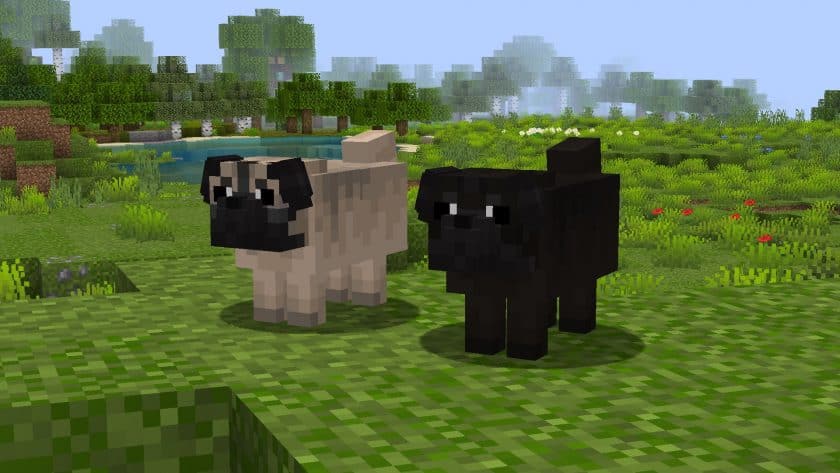
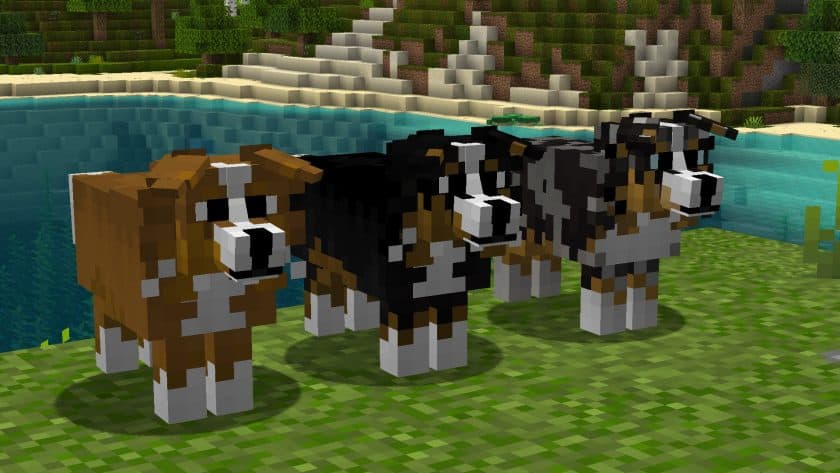
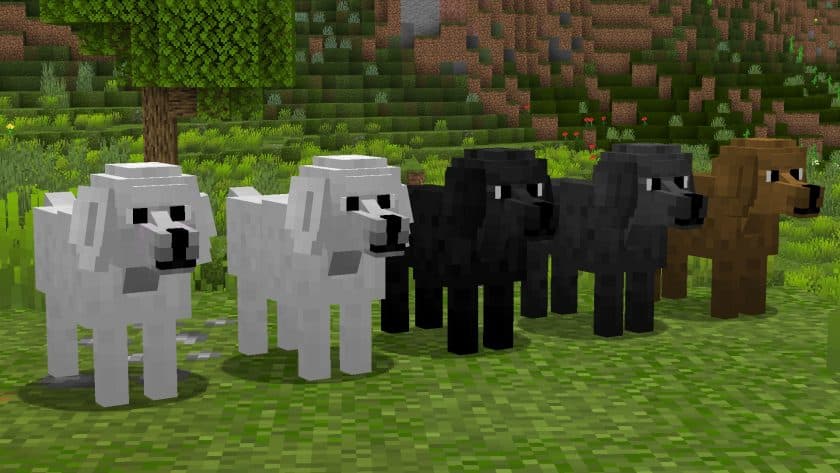
Better Dogs Resource Pack – Screenshots
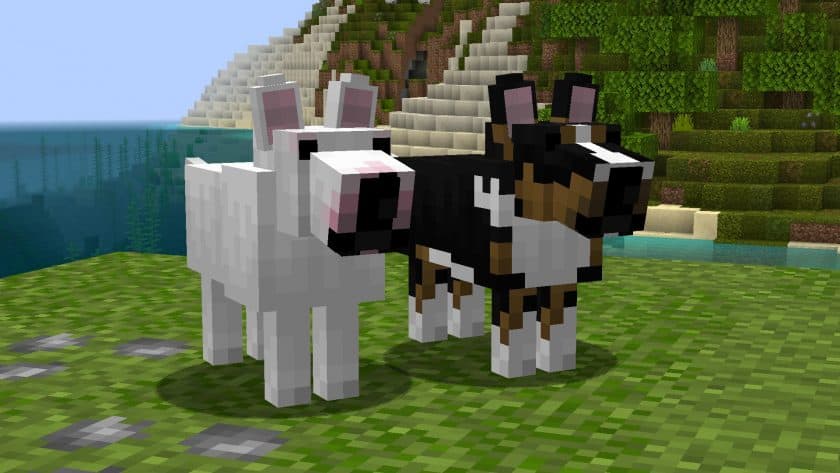
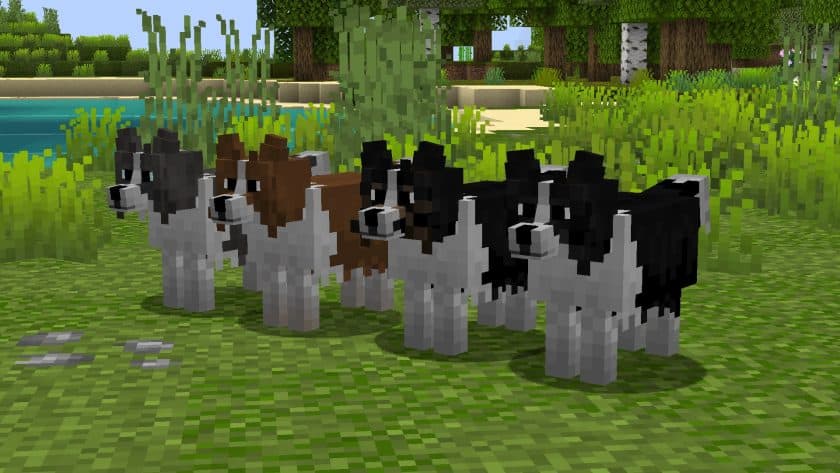
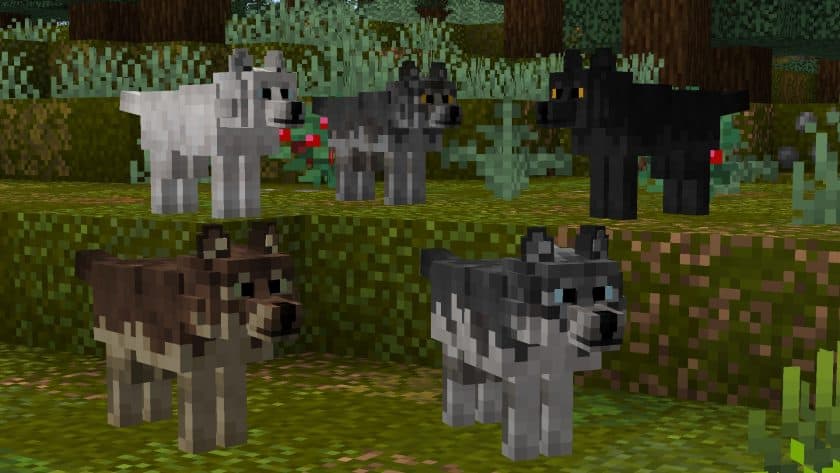
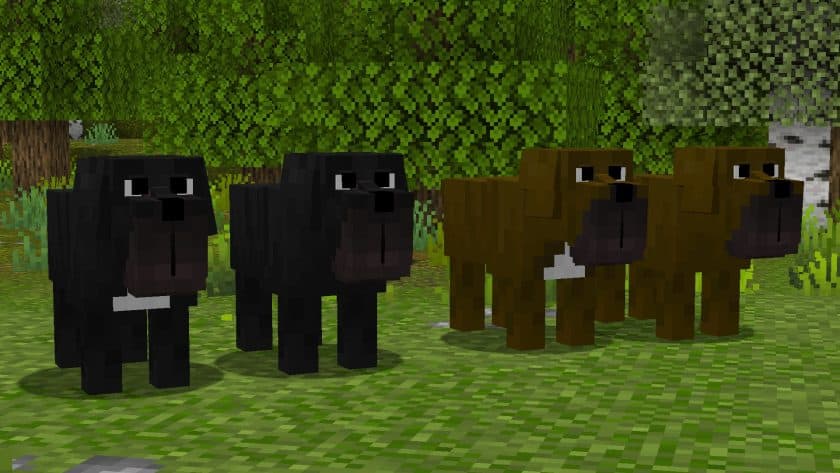
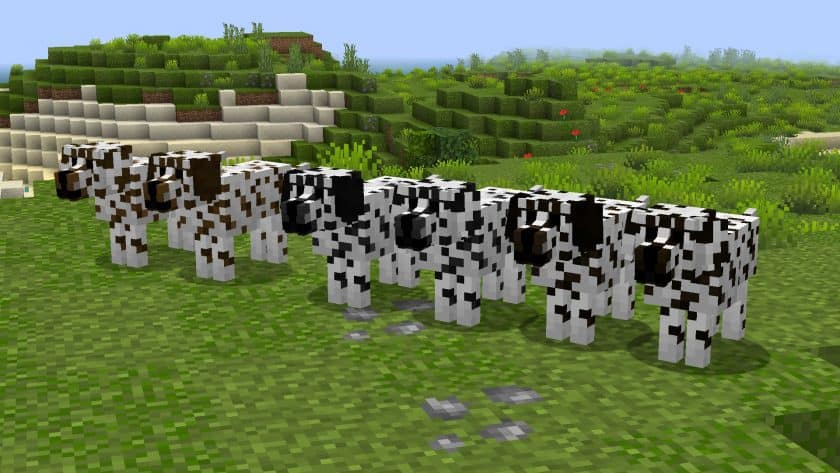
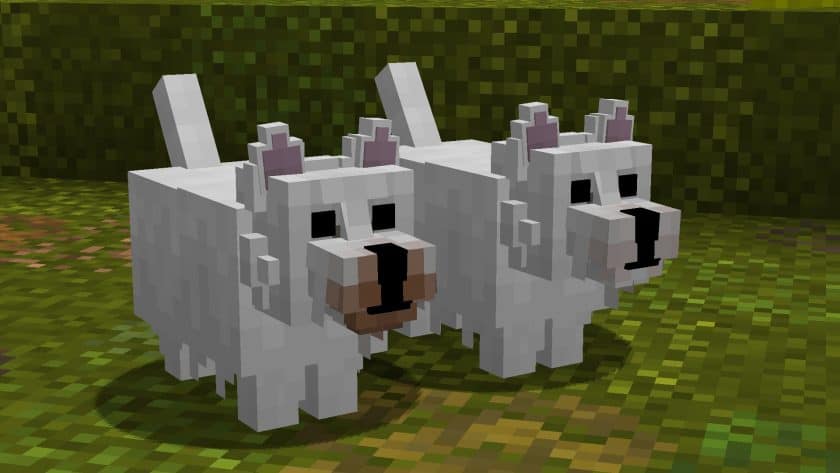
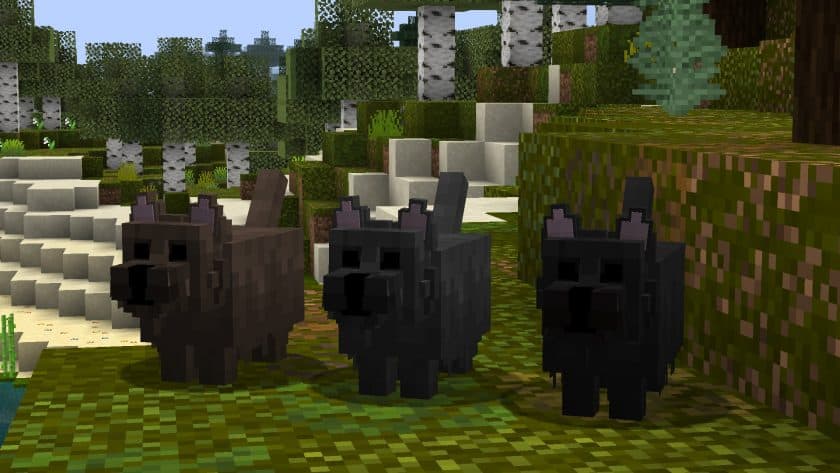
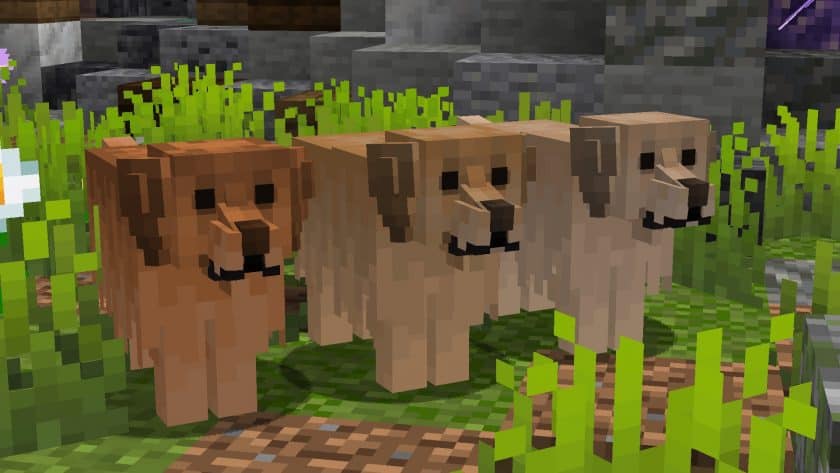
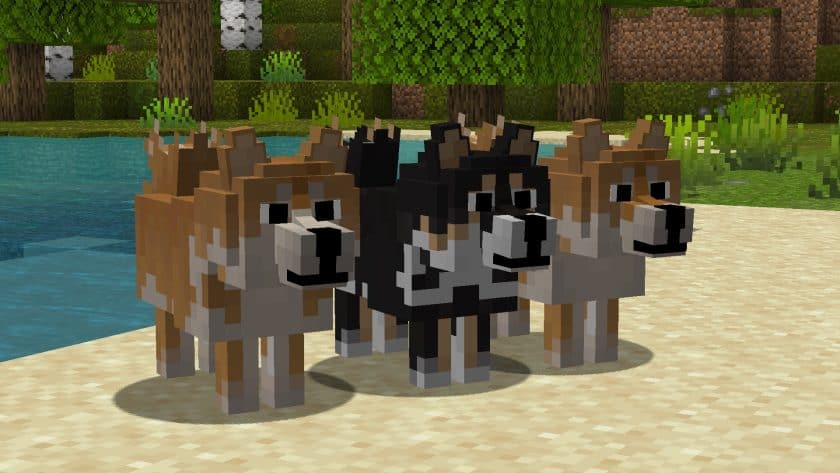
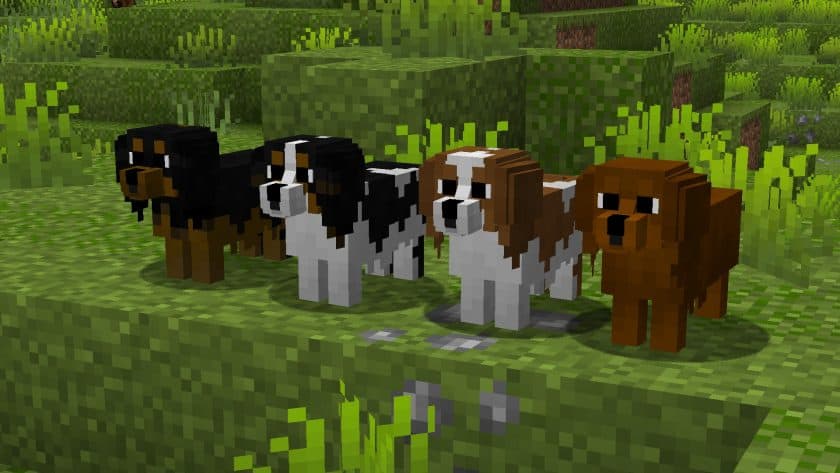
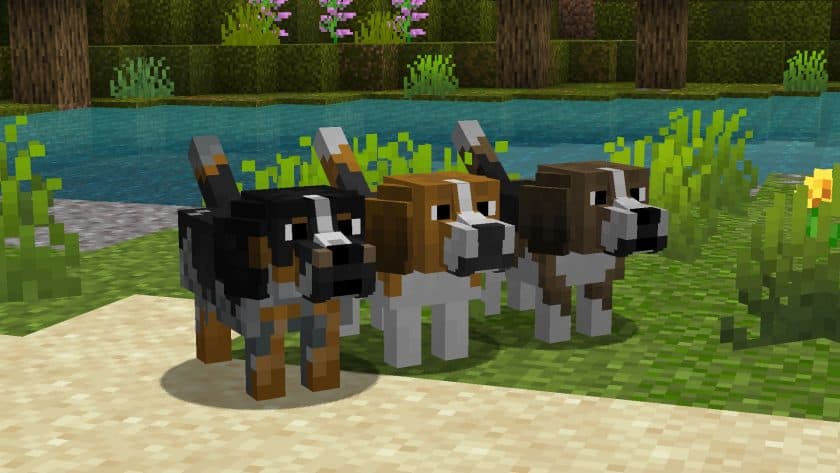
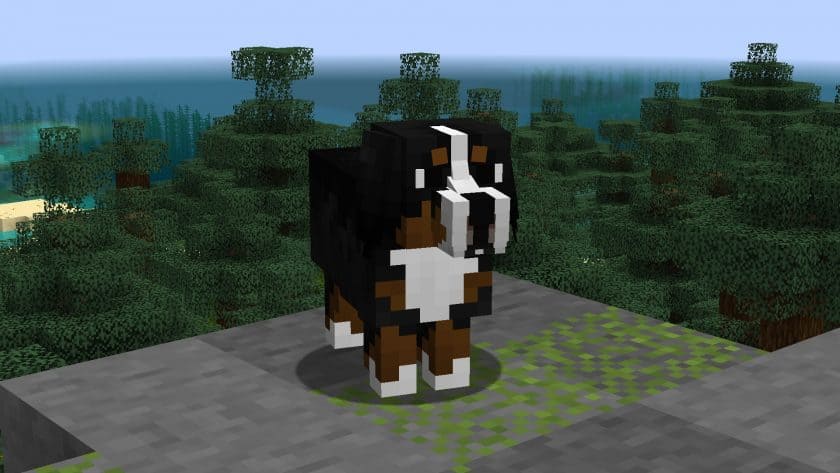
How to Install Texture Pack (Simple 10 Steps)
- Download Optifine: Most of the texture packs and shaders need Optifine. That’s why, first download and install Optifine for the version of Minecraft you want to play.
- Download the Texture Pack: Get the texture pack you want from the download section. Choose the version that works with your Minecraft and your PC’s performance.
- Open Minecraft Launcher: Start Minecraft using the official game launcher – or even TLauncher, if you use that.
- Go to Options: From the main menu, click on the “Options” button.
- Open Resource Packs: Inside Options, click on “Resource Packs…”.
- Open the Resource Pack Folder: Click on “Open Resource Pack Folder” – this will open a folder named “resourcepacks”.
- Move the Pack File: Copy or move the .zip file you downloaded into that “resourcepacks” folder. (Don’t unzip the file – Minecraft uses it as-is!)
- Go Back and Refresh: Close the folder and click “Done”, then go back into “Resource Packs…” again.
- Activate the Pack: You’ll see the pack on the left side. Hover over it and click the arrow to move it to the right (active side). Tip: If you get a message that the pack is for a different version, just click “Yes” – it usually works fine.
- Click Done and Enjoy: Click “Done” again. Now your pack is ready to use in-game. It’s that easy!
Download
The Java Edition of this package requires Optifine to work and will not work without it! Get optifine here. After installing Optifine, you need to enable custom entity models and random entities in Options > Video Settings > Quality
Java Edition:
(16x) (1.20.x – 1.8.x) Download Better Dogs Resource Pack
Separate versions (Java Edition):
(16x) (1.20.x – 1.8.x) Better dogs: Pomeranian – contains only the Pomeranian breed;
(16x) (1.20.x – 1.8.x) Better Dogs: Dachshunds – contains only the dachshund breed;
(16x) (1.20.x – 1.8.x) Better Dogs: Wolves – contains only the Wolf breed;
(16x) (1.20.x – 1.8.x) Better dogs: Chihuahuas – contains only the Chihuahua breed;
(16x) (1.20.x – 1.8.x) Better Dogs: Shiba Inu – contains only the Shiba Inu breed;
(16x) (1.20.x – 1.8.x) Better Dogs: Corgis – contains only the Corgi breed;
(16x) (1.20.x – 1.8.x) Better dogs: Boxer – contains only the Boxer breed;
(16x) (1.20.x – 1.8.x) Better dogs: Bull terrier – contains only the bull terrier breed;
(16x) (1.20.x – 1.8.x) Better Dogs: Pugs – contains only the pug breed;
Special version (Java Edition):
(16x) (1.20.x – 1.8.x) Better Dogs: Dragons – turns all wolves into dragons;
(16x) (1.20.x – 1.8.x) Better Dogs: Chimpanzees – turns all wolves into chimpanzees;
Download Instructions
-
CurseForge: If the pack is hosted on CurseForge, the download will begin automatically after a few seconds. If it does not start, use the “Download” button shown on the page.
-
Modrinth: If the download is from Modrinth, click the file version that matches your Minecraft build, then press the Download button. Modrinth usually offers multiple releases, so make sure you pick the correct version before installing.
-
Mediafire: On Mediafire, click the large blue Download button to start the file download. Avoid any extra pop-ups or buttons that are not related to the direct download.
-
Google Drive: For Google Drive, click the small download icon at the top right corner of the page. It looks like a downward arrow. The file will be saved to your computer immediately.
Disclaimer We do not create or modify any of the texture packs or shader packs shared on this website. All credit goes to the original creators, and every download link we provide is the official link from their page, which keeps all downloads safe. Some links may stop working after updates, so if you find a broken one, let us know in the comments and we will update it quickly. If you like a pack, consider supporting the creator by visiting their official page or website that we have linked below, and feel free to leave a comment or vote to help their work reach more players.
