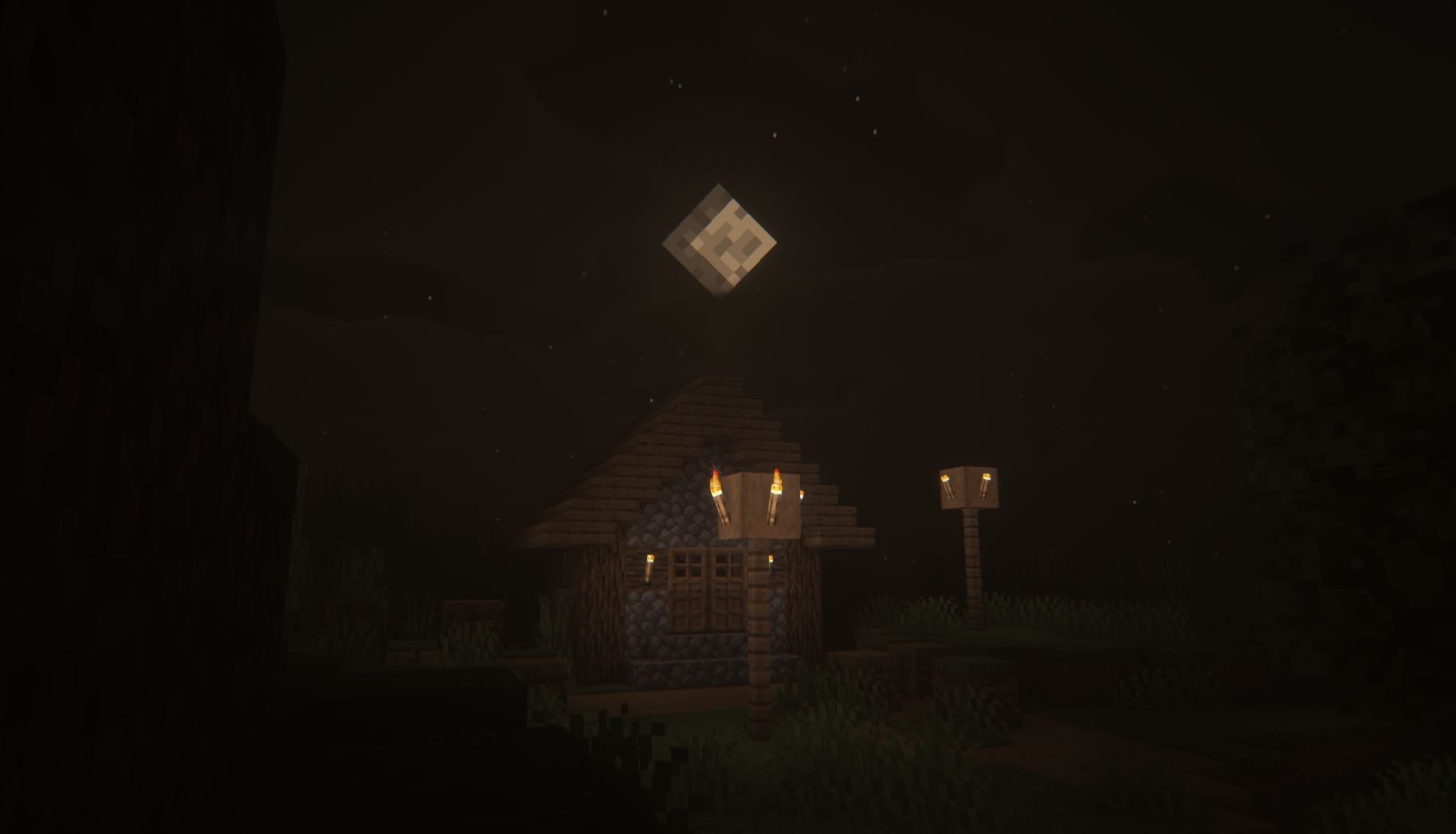
Some shaders try to make Minecraft prettier. Others try to make it more realistic. Insanity Shaders does neither in the usual way. Its goal is to change how the game feels to play. The moment you load into a world with Insanity enabled, the atmosphere shifts. Darkness becomes heavier, fog feels intentional, and the world stops feeling safe or familiar.
This is not a shader you casually turn on for a normal survival session. Insanity Shaders is built around mood first, visuals second. It leans into discomfort, tension, and unpredictability, and that is exactly why it stands out in a space full of cinematic and vanilla-friendly shader packs.
This article breaks down what Insanity Shaders actually is, how it looks and performs, and who it is really meant for, based on real use rather than hype.
Insanity Shaders is compatible with these Minecraft versions: 26.2 – 26.1.2 – 26.1.1 – 26.1 – 1.21.11 – 1.21.10 – 1.21.9 – 1.21.8 – 1.21.7 – 1.21.6 – 1.21.5 – 1.21.4 – 1.21.3 – 1.21.2 – 1.21.1 – 1.21 – 1.20.6 – 1.20.5 – 1.20.4 – 1.20.3 – 1.20.2 – 1.20.1 – 1.20 – 1.19.4 – 1.19.3 – 1.19.2 – 1.19.1 – 1.19 – 1.18.2 – 1.18.1 – 1.18 – 1.17.1 – 1.17 – 1.16.5 – 1.16 – 1.15.2 – 1.15 – 1.14.4 – 1.14 – 1.13.2 – 1.13 – 1.12.2 – 1.12 – 1.11.2 – 1.11 – 1.10.2 – 1.10 – 1.9.4 – 1.9 – 1.8.9 – 1.8 – 1.7.10 – 1.7.2
What Insanity Shaders Is
Insanity Shaders is an atmospheric shader pack for Java Edition that focuses on darkness, contrast, fog, and emotional weight rather than realism or visual clarity. It heavily modifies lighting behavior, sky rendering, shadows, and color grading to create a hostile and unsettling environment.
Unlike most popular shaders that aim for balance, Insanity intentionally exaggerates certain elements. Shadows are deep and unforgiving. Light sources feel scarce and important. Distance fog limits visibility and creates constant uncertainty about what is ahead.
The shader is designed to work with modern shader loaders such as Iris and OptiFine. It is actively maintained and distributed through Modrinth, where updates and compatibility notes are published by the creator.
This is not a general-purpose shader. It is a deliberate design choice for players who want Minecraft to feel oppressive and emotionally intense.
Visual Style and Atmosphere
The visual identity of Insanity Shaders is built around discomfort.
Lighting is harsh and directional. Areas not directly lit feel genuinely dark rather than slightly dim. Nighttime becomes something you prepare for instead of something you ignore. Caves feel deeper, forests feel tighter, and open plains feel strangely empty.
Fog plays a major role. Distance fog is thick and noticeable, often hiding terrain and entities until they are closer than you would expect. This makes exploration slower and more cautious. You move differently when you cannot see far ahead.
Color grading is muted and heavy. Bright, saturated colors are toned down, and the overall palette leans toward colder, darker shades. Weather and sky rendering reinforce this mood, especially during storms and nighttime.
Insanity Shaders is not about realism. It is about creating a constant sense of tension, and visually, it succeeds at that better than most horror-focused shader packs.
Performance and System Requirements
Insanity Shaders is a heavy shader.
It uses advanced lighting calculations, dense fog, and strong shadow detail, which means performance impact is significant. On mid-range and low-end systems, expect noticeable FPS drops, especially at higher resolutions or with large render distances.
This shader is best suited for systems with a dedicated GPU. Integrated graphics will struggle unless settings are heavily reduced, and even then, the experience may not be smooth.
There are settings available to reduce load, such as lowering shadow resolution, reducing fog quality, or disabling certain post-processing effects. However, doing so also reduces the intensity that defines the shader in the first place.
If performance is your top priority, Insanity Shaders is not the right choice. If atmosphere is more important than FPS, it becomes much easier to justify.
Who This Shader Is For
Insanity Shaders is for a very specific type of player.
It is ideal for players who enjoy horror mods, abandoned worlds, hardcore survival, or narrative-focused gameplay. It pairs especially well with horror maps, custom adventure maps, and modpacks designed around fear or isolation.
Content creators who focus on cinematic storytelling or atmospheric visuals may also find value here, especially for short clips or specific scenes.
It is not recommended for builders who need visual clarity, redstone players who rely on visibility, or casual survival players who just want the game to look nicer.
This shader demands attention and patience. If you enjoy that kind of experience, it delivers something genuinely different.
Screenshots Section
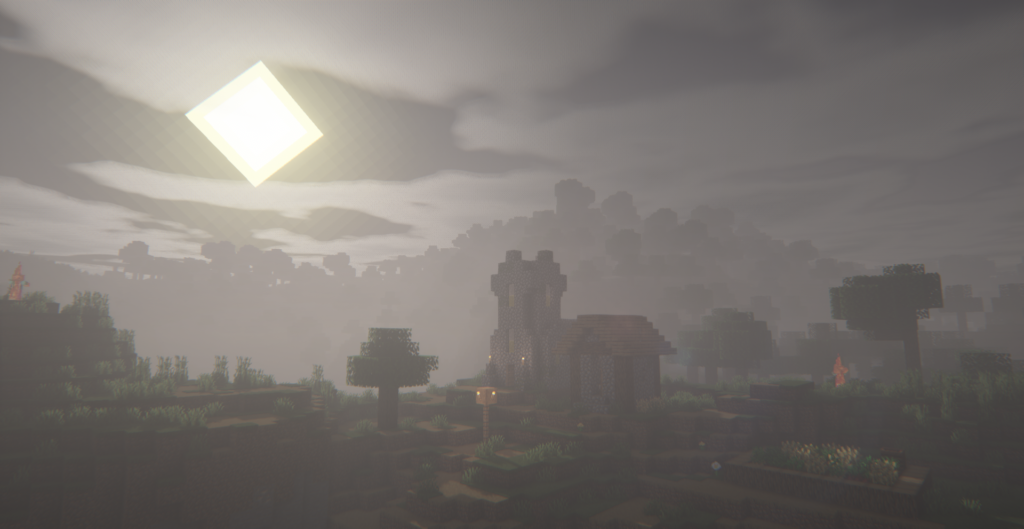
Screenshots of Insanity Shaders should focus on moments rather than wide landscapes.
Nighttime exploration with minimal light sources shows how deep the darkness really goes. Foggy forests highlight how limited visibility changes exploration. Caves demonstrate the contrast between light and shadow, making torches feel essential. Stormy skies and weather scenes showcase the oppressive tone of the shader’s sky and lighting system.
These screenshots work best when they feel quiet and tense rather than visually impressive in a traditional sense.
My Personal Take on Insanity Shaders
Insanity Shaders is not something I keep enabled all the time, and that is exactly why I respect it.
When I use this shader, Minecraft stops being comfortable. I slow down. I stop sprinting everywhere. I actually think before going out at night. It reminds me that atmosphere can change gameplay without touching mechanics at all.
Compared to shaders like BSL or Bliss, Insanity feels almost anti-beauty. Those shaders make you want to build and explore. Insanity makes you want to survive and leave. That is not a flaw. That is the point.
I would not recommend this shader to everyone. Some players will find it frustrating or visually exhausting. Others will absolutely love how it transforms the game into something tense and unfamiliar.
For me, Insanity Shaders fits into a very specific slot. When I want Minecraft to feel heavy, lonely, or unsettling, this is one of the few shaders that actually delivers that feeling without relying on gimmicks.
Download and Credits
You can download Insanity Shaders from its official Modrinth page:
Java Edition:
[26.x – 1.21.x] Download Insanity Shaders
[1.20.x] Download Insanity Shaders
[1.19.x] Download Insanity Shaders
[1.18.x – 1.7.x] Download Insanity Shaders
All credit for the shader pack goes to its original creator, who continues to develop and maintain it. Make sure to read the description and version notes on the download page to ensure compatibility with your Minecraft version and shader loader.
Disclaimer
We did not create Insanity Shaders.
This article is an independent overview based on hands-on experience and publicly available information from the official Modrinth page. All rights, assets, and development credit belong entirely to the original creator of the shader pack.