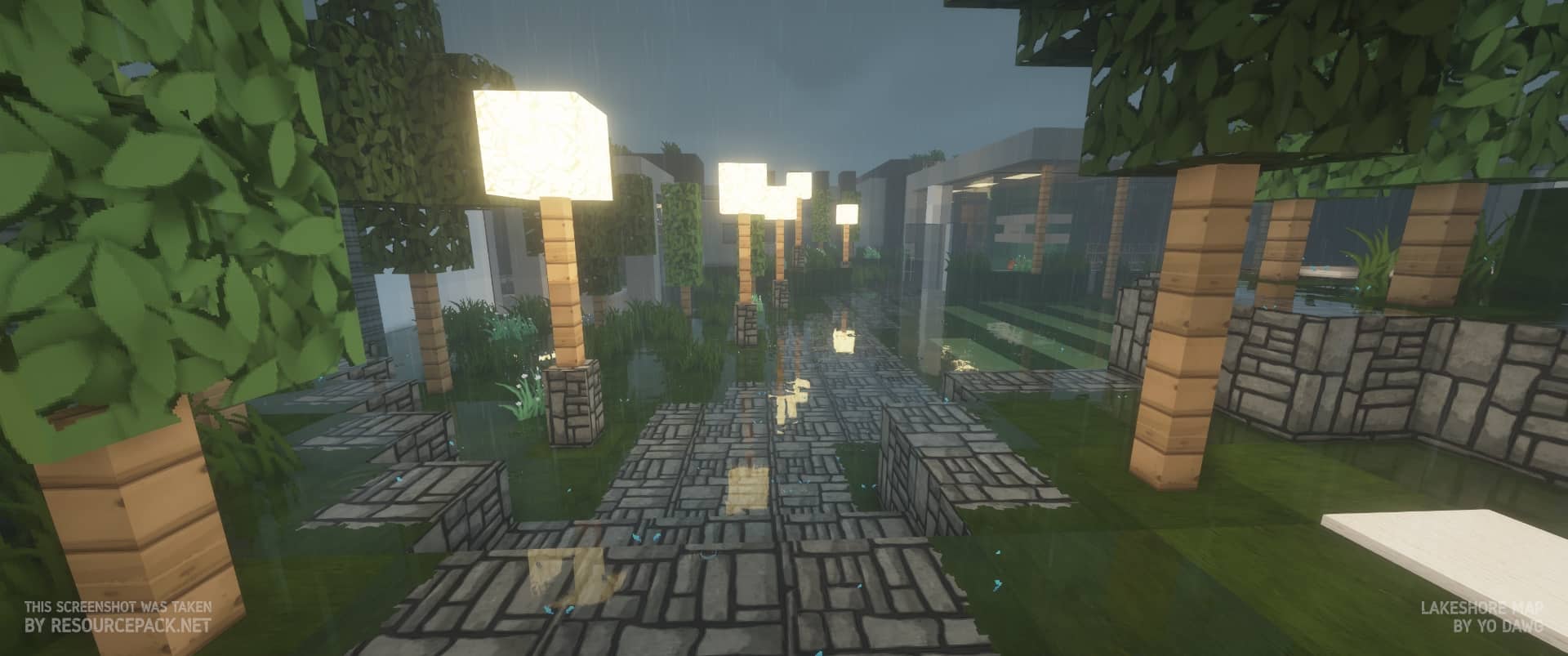
After spending some time with Flows HD, I can see why it has stayed popular for so long. The first thing that stands out is its bright, polished, and colorful art style. It doesn’t try to turn Minecraft into a completely different game; instead, it takes the familiar vanilla look and gives it a cleaner, more modern finish. The pack has a surprisingly long history, going all the way back to 2012 around Minecraft 1.2.5. Over the years, development has passed between several contributors, including ArtFlo91, Eisregen, Lukolaz, and Exevium, with different creators helping refine the pack along the way. Despite those changes, Flows HD has continued to receive updates, which is a big reason it still feels relevant today. When you first load into a world, the difference is immediately noticeable, but the textures still feel unmistakably Minecraft.
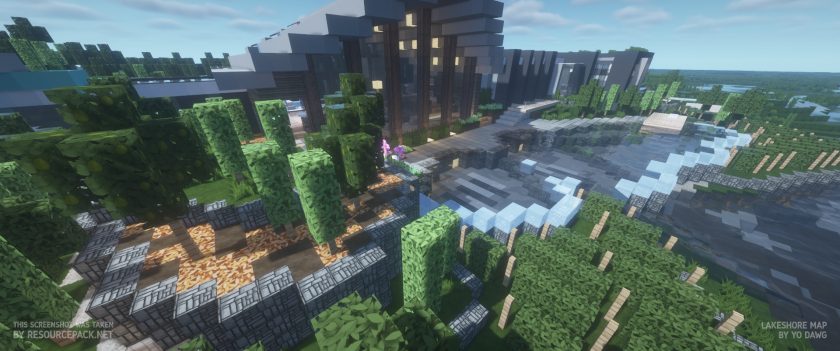
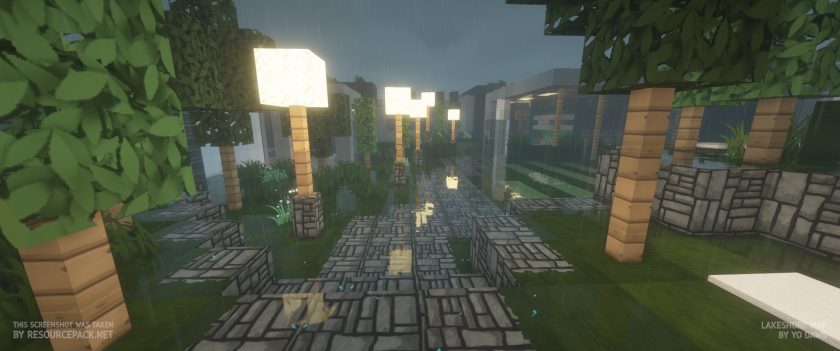
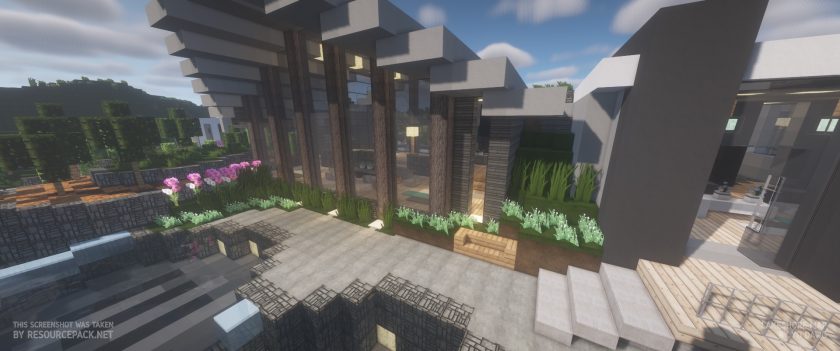
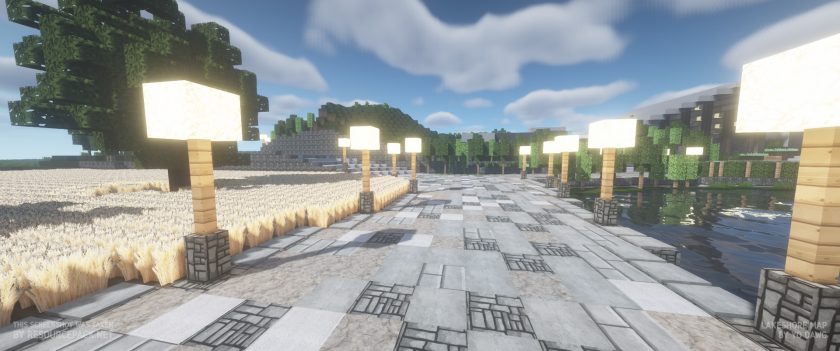
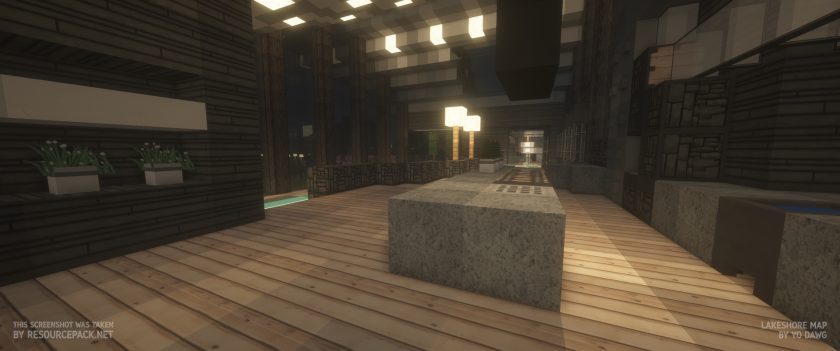
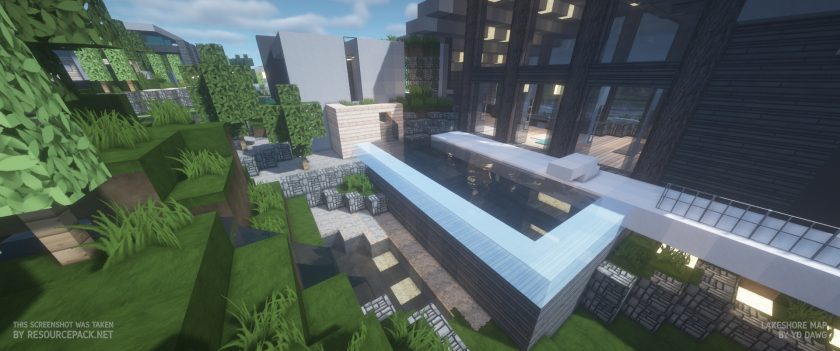
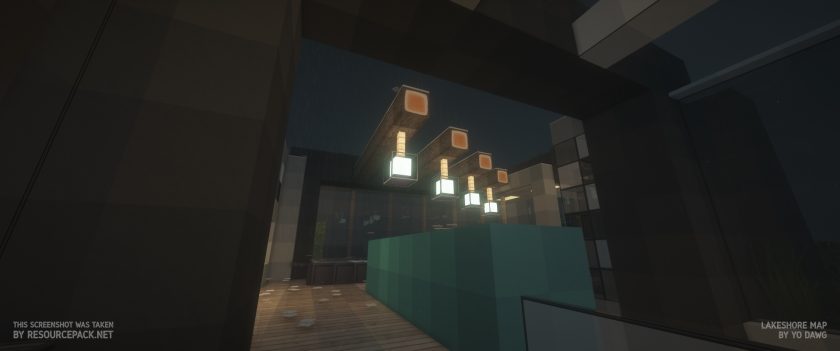
Where Flows HD Texture Pack really impressed me was while building. The textures have enough detail and color variation to work with a wide range of building styles, whether you’re creating a medieval village, a modern house, a dark fortress, or something more relaxed and colorful. Blocks look cleaner without becoming overly complicated, and the overall palette gives builds a more finished appearance. The environment also gets plenty of attention. The sky has been redesigned with a clearer blue during the day, while nighttime has a darker and more atmospheric feel thanks to the moonlight. Vegetation looks considerably more natural as well, with grass, leaves, and underwater plants receiving more detailed shapes instead of looking like flat pixel patterns. These changes aren’t necessarily dramatic individually, but together they make exploration feel much fresher.
One of the things I appreciate about Flows HD is that it isn’t limited to Java Edition. A Bedrock version has also been made available, allowing players on platforms such as Xbox, PlayStation, Android, and iOS to enjoy the same general visual style. On Java, OptiFine is recommended because some of the pack’s connected-texture features work better with it, and it can also help with performance depending on your setup. You should keep in mind that Flows HD is considerably heavier than vanilla Minecraft, especially with its higher-resolution textures. Older versions offered 64x and 128x options, while the newer development has focused more heavily on the higher-quality version, so weaker PCs may struggle more. Adding shaders will push the hardware requirements even further, although the combination can look excellent when your system can handle it.
Overall, I’d describe Flows HD as a great choice for players who want Minecraft to look more polished without losing its original personality. It has had years to develop its visual identity, and that experience shows in the consistency of the textures. The combination of detailed blocks, improved vegetation, a redesigned sky, and a versatile color palette makes it particularly appealing for builders, but there’s plenty here for survival players as well. If your PC can comfortably handle the resolution, Flows HD Resource Pack is definitely worth trying, especially if you’re after a modern Minecraft look that still feels familiar.
Flows HD is compatible with all of the following Minecraft versions: 1.21.11 – 1.21.10 – 1.21.9 – 1.21.8 – 1.21.7 – 1.21.6 – 1.21.5 – 1.21.4 – 1.21.3 – 1.21.2 – 1.21.1 – 1.21 – 1.19.4 – 1.19.3 – 1.19.2 – 1.19.1 – 1.19 – 1.18.2 – 1.18.1 – 1.18 – 1.17.1 – 1.17 – 1.16.5 – 1.16.4 – 1.16.3 – 1.16.2 – 1.16.1 – 1.16 – 1.14.4 – 1.14.3 – 1.14.2 – 1.14 – 1.13.2 – 1.13.1 – 1.13 – 1.12.2 – 1.12 – 1.11.2 – 1.11 – 1.10.2 – 1.10 – 1.9.4 – 1.9 – 1.8.9 – 1.8.8 – 1.8.1 – 1.8.6 – 1.8 – 1.7.10 – 1.7.9 – 1.7.4 – 1.7 – Bedrock Edition – PE
Flows HD — Video and screenshots
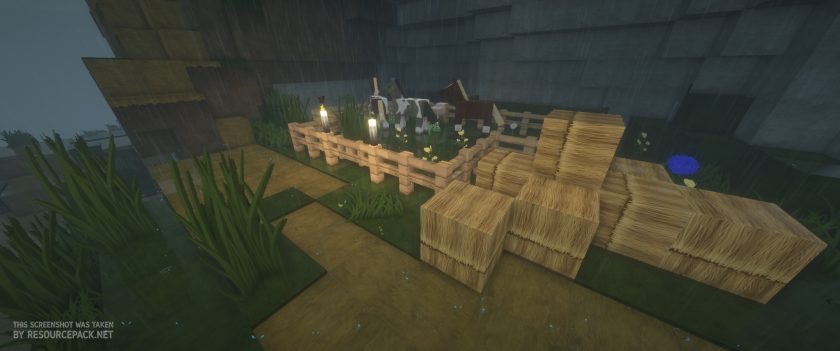
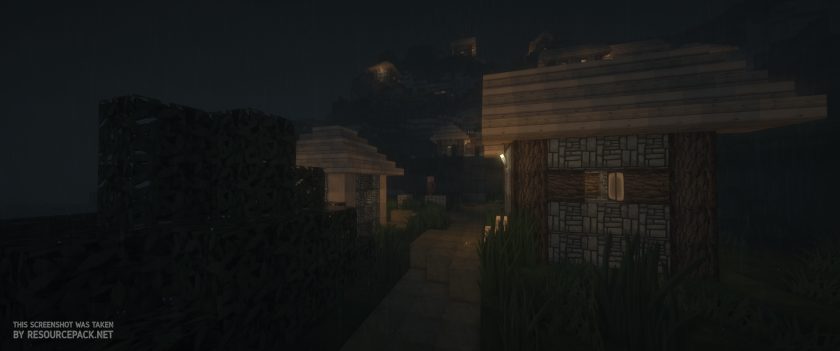
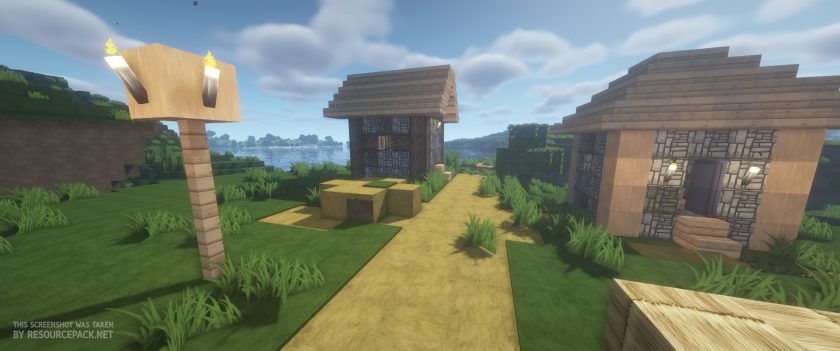
How to install Flows HD Resource Pack:
- Download Optifine: Most of the texture packs and shaders need Optifine. That’s why, first download and install Optifine for the version of Minecraft you want to play.
- Download the Texture Pack: Get the texture pack you want from the download section. Choose the version that works with your Minecraft and your PC’s performance.
- Open Minecraft Launcher: 🚀 Start Minecraft using the official game launcher — or even TLauncher, if you use that.
- Go to Options: From the main menu, click on the “Options” button.
- Open Resource Packs: Inside Options, click on “Resource Packs…”.
- Open the Resource Pack Folder: Click on “Open Resource Pack Folder”— this will open a folder named “resourcepacks.”
- Move the Pack File: Copy or move the .zip file you downloaded into that “resourcepacks” folder. (Don’t unzip the file—Minecraft uses it as-is!)
- Go Back and Refresh: Close the folder and click “Done”, then go back into “Resource Packs…” again.
- Activate the Pack: You’ll see the pack on the left side. Hover over it and click the arrow to move it to the right (active side).
- Tip: If you get a message that the pack is for a different version, just click “”Yes”—it usually works fine.
- Click Done and Enjoy: Click “Done” again. Now your pack is ready to use in-game. It’s that easy!
- We never modify or modify resource packs in any way. None of the resource packs, shader mods or tools you see on this site are hosted on our servers. We only use official download links provided by official authors. Therefore, they are completely safe.
- Since the links are official and we update them manually – the links may stop working with each new update. We try to update the links as fast as possible and usually we update everything on time and users don’t have any problems, but if suddenly any link stops working – let us know through comments below.
- Don’t forget to leave a comment below and vote for the pack. In this way, you will help the authors to constantly improve the project. If you want to support the author(s), be sure to check the author links right below the download links.
Download Links
Bedrock Edition:
[128x] Download Flows HD Bedrock Edition Resource Pack
[64x] Download Flows HD Bedrock Edition Resource Pack
Java Edition (128x):
[128x] [1.21.x] Download Flows HD Resource Pack
[128x] [1.19.x] Download Flows HD Resource Pack
[128x] [1.18.x – 1.17.x] Download Flows HD Resource Pack
[128x] [1.16.x] Download Flows HD Resource Pack
[128x] [1.14.x] Download Flows HD Resource Pack
[128x] [1.13.x] Download Flows HD Resource Pack
[128x] [1.12.x] Download Flows HD Resource Pack
[128x] [1.11.x – 1.9.x] Download Flows HD Resource Pack
[128x] [1.8.x – 1.7.x] Download Flows HD Resource Pack
Java Edition (64x):
[64x] [1.21.x] Download Flows HD Resource Pack
[64x] [1.19.x] Download Flows HD Resource Pack
[64x] [1.14.x] Download Flows HD Resource Pack
[64x] [1.13.x] Download Flows HD Resource Pack
[64x] [1.12.x] Download Flows HD Resource Pack
[64x] [1.11.x – 1.9.x] Download Flows HD Resource Pack
[64x] [1.8.x – 1.7.x] Download Flows HD Resource Pack
Add-ons (Java Edition):
Connected Textures Add-on – 128x resolution, for MC 1.13.x and later;
3D Models Add-on – 128x resolution, for MC 1.13.x and later;
Chisel Mod Add-on – 128x resolution, for MC 1.13.x and later;
Download Instructions:
CurseForge: The download will start by itself after a few seconds.
Mediafire: Click the big blue “DOWNLOAD” button.
Google Drive: Click the small download icon (a down arrow) at the top-right corner to start the download.
Disclaimer
We are not the creators of any texture packs or shader packs shared on this site. All credit goes to the original authors. We do not edit or change any files in any way. Also, none of the downloads are hosted on our servers — we only provide official links shared by the original creators. That means all downloads are completely safe.
❗Note: Since we manually add the official links, so some may stop working after updates. If you find a broken link, tell us in the comments and we’ll fix it as soon as we can.
If you like a pack, please leave a comment and vote for it — this helps the creators improve their work. You can also support them directly through the links below the download section.