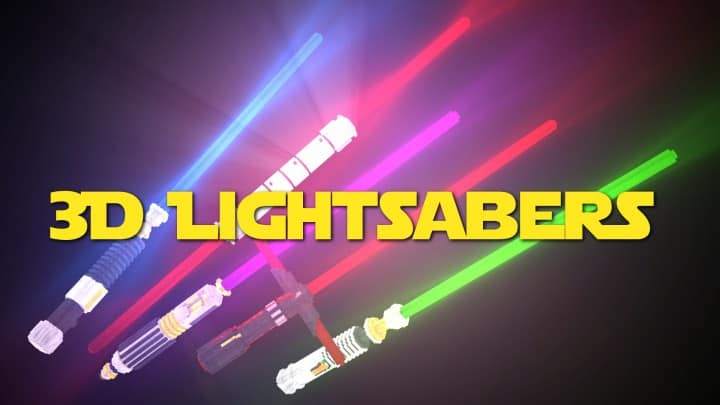
Step into a galaxy far, far away right within your Minecraft world with the Glowing 3D Lightsabers resource pack. For many, the allure of Star Wars is undeniable, and this pack by creatorLabs beautifully taps into that nostalgia without overwhelming your game. This pack embraces a “less is more” philosophy, focusing on a singular, powerful transformation: turning your mundane Minecraft swords into stunning, glowing 3D lightsabers.
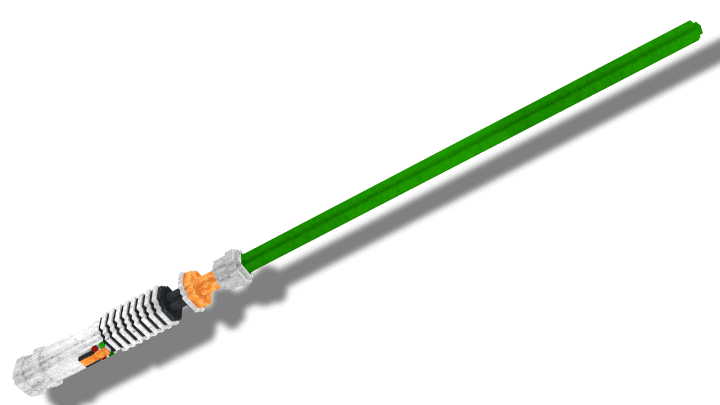
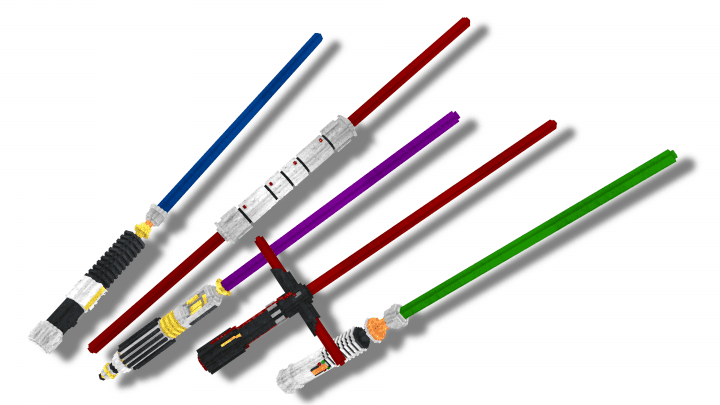
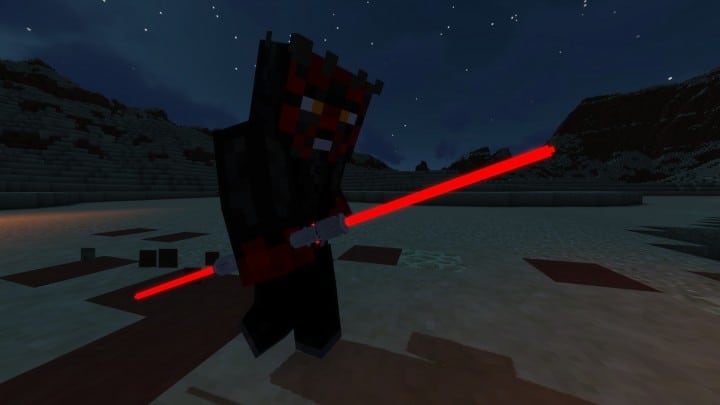
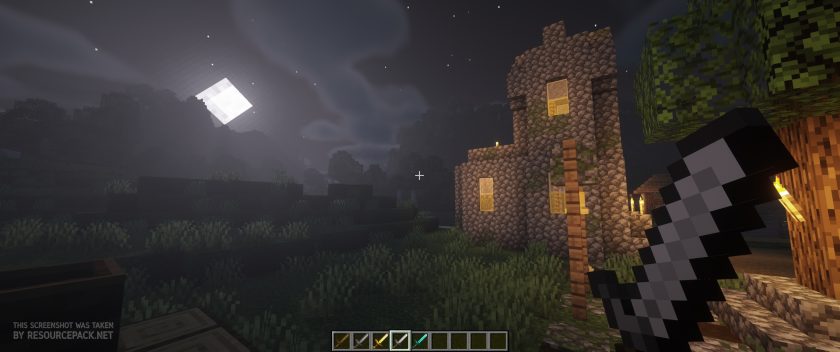
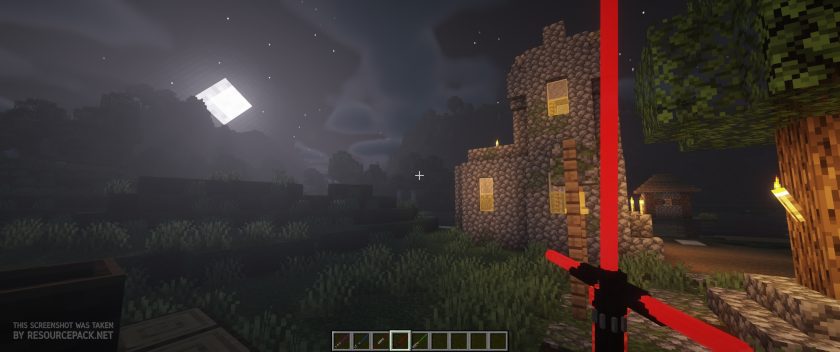
The moment you equip a sword, you’ll notice the incredible effort put into these models. Gone are the pixelated blades, replaced by sleek, iconic lightsabers that pulse with vibrant, emissive textures. It’s a truly immersive experience, especially as dusk falls and your weapon casts a vivid glow across the landscape, making every swing feel like a heroic duel or a sinister confrontation. The pack thoughtfully includes five distinct lightsaber designs, each meticulously inspired by beloved Star Wars characters, ensuring a unique feel for every blade in your arsenal. The specific transformations are: the Iron Sword becomes Kylo Ren’s distinctive red crossguard lightsaber; the Diamond Sword transforms into Luke Skywalker’s classic green blade; the Stone Sword takes the form of Obi-Wan Kenobi’s elegant blue lightsaber; the Golden Sword is reimagined as Darth Maul’s formidable red double-bladed saber; and the Wooden Sword becomes Mace Windu’s unique purple lightsaber.
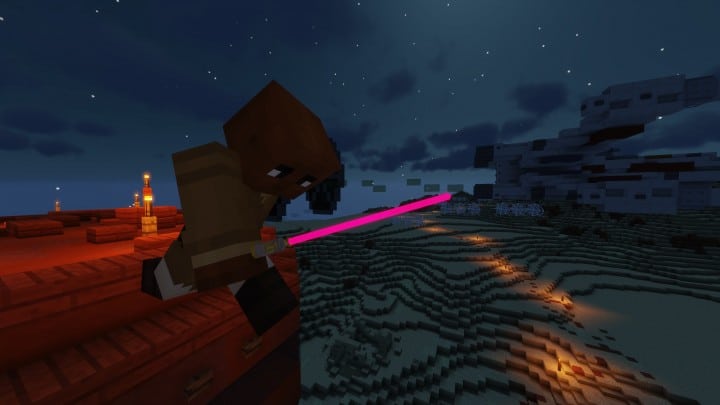
Wielding these new weapons in both PvP and PvE scenarios adds an exciting new dimension to combat. Imagine clashing a crimson blade against a foe under the moonlit sky, or parrying an attack with a luminous green saber. The visual impact is immediate and satisfying. While the pack doesn’t specify shader recommendations, experimenting with various shader packs can further amplify the glowing effects, creating even more dynamic light play. However, be aware that the pack’s changes are exclusively applied to swords; other tools and weapons retain their classic Minecraft appearance, maintaining a focused Star Wars aesthetic.
One of the pack’s significant strengths lies in its minimal impact on game performance. Since it primarily re-textures and re-models only the swords without upscaling other textures or complex lighting alterations, the Glowing 3D Lightsabers pack runs smoothly. This makes it an ideal choice for PvP enthusiasts seeking high frame rates or for players running Minecraft on older hardware. It’s also designed to be stacked atop other resource packs, though it’s recommended to place it last in your load order to ensure its models correctly override existing sword textures. For proper functionality, particularly with its emissive textures, the pack requires OptiFine, and the developer suggests using the latest version for the best experience. This simple yet impactful pack truly brings the iconic feel of Star Wars saber combat into your Minecraft adventures.
Glowing 3D Lightsabers is compatible with all of the following Minecraft versions: 1.19.2 – 1.19.1 – 1.19 – 1.18.2 – 1.18.1 – 1.18 – 1.17.1 – 1.17 – 1.16.5 – 1.16.4 – 1.16.3 – 1.16.2 – 1.16.1 – 1.16 – 1.15.2 – 1.15.1 – 1.15 – 1.14.4 – 1.14.3 – 1.14.2 – 1.14 – 1.13.2 – 1.13.1 – 1.13 – 1.12.2 – 1.12 – 1.8.9 – 1.8.8 – 1.8.1 – 1.8.6 – 1.8
Glowing 3D Lightsabers – Screenshots & Videos
How to Install Texture Pack (Simple 10 Steps)
- Download Optifine: Most of the texture packs and shaders need Optifine. That’s why, first download and install Optifine for the version of Minecraft you want to play.
- Download the Texture Pack: Get the texture pack you want from the download section. Choose the version that works with your Minecraft and your PC’s performance.
- Open Minecraft Launcher: Start Minecraft using the official game launcher – or even TLauncher, if you use that.
- Go to Options: From the main menu, click on the “Options” button.
- Open Resource Packs: Inside Options, click on “Resource Packs…”.
- Open the Resource Pack Folder: Click on “Open Resource Pack Folder” – this will open a folder named “resourcepacks”.
- Move the Pack File: Copy or move the .zip file you downloaded into that “resourcepacks” folder. (Don’t unzip the file – Minecraft uses it as-is!)
- Go Back and Refresh: Close the folder and click “Done”, then go back into “Resource Packs…” again.
- Activate the Pack: You’ll see the pack on the left side. Hover over it and click the arrow to move it to the right (active side). Tip: If you get a message that the pack is for a different version, just click “Yes” – it usually works fine.
- Click Done and Enjoy: Click “Done” again. Now your pack is ready to use in-game. It’s that easy!
Download
Java Edition:
[16x] [1.19.x – 1.15.x] Download Glowing 3D Lightsabers Resource Pack – just click “Yes” when the incompatibility message “made for an older version” appears, it will work;
[16x] [1.14.x – 1.13.x] Download Glowing 3D Lightsabers Resource Pack
[16x] [1.12.x] Download Glowing 3D Lightsabers Resource Pack
[16x] [1.8.x] Download Glowing 3D Lightsabers Resource Pack
Download Instructions
- CurseForge: If the pack is hosted on CurseForge, the download will begin automatically after a few seconds. If it does not start, use the “Download” button shown on the page.
- Modrinth: If the download is from Modrinth, click the file version that matches your Minecraft build, then press the Download button. Modrinth usually offers multiple releases, so make sure you pick the correct version before installing.
- Mediafire: On Mediafire, click the large blue Download button to start the file download. Avoid any extra pop-ups or buttons that are not related to the direct download.
- Google Drive: For Google Drive, click the small download icon at the top right corner of the page. It looks like a downward arrow. The file will be saved to your computer immediately.
Disclaimer We do not create or modify any of the texture packs or shader packs shared on this website. All credit goes to the original creators, and every download link we provide is the official link from their page, which keeps all downloads safe. Some links may stop working after updates, so if you find a broken one, let us know in the comments and we will update it quickly. If you like a pack, consider supporting the creator by visiting their official page or website that we have linked below, and feel free to leave a comment or vote to help their work reach more players.